ycliper

Популярное

Музыка Кино и Анимация Автомобили Животные Спорт Путешествия Игры Юмор

Интересные видео

2025 Сериалы Трейлеры Новости Как сделать Видеоуроки Diy своими руками

Топ запросов

смотреть а4 schoolboy runaway турецкий сериал смотреть мультфильмы эдисон
Скачать

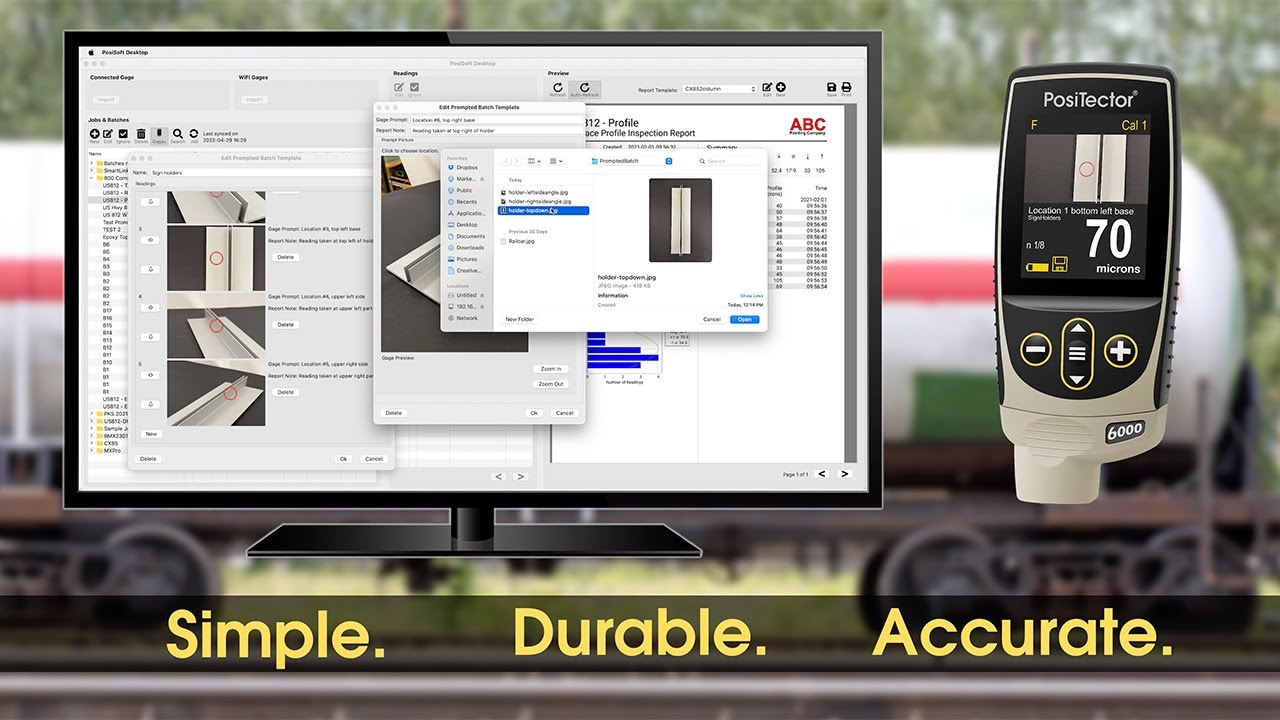
How to Use Prompted Batch Mode to Simplify Inspections and Maximize Performance

Автор: DeFelsko

Загружено: 2022-05-16

Просмотров: 5334

Описание: This video overviews the basic functions of DeFelsko’s Prompted Batch Mode for PosiTector 6000, PosiTector 200, and PosiTector UTG gages. Create pre-defined batches in PosiSoft Desktop with onscreen text and image prompts for each reading to simplify inspections.

Prompted Batch Mode is ideal for ensuring a consistent measurement pattern for repetitive jobs or when specific measurement locations are required.

Learn more about Prompted Batch Mode: https://www.defelsko.com/posisoft/pos...

Reference the PosiSoft Desktop help file for step-by-step written instructions: https://dl.defelsko.com/html-p/posiso...

Chapters:
0:00 — Intro
0:48 — Create a New Prompted Batch Template
2:14 — Export a Prompted Batch Template to Gage
2:25 — Edit a Prompted Batch Template
2:36 — Delete a Prompted Batch Template
2:55 — Open Template on PosiTector

—Like us on Facebook:
  / defelsko  
—Connect with us on LinkedIn:
  / defelsko  
—Follow us on Twitter:
  / defelsko  
—Visit our website:
https://www.defelsko.com/

#PosiSoft #PosiTector6000 #PosiTector200 #PosiTectorUTG #CoatingThickness #WallThickness #Inspection #QAQC #DeFelsko

Не удается загрузить Youtube-плеер. Проверьте блокировку Youtube в вашей сети.
Повторяем попытку...
How to Use Prompted Batch Mode to Simplify Inspections and Maximize Performance

Поделиться в:

Доступные форматы для скачивания:

Скачать видео

  • Информация по загрузке:
Скачать аудио

Похожие видео

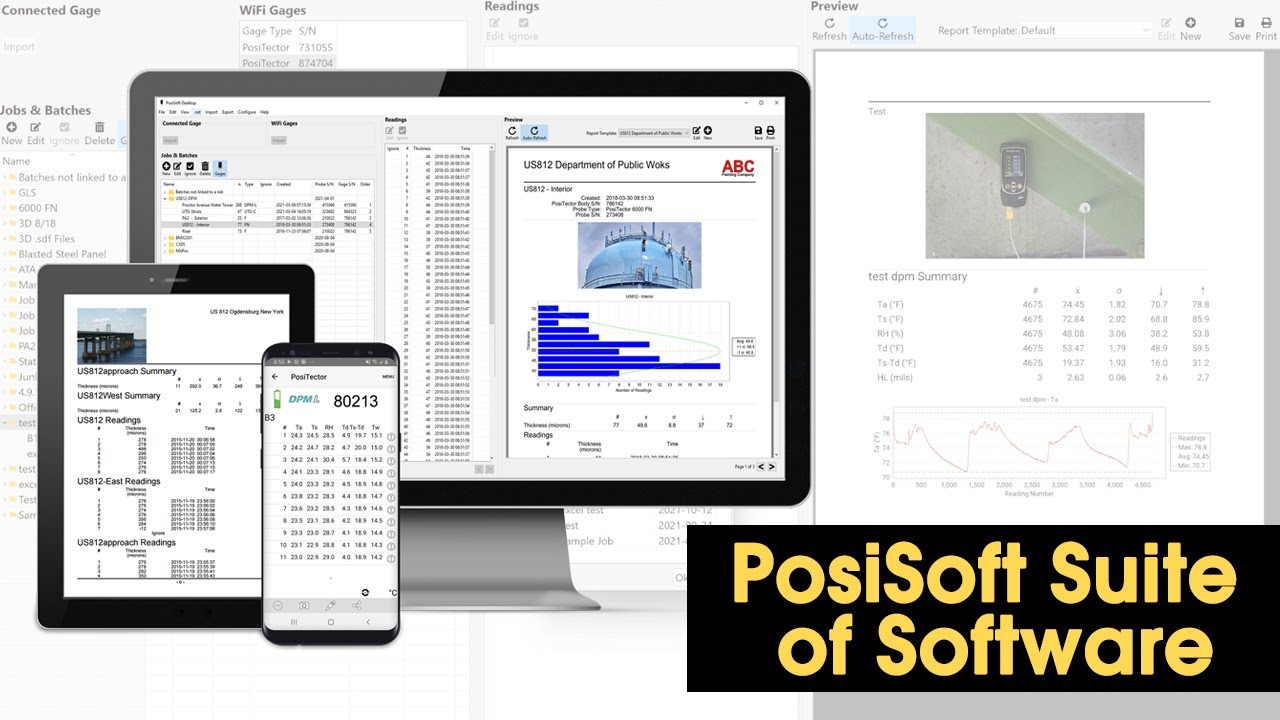
How to Use PosiSoft Software to Simplify Management and Reporting of Measurement Data

How to Use PosiSoft Software to Simplify Management and Reporting of Measurement Data

PosiTector 6000 Cómo medir el grosor del revestimiento y la pintura

PosiTector 6000 Cómo medir el grosor del revestimiento y la pintura

PosiSoft Software

PosiSoft Software

PosiTector 200, Medición de espesor de recubrimiento multicapa

PosiTector 200, Medición de espesor de recubrimiento multicapa

Positector 200시리즈 사용방법-V02

Positector 200시리즈 사용방법-V02

Medición de condiciones ambientales con Positector DPM Avanzado DF-DPM3

Medición de condiciones ambientales con Positector DPM Avanzado DF-DPM3

Nowe Apple, nowe DJI… i coś z IKEA

Nowe Apple, nowe DJI… i coś z IKEA

Плагин подключения робота Yamaha

Плагин подключения робота Yamaha

PosiTector 200 Measuring Rough Coating Thickness

PosiTector 200 Measuring Rough Coating Thickness

Komu służy Nawrocki. Tajemnice Naćpana. Tomasz Szwejgiert, Jan Piński

Komu służy Nawrocki. Tajemnice Naćpana. Tomasz Szwejgiert, Jan Piński

200시리즈 영점조정

200시리즈 영점조정

Medición y reporte de espesor de pared metálica con Positector UTG-C

Medición y reporte de espesor de pared metálica con Positector UTG-C

DeFelsko PosiTector 200 Series: Coating Thickness Gauges for Non-Metal Substrates

DeFelsko PosiTector 200 Series: Coating Thickness Gauges for Non-Metal Substrates

How to Measure Uncured Powder Coating Thickness with the PosiTest PC Powder Checker

How to Measure Uncured Powder Coating Thickness with the PosiTest PC Powder Checker

🔴 Kim byli naprawdę? Historia zmienianych nazwisk w PRL

🔴 Kim byli naprawdę? Historia zmienianych nazwisk w PRL

PosiTest AT Series - Adhesion Testers

PosiTest AT Series - Adhesion Testers

PosiTector 200 Medidor de Espesor de Recubrimiento Ultrasónico

PosiTector 200 Medidor de Espesor de Recubrimiento Ultrasónico

PosiTector 6000 FNDS Duplex Mode

PosiTector 6000 FNDS Duplex Mode

PosiTest AT Probadores de Adherencia - Español

PosiTest AT Probadores de Adherencia - Español

PosiTector 6000 Modo SSPC PA2 Español

PosiTector 6000 Modo SSPC PA2 Español

© 2025 ycliper. Все права защищены.


  • Контакты
  • О нас
  • Политика конфиденциальности


Контакты для правообладателей: [email protected]