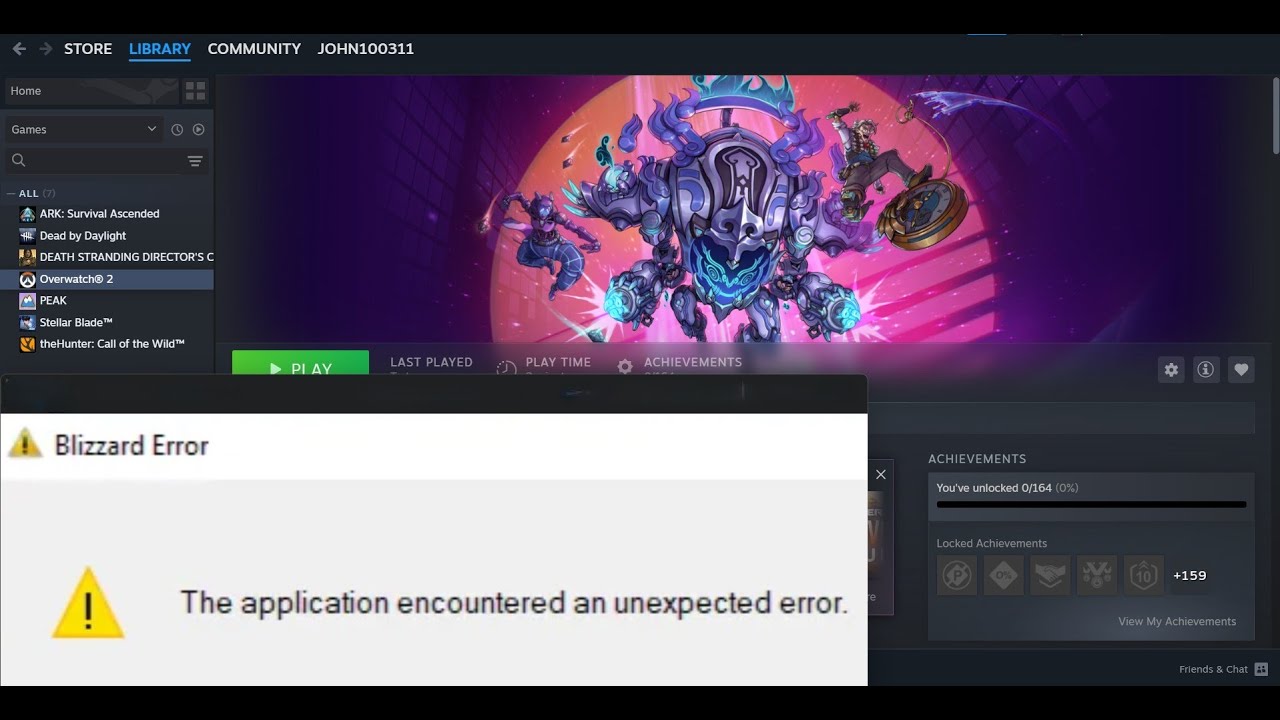
Fix Overwatch 2 Blizzard Error The Application Encountered An Unexpected Error On PC
Автор: AarohanTechSol
Загружено: 2025-06-25
Просмотров: 2271
Описание:
How To Fix Overwatch 2 Blizzard Error The Application Encountered An Unexpected Error On PC
Step 1) Restart PC
Step 2) Perform clean installation of graphics driver
https://www.nvidia.com/Download/index...
https://www.amd.com/en/support
Step 3) Run the game on dedicated graphics card, make sure that your monitor is plugged in to the correct dedicated graphics card
Step 4) Roll back graphics driver (576.28/ 566.36)
Step 5) Run the game from the game installation folder, Run the game as an administrator, try compatibility mode, disable full screen optimization
Step 6) If you are using any third-party antivirus like Comodo, Avast, AVG, McAfee, Norton, bit defender, then allow the game exe to your antivirus program. Windows Security users allow the game exe file to controlled folder access and firewall, add both exe. (Overwatch Launcher, Overwatch)
Step 7) Uninstall Razer Chroma Software (Razer Synapse) restart PC after uninstalling Razer Synapse
Step 8) Enable/Disable hardware-accelerated GPU scheduling
Step 9) Try Power saver mode
Step 10) Download Intel Extreme Tuning Utility and lower down Performance Core Ratio
Step 11) Turn off/On Game bar
Step 12) Reset In-Game options
Step 13) Launch game using Nvidia App, optimize it, if already optimized revert optimization
Step 14) Turn on/turn off VPN
Step 15) Try Google DNS Server
8.8.8.8
8.8.4.4
Step 16) Try different region
Step 17) Run these commands
ipconfig /flushdns
ipconfig /release
ipconfig /renew
netsh winsock reset
netsh int ip reset
Step 18) Switch to different networks, switch to mobile hotspot
Step 19) Make some space in your drives keep at least 15–20% free space
Step 20) If using Fasoo DRM software/ Kyobo e-book reader uninstall it if you can, restart you PC
Step 21) Try -dx11/-dx12 in launch options
Step 22) If your monitor has its own drivers, google it and go to manufacturer website to install your monitor drivers
Step 23) Delete the Overwatch folder. (C:\Users\Username\Documents\Overwatch)
Step 24) Verify the game files
Step 25) Install Visual C++ Files
https://docs.microsoft.com/en-US/cpp/...
Step 26) Update Windows to the latest version 24H2
Step 27) Unplug external devices such as hotas, pedals, racing wheel, Razer Tartarus, disconnect all the additional USB adapter connected to PC, disconnect additional joystick/controllers connected, disable overlay, close all the overlay apps (Discord, GeForce Experience, Nvidia shadow play overlay, AMD overlay). Do not overclock, set it default, Close all the overclocking application MSI Afterburner/Rivatuner, turn off Razer Synapse (razor lighting effects) and MSI Dragon Center, corsair software, close third-party services such as nahimic services/lightingservice.exe etc. in task manager remove the undervolt
Step 28) Increase Virtual Memory
Step 29) Update BIOS
Step 30) Uninstall the game, go to the game installation folder and delete the game folder, restart your PC, and reinstall the game to C Drive/if already installed to C drive, then install the game to another SSD
Повторяем попытку...
Доступные форматы для скачивания:
Скачать видео
-
Информация по загрузке: