How to Make a 3D Printed Threaded Knob Using Fusion360
Автор: Hammered & Nailed
Загружено: 2018-03-29
Просмотров: 3124
Описание:
How to make 3D printed threaded knobs using Fusion 360. Printed on a Monoprice Select Mini V2 3D Printer using Fusion 360 for CAD model and Cura for slicing.
This is a simple project to get you started with 3D modeling and 3D printing using Fusion 360. I have an upcoming project that needs a few different threaded knobs, and I couldn't find what I needed. So, I designed these threaded knobs to use a standard 1/4-20 nut and bolt.
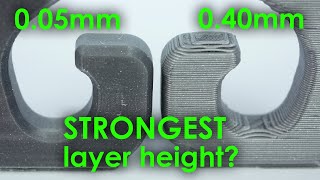
The MP Select Mini is a fantastic 3D printer for beginners and enthusiasts and easy to use right out of the box. I printed these knobs in bright color PLA. The extrusion temperature was 200c and bed temperature was 50c. Layer height at 0.21875mm and 80% infill, as the design is self-supporting.
Download the STL File:
https://www.myminifactory.com/object/...
Download Fusion 360:
https://www.autodesk.com/products/fus...
Download Cura:
https://ultimaker.com/en/products/ult...
Made with VSDC Video Editor
https://www.nchsoftware.com/videopad/...
Read More:
https://www.greatlakesmakes.design/3d...
Music:
Divider by Chris Zabriskie is licensed under a Creative Commons Attribution license (https://creativecommons.org/licenses/...)
Source: http://chriszabriskie.com/divider/
Artist: http://chriszabriskie.com/
Skyline by Text Me Records
Повторяем попытку...

Доступные форматы для скачивания:
Скачать видео
-
Информация по загрузке: