Samsung Galaxy Trend Lite S7390 hard reset
Автор: GSM-ABC
Загружено: 2013-09-28
Просмотров: 914141
Описание:
You can also try dr.fone - Android Lock Screen Removal to bypass pattern, PIN, password & fingerprints for Android devices with NO DATA LOSS: https://goo.gl/sEpYPY
- -
Warning! Do this at your own risk! All your phone data (contacts,photos,videos,music,messages,aplications,games,files,) will be lost! Please make backup first if you can!
1.Power off your phone
2.Push together volume up + home button + power button until Samsung logo appears on screen
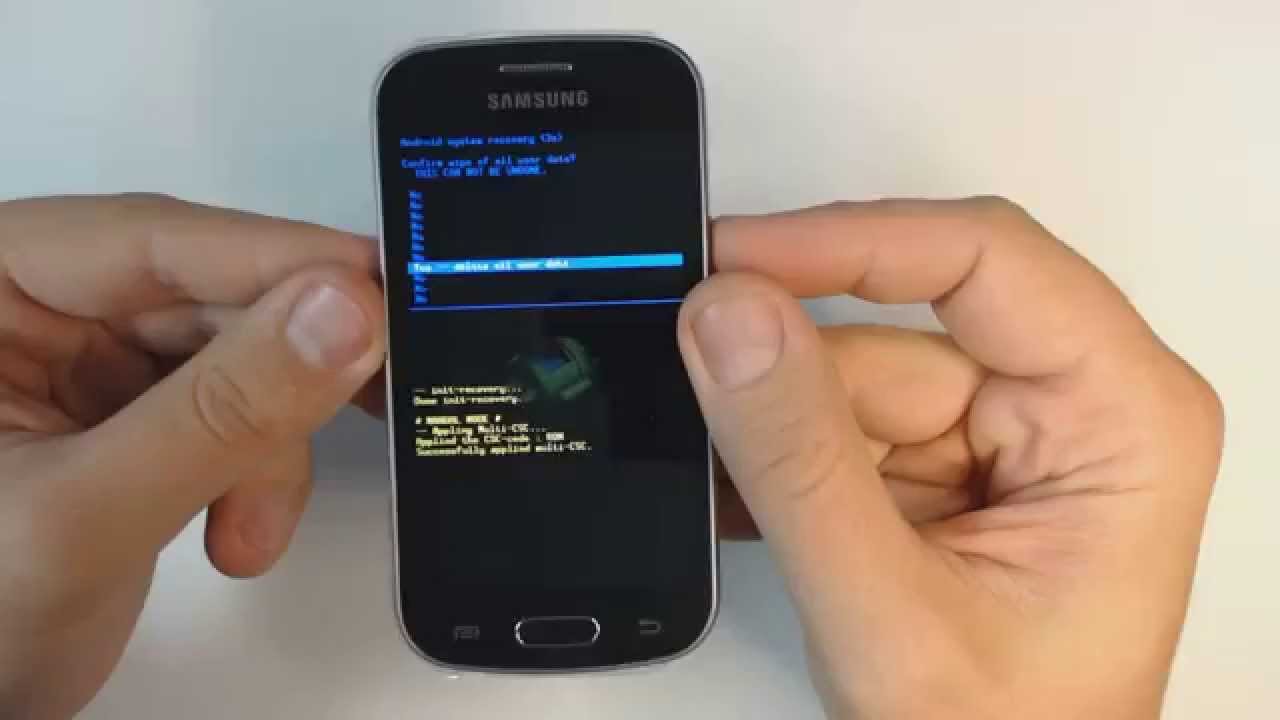
3.Scroll with volume button to "wipe data/factory reset" and press power button to confirm
4.Select "yes" and push power button to confirm
5.Wait until format ends
6.Press power to confirm "reboot"
7.Wait until the phone restarts
That's it!
If you liked this video don't forget to click "like" :)
Повторяем попытку...
Доступные форматы для скачивания:
Скачать видео
-
Информация по загрузке:




![[Android Phone] Исправление черного экрана! | (Samsung Galaxy и другие)](https://image.4k-video.ru/id-video/BcsSz0Y-FFg)


