Building a piano instrument from scratch
Автор: redmatica
Загружено: 2011-09-05
Просмотров: 2835
Описание:
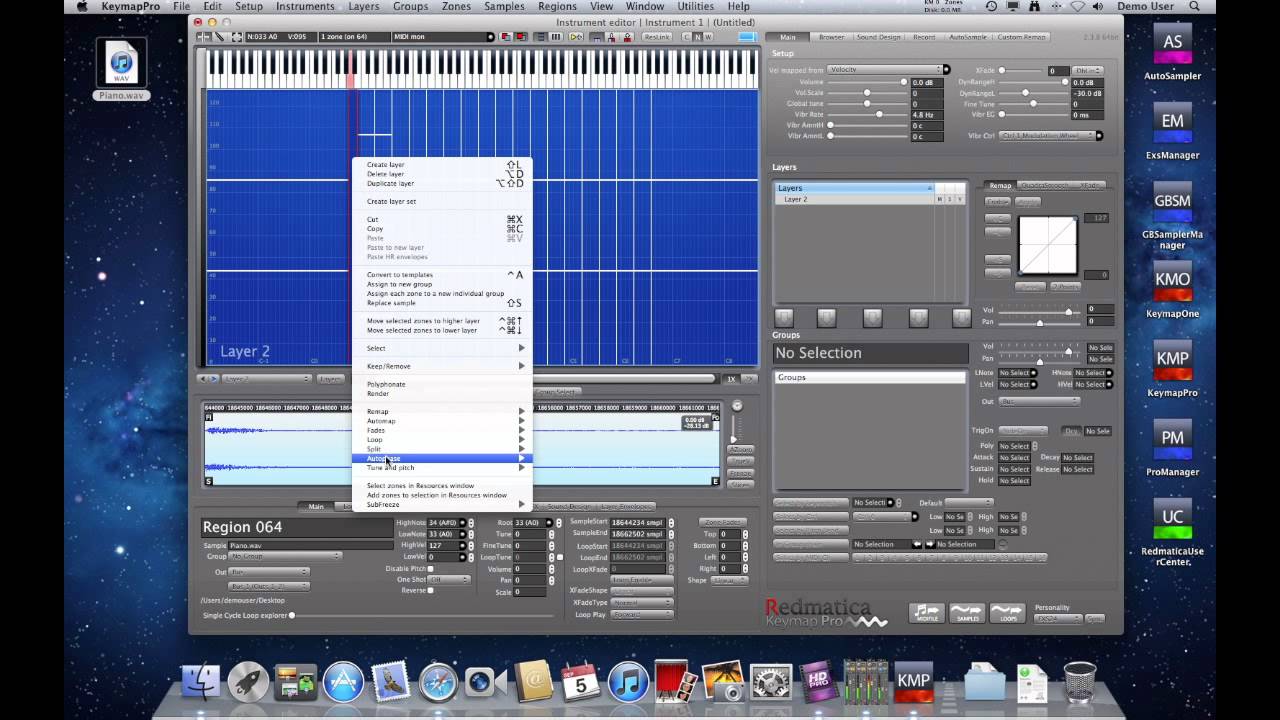
In this video we build a looped piano instrument in Keymap Pro 2 starting from a piano recording containing multiple notes and velocities.
The various notes have been recorded one after the other at different velocities and pitches.
As first thing, we drop the recording on the Magic Pad #3 to build an initial mapping. We select Spectral Splitting for the Magic pad, as the piano was recorded using microphones, and there is a bit of background noise and very little silent space between notes, so very often a note release actually bleeds into the next note attack.
The Magic Pad #3 gives us a very good starting point using pitch and velocity detection. In the case of this piano, each note has a strong attack noise component, especially evident on high notes. This might fool the pitch detection algorithm to map very high notes as lower-pitch notes. Similarly, the typically strong harmonics on the lower pitched piano notes might cause an octave shift in pitch detection. So, we need to correct a few wrongly mapped samples.
In order to do that, we use the Spectral Tuner and the KMP capability to automap zones based on their current root notes. In practice:
we select some of the incorrectly mapped notes
we open the Spectral Tuner window
we switch on the Tuning Fork
we start repeatedly playing the first selected zone by pressing the space bar
for each zone we switch the tuning fork pitch using CMD-Left band CMD-Right until we hear the pitch matching (we basically set the correct root note for each zone). We use Up and Down to select the other zones.
at the end, when we assigned the correct pitch to all zones, we close the Spectral Tuner
then we select all zones and auto map them using the currently assigned root notes
For some low notes we recognize directly that the octave is wrong and so we can directly lower the root note by 12 (1 octave) and auto map using the current root notes.
At the end, we re-adjust all the velocity splits using a remapping command.
Now, we notice that a few notes have too much silence before the attack, so we select all zones and use the trim attack function to fix that.
At this point we save the instrument as "Unlooped".
Then we use the quick-loop function and the Penrose Machine to loop everything, and save a Looped version too.
Not shown in the video: we can quickly re-adjust the velocity splits to better match our taste using the Dynamics Remapping Envelope, and at the end we simply export to EXS/Kontakt/Structure and Reason formats using the export command.
Total time to build the looped piano instrument: 5 minutes.
Andrea
Redmatica
Повторяем попытку...
Доступные форматы для скачивания:
Скачать видео
-
Информация по загрузке: