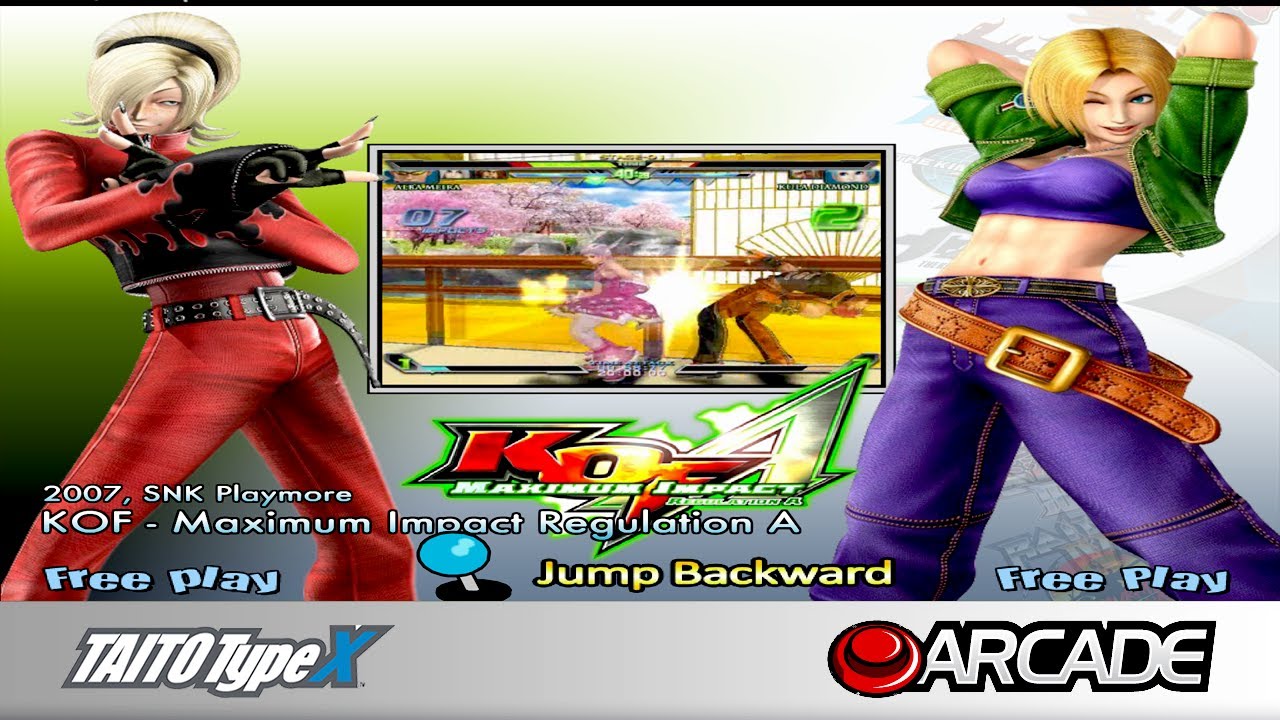
Taito Type X - The King Of Fighters Maximum Impact Regulation A 1080p
Автор: PlayClassicsBR
Загружено: 2020-08-15
Просмотров: 2613
Описание:
#PlayClassicsBR #taitotypex #kof #maximumimpactregulationA
Like ✔ Inscreva-se ✔ Comente ✔ Compartilhe ✔
► Convite Discord: / discord
Taito Type X - The King Of Fighters Maximum Impact Regulation A 1080p
► Outros Testes / Other Tests:
Taito Type X - The King Of Fighters Maximum Impact Regulation A 1080p - • Taito Type X - The King Of Fighters Maximu...
Taito Type X - Raiden III 1080p - • Taito Type X - Raiden III 1080p
Taito Type X - Tetris The Grand Master 3 Terror Instinct 1080p - • Taito Type X - Tetris The Grand Master 3 T...
Taito Type X - Giga Wing Generations - • Taito Type X - Giga Wing Generations
Taito Type X - Spica Adventure 1080p - • Taito Type X - Spica Adventure 1080p
Taito Type X3 (NESiCAxLive) - Samurai Shodown / Samurai Spirits 2019 - • NESiCAxLive - Samurai Shodown / Samurai Sp...
Taito Type X3 (NESiCAxLive) - Fighting EX Layer - • NESiCAxLive - Fighting EX Layer (NESiCAxLi...
► Configuração do PC / PC Configuration:
i7 3770, Asrock Z77 WS, 16Gb ram, GTX 970 G1 Gaming 4GB, Win10 64bits.
► Versão do Emulador / Emulator Version:
Game Loader All Rh v359
TeknoParrot v402
JVSEmu
► Download:
/ discord
► Como Rodar:
1º Descompactar o jogo.
2º Descompactar o '359 - 202003260100 (RAR5).rar' para o diretório do jogo. Esse é o Game Loader All Rh. Com o Game Loader All você pode alterar a resolução default do jogo.
3º Instale o 'Game Loader Installer', conforme no vídeo. Só precisa fazer esse passo na primeira utilização, apenas uma vez.
4º Execute o 'Game Loader Config' e na aba 'Windows Size' em 'Setting1' altere a resolução para 1920x1080, clique em 'Selectc Setting 1', em 'Monitor Resolution' marque a opção "Enable" e altere para 1920x1080 e clique em 'Save' para salvar as alterações. Na Aba 'Loader Mode' altere para "dg" e clique em 'Save' para salvar as alterações.
5º Configurar no ttx_config2.0.exe os controles.
6º Execute o jogo pelo arquivo 'Game Loader All RH.exe'.
7º Insira os créditos, aperte START e divirta-se!
*Obs1.: Siga o inicio do video para ver as configurações no Game Loader All RH.
*Obs2.: Esse jogo pode apresentar um bug após vídeo de apresentação e travar, também encontra problemas com placas de vídeo AMD. No meu caso não está travando.
► How to work:
1º Unzip the game.
2nd Unzip the '359 - 202003260100 (RAR5) .rar' to the game directory. This is the Game Loader All Rh. With Game Loader All you can change the game's default resolution.
3rd Install the 'Game Loader Installer', as shown in the video. You only need to do this step on the first use, just once.
4th Run the 'Game Loader Config' and on the 'Windows Size' tab in 'Setting1' change the resolution to 1920x1080, click on 'Selectc Setting 1', on 'Monitor Resolution' check the "Enable" option and change to 1920x1080 and click 'Save' to save the changes. In the 'Loader Mode' tab, change to "dg" and click 'Save' to save the changes.
5th Configure the controls in ttx_config2.0.exe.
6th Run the game through the file 'Game Loader All RH.exe'.
7th Insert the credits, press START and enjoy!
Note 1 .: Follow the beginning of the video to see the settings in the Game Loader All RH.
Note 2 .: This game may present a bug after presentation video and crash, it also finds problems with AMD graphics cards. In my case it is not crashing.
► Parceiros / Partners:
Hyperspin Owner (Facebook)
Emulation World (Facebook)
André Itamar Gomes (YouTube)
[PT-BR]
Deixe seu Comentário, sugestão e não esqueça de dar um LIKE e se inscrever no canal, valeu!
[US-EN]
Leave your comment, suggestion and do not forget to give a LIKE and subscribe to the channel, thanks!
► Programas utilizados para edição / Programs used for editing:
► Gravação de Desktop: oCam (Grátis!)
http://adf.ly/1XukTi
► Gravação dos Jogos: ShadowPlay
► Gravação: Fraps
► Edição dos Vídeos: Sony Vegas 14 Pro
► Edição das Fotos: Adobe Photoshop CS6
Повторяем попытку...
Доступные форматы для скачивания:
Скачать видео
-
Информация по загрузке: