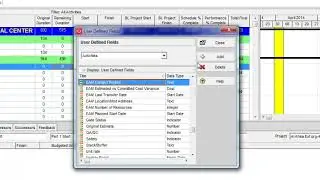
How to Use Trace Logic in Primavera P6 | Save Layout and Print Trace Logic |
Автор: PLANNING - P6
Загружено: 2021-07-26
Просмотров: 3105
Описание:
🔴 HOW TO USE TRACE LOGIC IN PRIMAVERA P6
🔴 SAVE LAYOUT AND PRINT TRACE LOGIC
🔴 WHAT YOU'LL LEARN/SEARCH TITLES:
✅Trace Logic in Primavera P6: Understanding Activity Relationships
✅Mastering Trace Logic for Project Dependency Analysis (P6)
✅Unveiling Project Activity Links: A Guide to P6 Trace Logic
✅Streamline Your Schedule Review with P6 Trace Logic
✅Visualize Project Dependencies for Better Decision-Making (P6 Trace Logic)
✅Trace Logic: The Key to Understanding Your Project Workflow (P6)
✅Untangle Your Project Schedule: Demystifying Trace Logic in P6
✅The Secret Weapon for Analyzing Project Dependencies (P6)
✅Don't Get Lost in the Schedule: Mastering Trace Logic in P6
✅Using Trace Logic to Analyze Predecessors and Successors in Primavera P6
✅A Step-by-Step Guide to Utilizing Trace Logic for Project Dependency Mapping (P6)
✅Leverage Trace Logic to Improve Communication and Collaboration on Your Projects (P6)
✅How to Print Customized Trace Logic Reports in P6
✅Capture and Share Project Dependencies with P6 Trace Logic Printing
✅Enhance Project Communication with Customized P6 Trace Logic Prints
✅Document Your Project Workflow Clearly with Printable P6 Trace Logic
✅Save Time with Efficient Trace Logic Printing and Sharing (P6)
✅A Guide to Saving and Printing Customized Layouts for P6 Trace Logic Reports
✅Step-by-Step Instructions for Printing Project Dependency Information from P6 Trace Logic
✅Leverage P6 Trace Logic Printing to Improve Project Review and Approval Processes
✅Understanding Project Logic with P6 Trace Logic
✅Primavera P6 Trace Logic: A Step-by-Step Guide
✅Mastering Trace Logic for Project Dependency Analysis (P6)
✅Simplify Project Dependency Analysis with P6 Trace Logic
✅Gain Insights into Your Project Schedule with P6 Trace Logic
✅Save Time Analyzing Project Dependencies in P6 (Trace Logic)
✅How to Use Trace Logic in Primavera P6
✅Printing Trace Logic Reports in Primavera P6
✅Customize and Save Trace Logic Layouts in P6
✅A Beginner's Guide to Using Trace Logic for Project Dependency Analysis in P6
✅How to Save and Print Customized Trace Logic Reports in Primavera P6
✅Streamlining Project Management with Trace Logic Features in P6
🔴DESCRIPTION:
Ever wondered how activities in your Primavera P6 schedule are connected and how delays in one might impact others? The Trace Logic feature is your secret weapon! This video will guide you through using Trace Logic in P6 to easily visualize predecessor and successor relationships for any activity. Learn how to navigate the Trace Logic window, understand the information displayed, and even customize the layout for clear communication. We'll also show you how to save your preferred layout and print the Trace Logic information alongside your schedule or Gantt chart, creating a valuable reference document for project stakeholders. Mastering Trace Logic will boost your ability to analyze your schedule, identify potential bottlenecks, and ultimately ensure a smoother project flow.
🔴CONCLUSION:
In conclusion, Primavera P6's Trace Logic is a valuable tool for understanding the flow of activities within your project schedule. By utilizing Trace Logic, you can efficiently navigate predecessor and successor relationships, pinpoint critical path dependencies, and identify potential bottlenecks. This improved understanding allows for better project planning, risk mitigation, and communication with stakeholders.
Remember, you can save your preferred layout with the Trace Logic displayed for easy reference. Additionally, you can even print the Trace Logic alongside the Activity Table and Gantt chart for a comprehensive project schedule overview. By mastering Trace Logic, you'll gain a deeper grasp of your project's workflow, leading to more informed decision-making and ultimately, a smoother project execution.
🔴DISCLAIMER:
This channel does not promote or encourage any illegal activities and all content provided by this channel is meant for EDUCATIONAL purposes only.
✅Copyright Disclaimer:
Under section 107 of the Copyright Act 1976, allowance is made for FAIR USE for purposes such as criticism, comment, news reporting, teaching, scholarship, and research. Fair use is a use permitted by copyright statutes that might otherwise be infringing. Non-profit, educational, or personal use tips the balance in favor of FAIR USE.
#PrimaveraP6 #TraceLogic #ProjectManagement #ScheduleDependencies #ConstructionManagement #EngineeringSchedule #ProjectControls #DependencyVisualization #Predecessors #Successors #P6Tips #ActivityRelationships #P6Tutorial #ProjectSchedule #ProjectControlsEngineer #ProjectManager #EfficiencyTips #GetMoreFromP6 #PrimaveraLearn #P6Hacks #SchedulePro #DependencyMaster #UnlockP6Secrets #P6PowerUser #PrintTraceLogic #SaveLayoutP6 #CustomReportP6 #P6Reporting #ImproveCommunication #VisualizeDependencies #ProjectDocumentation #StreamlineReporting #ProjectManagement #PrimaveraP6 #Construction #Engineering
Повторяем попытку...

Доступные форматы для скачивания:
Скачать видео
-
Информация по загрузке: