Prisma 3d tutorial, cara mengatasi file FBX yang error | How to Overcome the Error FBX File
Автор: omen TV
Загружено: 2022-04-29
Просмотров: 960
Описание:
prisma 3d tutorial Cara mengatasi file FBX yang error | How to Overcome the Error FBX File..
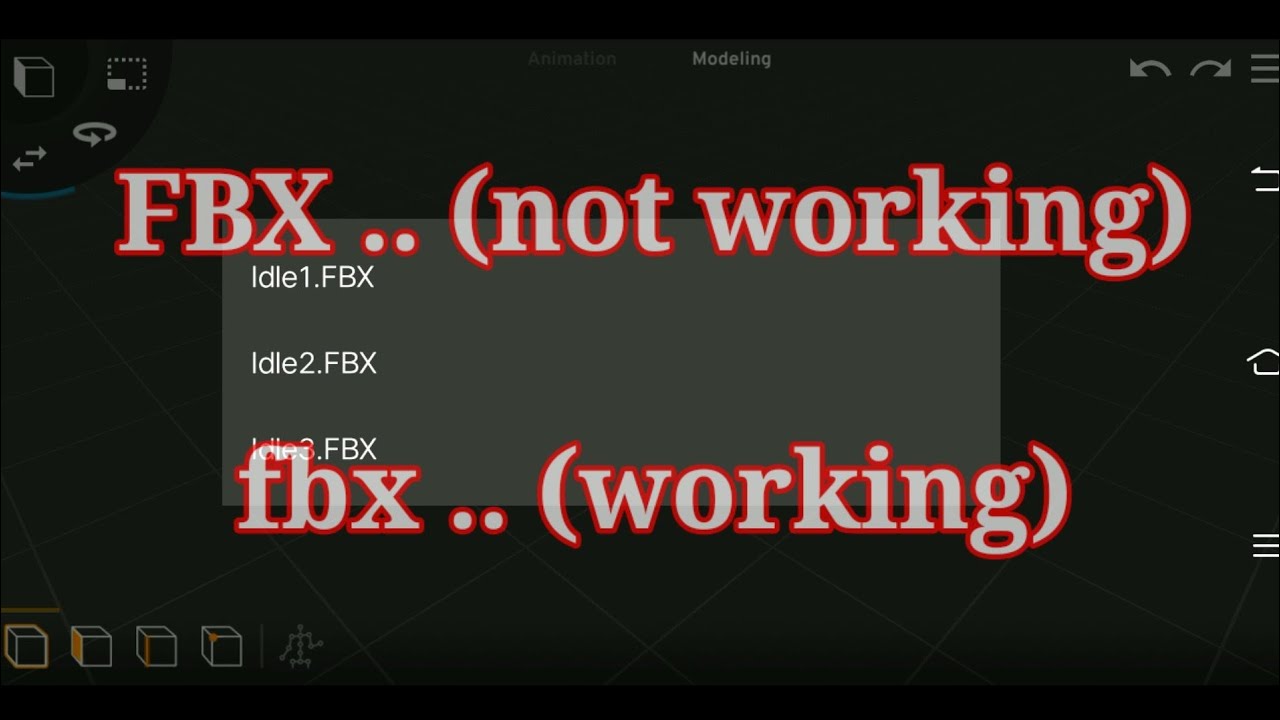
untuk mengatasi file fbx yang tidak bisa di buka di prisma 3d, kita harus menggunakan app ZArchiver untuk mengubah nama file nya, Dan caranya cukup mudah, kita buka app ZArchiver nya, jemudian Cari file fbx nya, biasanya contoh file yang error, fbx di tulis Dengan huruf besar, seperti ini (FBX) Dan kita harus merubah nama FBX ini Dengan huruf kecil, seperti ini (fbx)
contoh:
test.FBX ... (file not working)
test.fbx ... (file working)
catatan;
sebelum mengubah namanya kita harus menyalin file atau membuat arsip baru, di file yang baru kita ubah namanya, yang berada di belakang titik, Dari FBX huruf besar ke fbx huruf kecil
#
To overcome the FBX file that cannot be opened in the prisma 3D, we must use the Zarchiver app to change the name of the file, and the method is quite easy, we open the ZArchiver app, just look for the FBX file, usually an example of an error file, the FBX is written with uppercase, like this (FBX) and we have to change the name of this fbx with lowercase letters, like this (fbx)
Example:
test.fbx ... (file not working)
test.fbx ... (Working file)
Note; Before changing his name we have to copy the file or create a new archive, in the file we just renamed, which is behind the point, from the fbx uppercase to the fbx lowercase
app ZArchiver
https://play.google.com/store/apps/de...
#prisma3d
#zarchiver
#fbxfile
#prisma3dbeta
Повторяем попытку...
Доступные форматы для скачивания:
Скачать видео
-
Информация по загрузке:









![КАК ХАКЕРЫ СЛЕДЯТ ЗА ТОБОЙ: рынок украденных данных в даркнет [РАССЛЕДОВАНИЕ]](https://image.4k-video.ru/id-video/2CuUAk6ZbN8)


