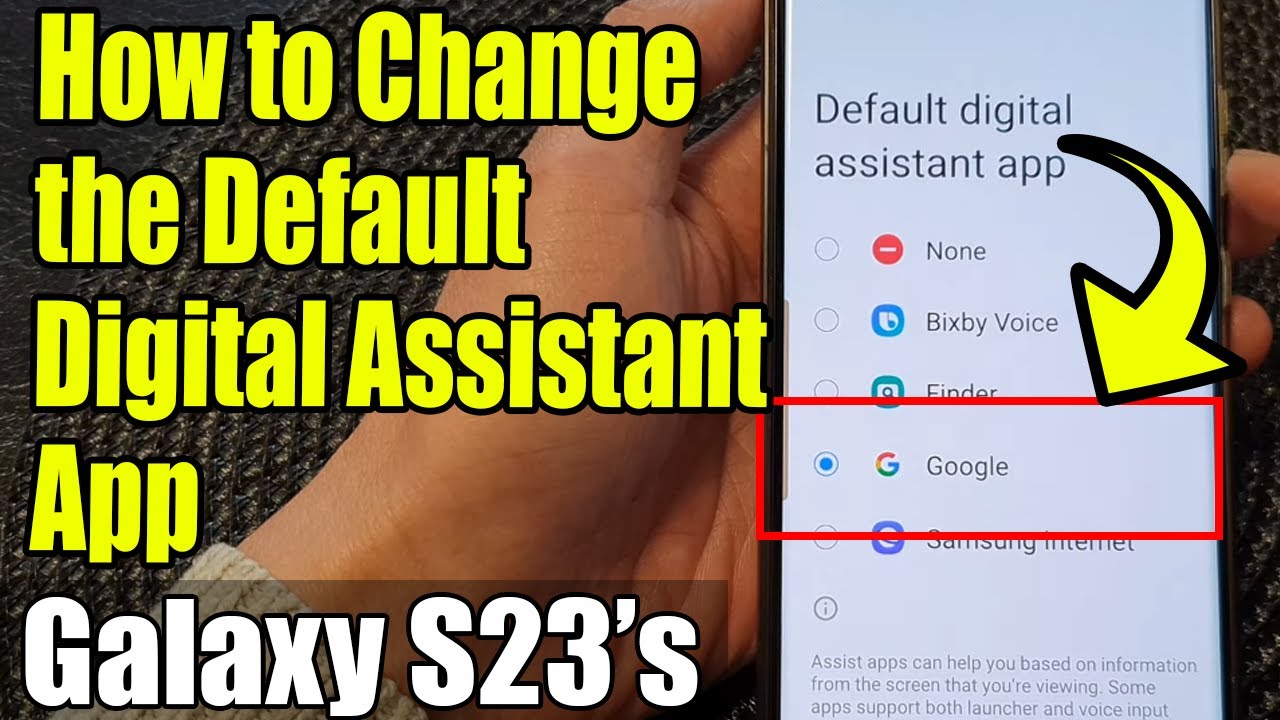
Galaxy S23's: How to Change the Default Digital Assistant App to Google/Bixby/Samsung Internet/etc
Автор: ITJungles
Загружено: 2023-08-22
Просмотров: 17557
Описание:
Learn how you can change the default Digital Assistant App on the Samsung Galaxy S23/S23+/Ultra.
This demonstration is running on Android 13.
To Donate to ITJUNGLES so I can keep making relevant videos on newer electronics, use https://gofund.me/f7364b87.
Unlock the full potential of your Samsung Galaxy S23 with our comprehensive guide on changing the default digital assistant app! In this must-watch video, we walk you through the step-by-step process of customizing your device to seamlessly integrate your preferred digital assistant. Say goodbye to limitations and hello to a personalized digital experience that suits your lifestyle.
🔥 Discover the Power of Personalization:
Are you tired of being tied down to a single digital assistant on your Samsung Galaxy S23? It's time to break free and explore the world of personalization! Our expert tutorial covers everything you need to know to make the switch and enjoy a more intuitive and efficient interaction with your device.
🚀 Elevate Your Productivity:
Imagine the convenience of having your favorite digital assistant at your fingertips, ready to assist you in a snap. By changing the default digital assistant app, you can enhance your productivity, streamline tasks, and even control smart home devices seamlessly. Make multitasking a breeze and achieve more with less effort.
🎯 Key Benefits of Changing the Default Digital Assistant App on Samsung Galaxy S23:
Tailored Experience: Select a digital assistant that aligns with your preferences and needs, creating a truly personalized smartphone experience.
Effortless Interaction: Access information, perform tasks, and ask questions more naturally, with a digital assistant that understands you better.
Smart Home Harmony: Easily control and manage your smart home devices using voice commands through your chosen digital assistant.
Enhanced Efficiency: Save time by performing tasks hands-free, whether it's sending messages, setting reminders, or navigating.
Expanded Compatibility: Explore integration with a wide range of third-party apps and services, extending the capabilities of your device.
🔗 Ready to Get Started?
Watch this video to gain the insights you need to revolutionize your Samsung Galaxy S23 experience. Don't miss out on the opportunity to optimize your device according to your preferences. It's time to take control and make your smartphone truly yours!
Gears I use:
Velbon Sherpa 200 R/F Tripod With 3 Way Panhead https://amzn.to/2IuyFGa
Rode VideoMic Pro+ Compact Directional Microphone: https://amzn.to/36w0pme
#Commissions Earned
As an Amazon Associate, I earn from qualifying purchases
FOLLOW US ON TWITTER: http://bit.ly/10Glst1
LIKE US ON FACEBOOK: http://on.fb.me/ZKP4nU
http://www.itjungles.com
ITJungles assumes no liability for property damage or injury incurred as a result of any of the information contained in this video. ITJungles recommends safe practices when working with electrical tools, power equipment, automotive lifts, lifting tools, electrical equipment, blunt instruments, chemicals, lubricants, expensive electronics, or any other tools or equipment seen or implied in this video. Due to factors beyond the control of ITJungles, no information contained in this video shall create any express or implied warranty or guarantee of any particular result. Any injury, damage, or loss that may result from improper use of these tools, equipment, or the information contained in this video is the sole responsibility of the user and not ITJungles. Some repairs are easy while others maybe difficult. The level of difficulty depends on your personal experience. Only attempt your own repairs if you can accept personal responsibility for the results, whether they are good or bad.
The above may contain affiliate links.
Повторяем попытку...
Доступные форматы для скачивания:
Скачать видео
-
Информация по загрузке: