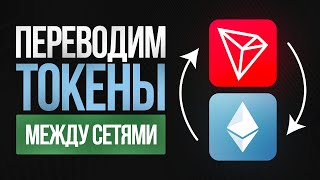
Convert BEP20 USDT to TRC20 (Bridge Binance Smart Chain To Tron) - Simple Tutorial
Автор: JohnnyTime
Загружено: 2022-01-25
Просмотров: 62982
Описание:
🔥Get $50 free extra cashback on the best crypto card: http://johnnytime.xyz/cryptocard
🔥 Learn How to Hack Smart Contracts 🔥
https://johnnytime.xyz/smart-contract...
Get a 10% Discount on Binance Fees:
https://johnnytime.xyz/binance-signup
Get a Special Discount on Hardware Wallet (Ledger):
https://johnnytime.xyz/ledger-pack-di...
~60% Discount On VPN (Privacy in Web3):
https://johnnytime.xyz/vpn
Become Smart Contracts Hacker:
https://smartcontractshacking.com/
Patreon:
/ johnnytime
BUSD Tip Jar:
0xFf3d275BB50bB677Ea1f117730B68Cf42651a60f
Hey guys, today we are going to learn how to bridge USDT tokens from Binance Smart Chain to Tron USDT on TRC20 tokens.
We will use an app called the “SafePal”.The SafePal is a safe, and free application cryptocurrency wallet for managing cryptocurrencies. In the SafePal application, you can store, send and receive crypto.
So, the first step is to download the “SafePal” app. Once you set up your wallet, you have to add the assets to the main view. The next step is to buy some USDT tokens on Binance Smart Chain. Once you have USDT tokens on BEP20, you are going to send them (click the USDT BEP20 and receive). Send some BNB tokens for the transaction fees. Then go to DEX, click on ‘USDT’, pick TRC20 to BEP20, and confirm the transaction.
To send TRC20 tokens to another wallet, you will need TRX tokens. Then you can send your USDT tokens to any other wallet on the Tron blockchain!
___________________________________________________________
Related Videos:
How To Use PancakeSwap On Mobile Phone (MetaMask iPhone App Guide): • How To Use PancakeSwap On Mobile Phone (Me...
Use Solana From iPhone - How To Use Solana Wallet From A Mobile Device: • Use Solana From iPhone - How To Use Solana...
___________________________________________________________
___________________________________________________________
Useful links:
SafePal Website:
https://www.safepal.io/download
___________________________________________________________
___________________________________________________________
Timestamps:
00:00 Intro
01:05 The SafePal App
01:59 Add The Assets To The Main View
03:10 How To Send USDT Tokens
04:00 Bridge BEP20 To TRC20
05:05 How To Send TRC20 To Another Wallet
05:26 Outro And Summary
___________________________________________________________
___________________________________________________________
⚠️⚠️⚠️ #Binance #Tron #Bridge #safepal #Tutorial #Guide #DEFI ⚠️⚠️⚠️
The content in any of Johnny's Youtube videos shall not be construed as tax, legal, insurance, construction, engineering, health & safety, electrical, financial advice, or other & may be outdated or inaccurate; it is your responsibility to verify all information.
I do not provide personal investment advice and I am not a qualified licensed investment advisor.
I am just sharing my knowledge and my findings.
___________________________________________________________
___________________________________________________________
Communities & Social Media:
Discord:
https://johnnytime.finance/discord
Twitter:
/ realjohnnytime
Instagram:
/ johnnytime.eth
___________________________________________________________
___________________________________________________________
Music By Yoad Ronen:
/ yoad-ronen
___________________________________________________________
Until next time,
Johnny Time
Повторяем попытку...

Доступные форматы для скачивания:
Скачать видео
-
Информация по загрузке: