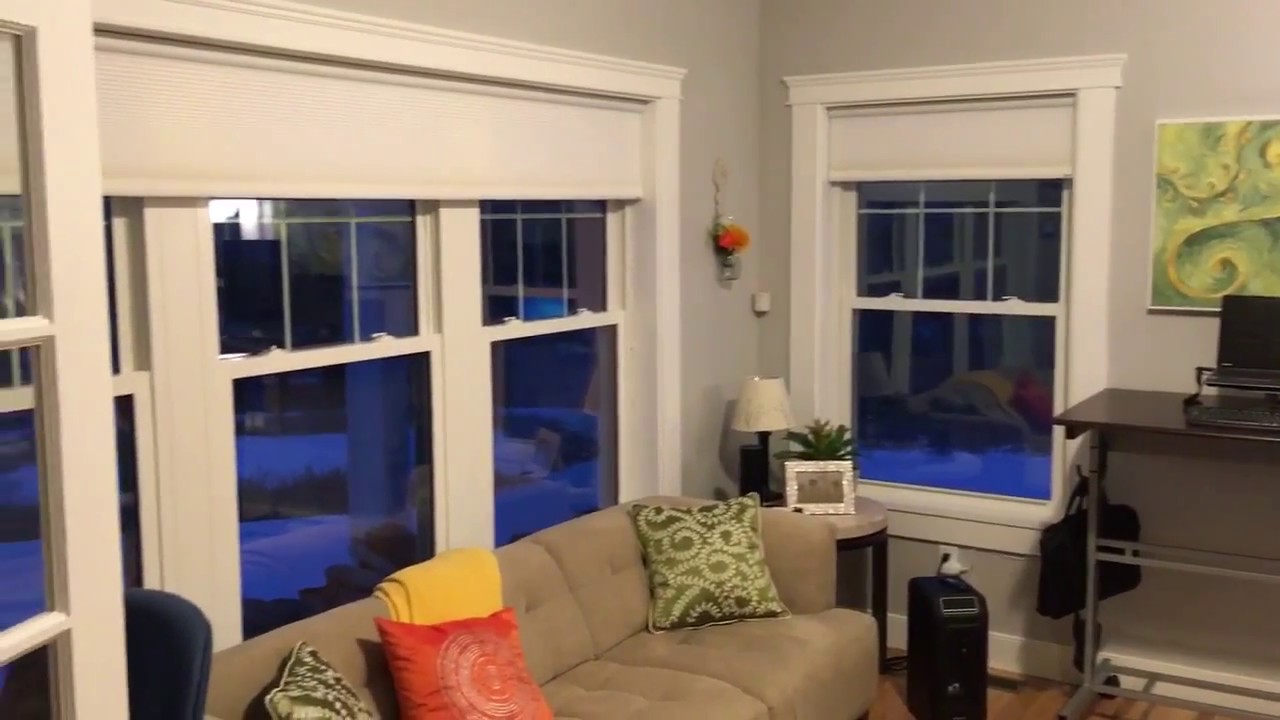
Alexa controls window shades / blinds, SEE description for instructions
Автор: A Moore
Загружено: 2017-12-30
Просмотров: 5889
Описание:
Amazon Alexa can control your zwave compatible window shades. Here's a list of everything I used to get this done:
Shades I used:
Bali® DiamondCell® Motorized Cellular Shades
(Purchased from Blindsgalore.com), These come zwave ready.
Any zwave compatible shade should work.
Home Automation Hub I used:
Samsung Smarthings Hub
(Purchased from Amazon)
Alexa reportedly works with others, too.
Amazon Alexa
(Purchased from Amazon :)
Instructions:
1) After installing your shades, follow the instructions to unpair them from their remote (you can add a 'secondary remote' later if you still want remote access to your shades)
2) Make sure you've set up the smarthings hub and installed the mobile app called 'SmartThings'. Follow the Bali instructions to add your shade to a home automation hub.
(hint: from the SmartThings dashboard click the '+' to add a new device, while the shade is in pairing mode).
3) Once you've added all your shades to SmartThings, then create a new 'Routine' within the 'Automation' tab.
SmartThings treats the Bali zwave shades like a dimmer. So create your routine as if they're lights...
4) Test Smartthings and see if it does your shade Routines from the app. If so, you're ready to continue.
5) If you haven't already: Connect your Alexa to the Smarthings Hub: google "connect smartthings to alexa" and follow the instructions.
6) Within the Alexa app, go to 'Smart Home' from the menu bar. Click 'Discover Scenes'. Once this completes Alexa should have imported your Smarthings routines as Scenes and you can now control them via Alexa by saying:
"Alexa, turn on [Scene Name]" I have one scene to turn on the shades completely, called "Office Shades", and other to turn open them called "Office Windows". So, I say: "Alexa, turn on the office windows" or "Alexa, turn on the office shades". I have other Routines too, for different percentages.
(advanced setup: If you want to re-pair your shades to their remotes, first you must add the remote to Smartthings, then you can follow the instructions to add a secondary remote to each shade.) I keep all three remotes on the wall near my light switch, but I never use them, since I can just tell Alexa to do it for me!
Повторяем попытку...
Доступные форматы для скачивания:
Скачать видео
-
Информация по загрузке: