TaqTaq & Pipedrive Works!
Автор: TaqTaq
Загружено: 2025-11-13
Просмотров: 5
Описание:
Here’s the step-by-step guide:
Create accounts on @taqtaqbr and @pipedrive
Go to your Pipedrive CRM, then navigate to My Account ► Personal Preferences ► API
In the API section, create and copy the indicated API token
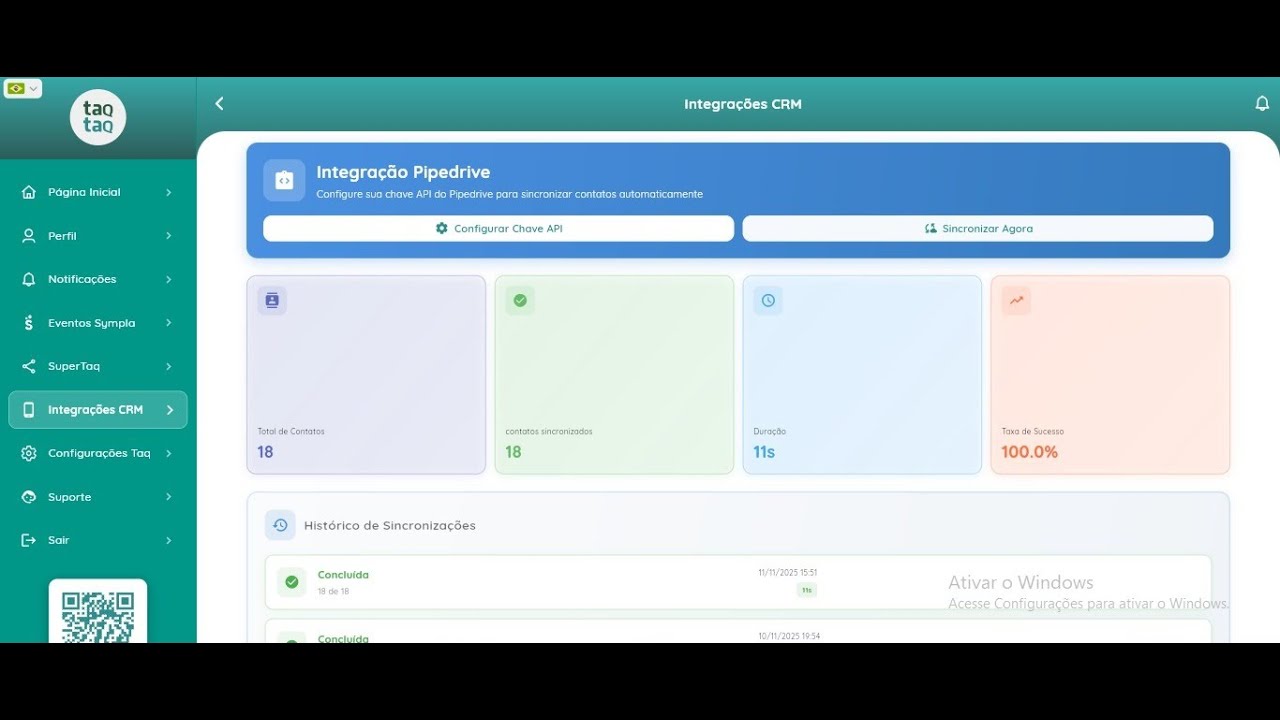
On the TaqTaq sidebar menu, go to CRM Integration ► Paste the token in the Pipedrive field
Your entire sales team can repeat this process. The collected contacts will automatically go to your Pipedrive CRM account.
Wait for the OK
Sync your contacts
Wait for the OK
Your contacts will be synchronized
Check the result on your TaqTaq dashboard
Go to Pipedrive and find all contacts properly synced under the Contacts tab
This feature is available only for Taqers who have upgraded their plan. However, everyone can test it right now.
Since TaqTaq is an authorized Pipedrive partner, we’re offering a 30-day trial (instead of 14 days).
If you’re genuinely interested in this combo, please get in touch to receive your exclusive Pipedrive invitation link.
Soon, we’ll show you how to automate your messages inside Pipedrive.
#taqtaq #pipedrive #combo #integration #sync #automation #businessacceleration
Повторяем попытку...
Доступные форматы для скачивания:
Скачать видео
-
Информация по загрузке: