Microsoft 365 Work From Home | Teams Video Meetings + Microsoft Phones + Security | Making it Work
Автор: Xerillion
Загружено: 2019-05-01
Просмотров: 1314
Описание:
Does your company consist of professionals that primarily do their work on computers all day long?
If you are the CEO, you probably do a fair amount of working from home already – but your employees, maybe not so much.
Do you have people in your company asking to work from home more?
Do you have candidates you are considering to work in your company that are wondering what your work from home benefits are?
Are you a manager inside your company looking to figure a way to make work from home work, at your company?
Once you have moved your company email, files phones, Windows apps, and systems management to the Microsoft cloud, you are in a very interesting situation: you can work from anywhere.
I know this is the case because we did it at Xerillion – and last year grew our revenue 47% while doing it. We didn’t miss a beat.
Now that are team works from home, how many do you think ask if they can go back and worth at the office?
You know the answer……none.
I don’t care how beautiful and homey your office looks and feels, I don't care how many free sodas and snacks you provide, your employees would rather work from home.
I bet you or your boss is worried that nobody will get anything done, or that company culture will suffer.
In this video I talk extensively about what you need to do to make the change.
If you setup your company so that - even if you don't work from home 100%--you could work from home easily and securely, your company will be stronger, more productive and your data more secure.
I talk about how we used Microsoft 365 Enterprise E-5, the Microsoft Phone System, and Microsoft Azure to make this work productively and securely.
I talk about the deal with made with our team: everyone is available, gets their work done, and nobody is disappearing – we’ll continue to do this!
Everyone at Xerillion wanted this to work and they took it very seriously.
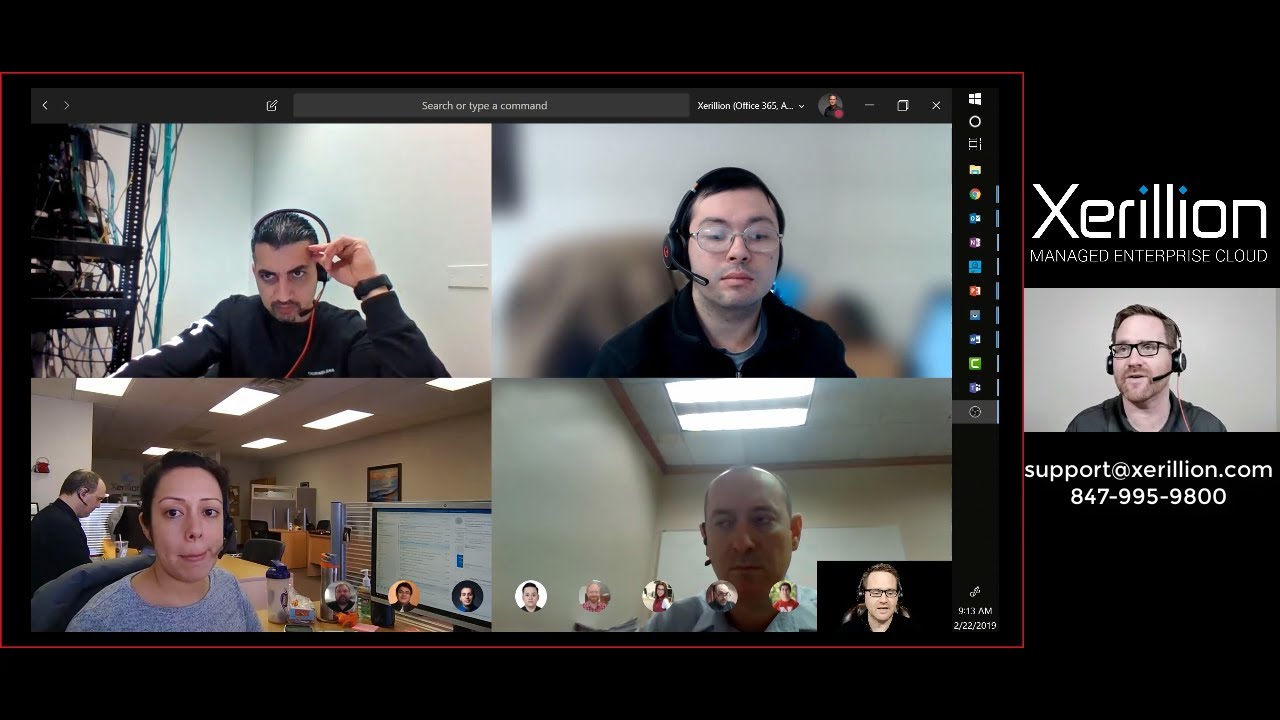
You need to get comfortable with doing video meetings. Audio only meetings do not work well, but video meetings makes it feel like you see your team all the time in virtual office environment.
I talk about how Microsoft Teams Meetings and the Microsoft Phone System were key factors to make our virtual office environment work so well.
I edited a 58 minute webinar down to 36 minutes of fast moving content.
You are probably already in Office 365 right now, and you just need to get into Microsoft 365 Enterprise E-5, and ad your files, phones, security and Windows apps into the Microsoft cloud as well – and then you have an AMAZING quality of life opportunity: working from home for your company that you love.
If this video gives you what you need to move forward with a modern digital work environment that allows secure productive work from home capabilities - great! If you are still not sure about how to go about it - email us at [email protected], or call us at 847-995-9800.
Повторяем попытку...
Доступные форматы для скачивания:
Скачать видео
-
Информация по загрузке:
















![Best of Deep House [2026] | Melodic House & Progressive Flow](https://imager.clipsaver.ru/Il-ZpBuC8tA/max.jpg)