How To Download & Install Forge (Minecraft 1.21.4)
Автор: The Breakdown
Загружено: 2024-12-26
Просмотров: 155171
Описание:
This is our complete guide on how to download and install Forge for Minecraft 1.21.4. From where to download Forge to how to get Forge 1.21.4 and start playing Forge mods with it, this video covers it all. We eve show you where to download Forge mods for 1.21.4. So, without anymore delay, here is how to add Forge to Minecraft 1.21.4!
Get an incredible DDOS Protected Minecraft 1.21.4 server for you and your friends with SimpleGameHosting!
https://TheBreakdown.xyz/SGH
Download Forge: https://TheBreakdown.xyz/Forge
Download Java: https://TheBreakdown.xyz/Java
Run the Jarfix: https://TheBreakdown.xyz/Jarfix
CurseForge: https://TheBreakdown.xyz/MCMods
Modrinth: https://TheBreakdown.xyz/ModrinthMCMods
Fix Issues with Minecraft Mods: https://TheBreakdown.xyz/FixBrokenMods
---------------------------------------------
★ Join The Discord Support Community: https://TheBreakdown.xyz/Discord
► Subscribe!: https://TheBreakdown.xyz/YTSub
---------------------------------------------
Get 1.21.4 Minimaps!: • Minecraft Minimap Mod for 1.21.4 - How To ...
Add OptiFine to 1.21.4!: • How To Download & Install OptiFine (Minecr...
---------------------------------------------
★ Social
Twitter: / thebreakdownxyz
TikTok: / thebreakdownxyz
About this video: Forge is the oldest and one of the most popular Minecraft mod loaders. There are thousands of Forge mods for Minecraft 1.21.4, and in this video, we will show you how to download and install Forge 1.21.4 in order to start playing Minecraft Forge mods.
To get started, you will need to download the Forge Installer for 1.21.4. There is a link in the description above that will take you to our complete guide on getting Forge 1.21.4. Once you are there, click the “Download Forge” button to go to Forge’s official download page.
On the Forge download page, select 1.21.4 on the left-hand side. Then, from there, click “Installer” under the Download Latest section. This will take you to Ad Focus where you will want to wait about 10 seconds. Then, after about 10 seconds, click the red “Skip” button in the top right. When you do, Forge 1.21.4 will start downloading. You may need to keep or save the Forge Installer depending on your browser.
With Forge downloaded, we can now move on to how to install Forge for Minecraft 1.21.4. This starts off by opening up the Forge Installer with Java 21. If you don’t have Java 21, there is a link to download and install Java 21 as well as get the Jarfix, linked in the description above.
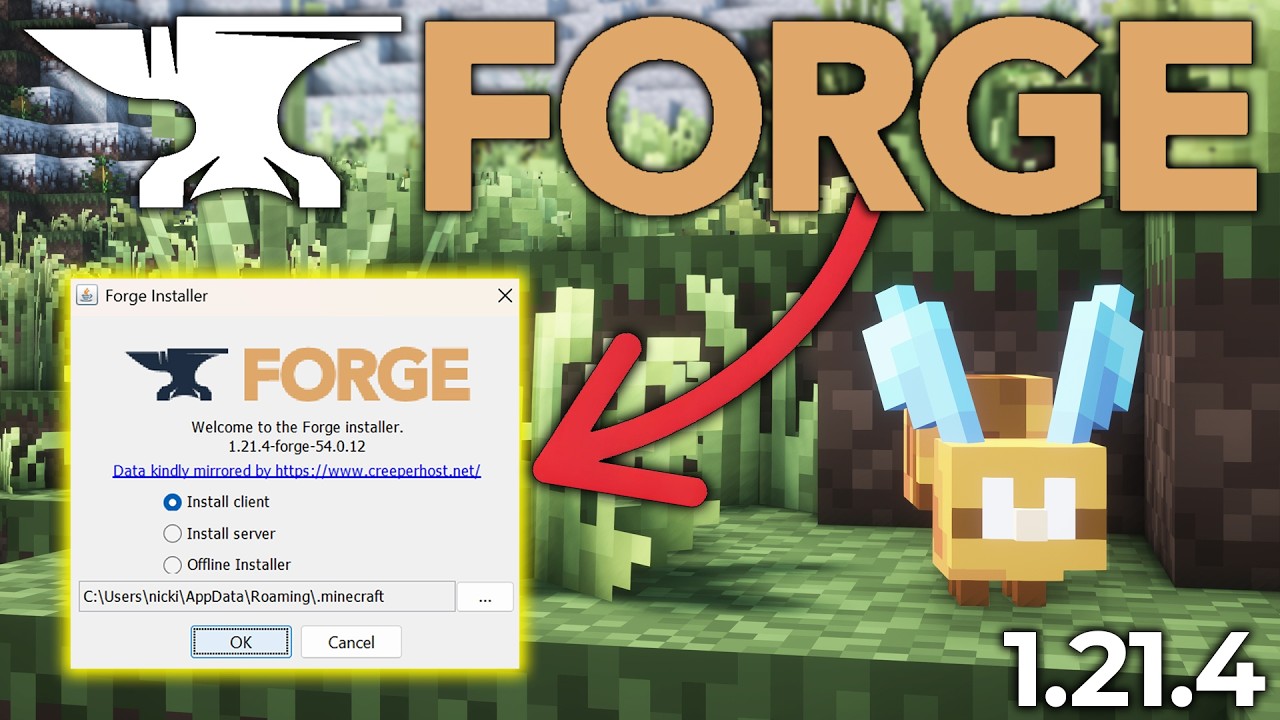
In the Forge Installer, click on “Install Client”, and click “Okay”. Forge 1.21.4 will now download and install for Minecraft. The only reason you may run into issues getting Forge 1.21.4 at this point is if Minecraft or the Minecraft Launcher are open. Make sure both of those are closed, or if you haven’t already played Minecraft 1.21.4. You need to have played Minecraft 1.21.4 in order for Forge 1.21.4 to be installed.
Once Forge has finished installed, you will see a notification that says “Forge 1.21.4 is going to be successfully installed.” Click “Okay”, and Forge will close. You can actually delete your Forge Installer file as you no longer need it.
From here, how do we actually use Forge in Minecraft 1.21.4. Well, we will need to play Minecraft with Forge 1.21.4. Open up the Minecraft Launcher, and click on “Installations” at the top. Make sure “Modded” is checked in the top right, and you will see a “Forge 1.21.4” installation.
Play Minecraft using this Forge installation. However, you’ll probably want to play some Forge mods as well. There are links in the description above to download Forge mods on CurseForge and Modrinth. Make sure any mods that you download are for the Forge mod loader and Minecraft versions 1.21.4. Mods for NeoForge or Fabric will not work. They must be for the Forge mod loader specifically.
After you have your mods downloaded and Minecraft open with Forge, you will see a “mods” button on the main menu. Click this, and there will be a “Mods Folder” button in the bottom left. Click the mods folder button to open your Forge mods folder. Drag-and-drop any Minecraft 1.21.4 Forge mods you want to install into this mods folder.
For your Minecraft Forge mods to be active, you will need to restart Minecraft making sure to play Minecraft with Forge. Once you are back in-game, your 1.21.4 Forge mods will be up and running!
At this point though, you now know how to download and install Forge for Minecraft 1.21.4. If you have any questions about how to get Forge 1.21.4, please give this video a thumbs up and be sure to subscribe to the channel if you haven’t already. It really helps us out, and it means a ton to me. Thanks in advance!
Note: Some of the above links are affiliate links or companies I have an ownership stake in. I may receive a commission at no additional cost to you if you go to these sites and make a purchase.
Повторяем попытку...
Доступные форматы для скачивания:
Скачать видео
-
Информация по загрузке:


![😱 Майнкрафт, но Мы СРАЗИЛИСЬ На Супер Высоком Столбе [Новые Правила 2025] + Фиксплей + Юни + Санёк](https://ricktube.ru/thumbnail/3aqpkOQ6A70/mqdefault.jpg)

