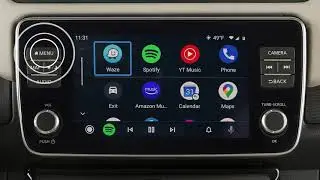
2020 Nissan LEAF - Connecting Procedure
Автор: Nissan Owner Channel
Загружено: 2019-12-23
Просмотров: 2429
Описание:
"This video is copyrighted material of Nissan North America, Inc. and should not be copied, edited, or reproduced without the permission of Nissan.
For information please visit https://owners.nissanusa.com/nowners/. You will find quick reference guides and other useful information about your warranty, Bluetooth® system, and much more!
This is one of the available systems for your vehicle. The menu options may vary slightly from the displayed menus.
You may connect up to six compatible Bluetooth® devices.
The connecting procedure varies according to each cellular phone model.
To check the compatibility of your device, please visit www.NissanUSA.com/bluetooth.
To connect a phone to the Bluetooth system the vehicle must be stationary.
● Press the MENU button,
● Then touch the CONNECTIONS key,
● Then touch ADD NEW from the Bluetooth tab.
● Operate your Bluetooth device as guided by the system to complete the process.
If the software on your phone has been updated and you are experiencing difficulties using the Bluetooth system, it may help to delete and then reconnect the phone.
To do this, touch INFO next to the device in the Connections screen, then touch DELETE. Once your device is removed, repeat the connection procedure.
From the Connections screen, you can touch to switch to a different Bluetooth device.
Please see your NissanConnect® Owner’s Manual for important safety information, system limitations, and additional operating and feature information."
Повторяем попытку...
Доступные форматы для скачивания:
Скачать видео
-
Информация по загрузке: