ycliper

Популярное

Музыка Кино и Анимация Автомобили Животные Спорт Путешествия Игры Юмор

Интересные видео

2025 Сериалы Трейлеры Новости Как сделать Видеоуроки Diy своими руками

Топ запросов

смотреть а4 schoolboy runaway турецкий сериал смотреть мультфильмы эдисон
Скачать

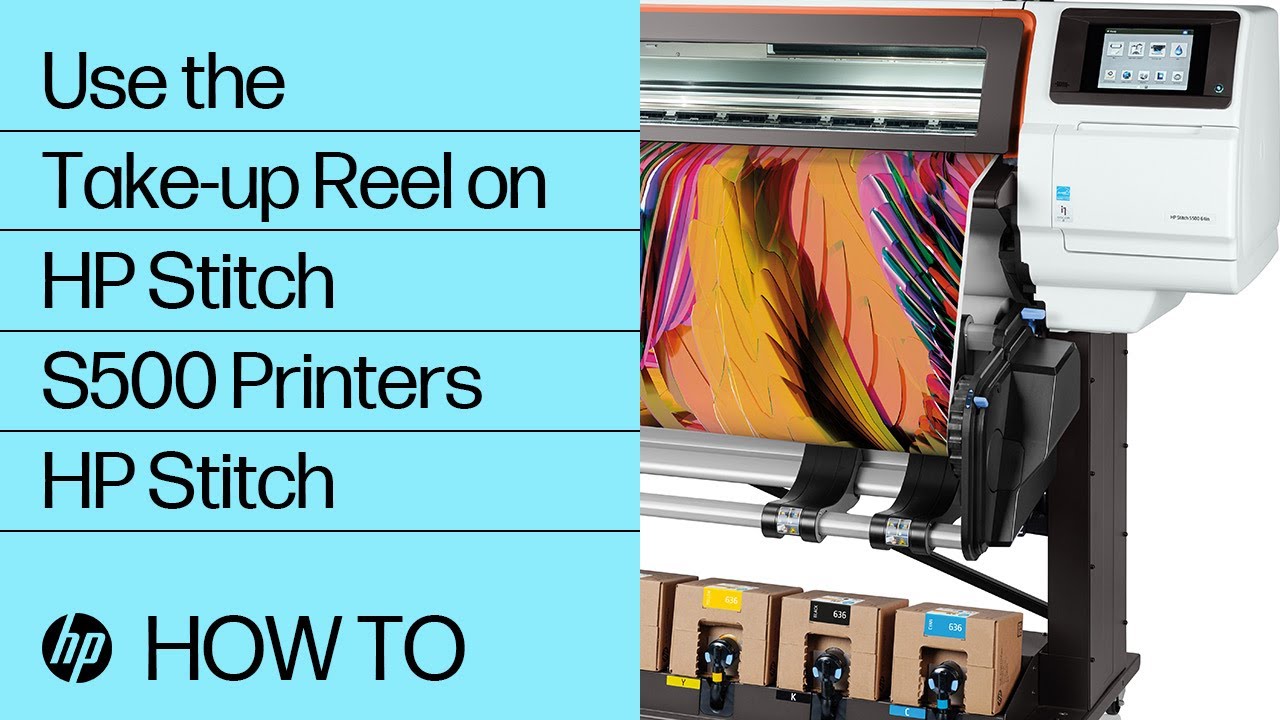
Use the Take-up Reel on HP Stitch S500 Printers | HP Stitch | HP

Автор: HP Support

Загружено: 2019-04-14

Просмотров: 1400

Описание: Learn how to load and unload substrate on the take-up reel in HP Stitch S500 printers.

Chapters:
00:00 Introduction
00:13 Activating and Loading the take-up reel
01:25 De-Activating the take-up reel
02:01 Find HP Support Online

More support options for your HP device are available at http://hp.com/support.

Follow these steps to use the take-up reel on HP Stitch S500 printers:
-Activate the take-up reel, and then add substrate to the core.
-Once the printer is loaded, make sure the take-up reel is rotated.
-Insert one side of the core into the right hub on the printer.
-Insert the other side of the core into the left hub on the printer, and then push in to secure it.
-On the front panel, touch Move, and then touch and hold Advance substrate until the substrate reaches the take-up reel core.
-Pull the center of the leading edge of the substrate until it is straight.
-Make sure the substrate is aligned with the core.
-Choose if you want jobs to print with the images facing in or facing out before taping the substrate.
-Tape the center of the substrate to the center of the core, and then tape each side of the substrate to the core.
-On the printer front panel, touch and hold Advance Substrate to advance the substrate until it creates a loop.
-Rotate the blue lever on the take-up reel motor one full turn, matching the direction the printed images will face.
-Continue rotating the blue lever until the front panel beeps, indicating Automatic Mode turning on.
-Deactivate the take-up reel, and then remove it from the printer.
-Deactivate the take-up reel using one of two possible methods.
-You can rotate the blue lever in the opposite direction to turn off automatic winding, or
you can cut the substrate to remove the tension, and then the take-up reel completes a full turn and deactivates automatically.
-With the take-up reel deactivated pull the core out of the hub, and then unload it from the take-up reel.

Continue the Conversation:
http://hp.care/SupportForums
http://hp.care/FacebookSupport
http://hp.care/TwitterSupport

#HP #HPSupport #HPStitch

SUBSCRIBE:    / hpsupport  
SHOP NOW: http://store.hp.com/us/en/

About HP:
HP Inc. creates technology that makes life better for everyone everywhere – every person, every organization, and every community around the globe. Through our portfolio of printers, PCs, mobile devices, solutions, and services, we engineer experiences that amaze.

Connect with HP:
Visit HP WEBSITE: http://www.hp.com
Like HP on FACEBOOK:   / hp  
Follow HP on TWITTER:   / hp  
Follow HP on INSTAGRAM:   / hp  
Follow HP on LINKEDIN:   / hp  

This video was produced by HP.

How to Use the Take-up Reel on HP Stitch S500 Printers | HP Stitch | HP

Не удается загрузить Youtube-плеер. Проверьте блокировку Youtube в вашей сети.
Повторяем попытку...
Use the Take-up Reel on HP Stitch S500 Printers | HP Stitch | HP

Поделиться в:

Доступные форматы для скачивания:

Скачать видео

  • Информация по загрузке:

Скачать аудио

Похожие видео

Loading a Roll of Substrate | HP Latex 300 and Stitch S300 | HP

Loading a Roll of Substrate | HP Latex 300 and Stitch S300 | HP

HP Stitch Sublimation Printer Applications (Webinar)

HP Stitch Sublimation Printer Applications (Webinar)

DSTIKE Christmas Tree MP3: Limited EOL Edition

DSTIKE Christmas Tree MP3: Limited EOL Edition

Лучшая Музыка 2026🏖️Зарубежные песни Хиты🏖️Популярные Песни Слушать Бесплатно 2026 #20

Лучшая Музыка 2026🏖️Зарубежные песни Хиты🏖️Популярные Песни Слушать Бесплатно 2026 #20

HP STITCH S500 | Tips & Tricks For Printing HP's Dye Sublimation Printer

HP STITCH S500 | Tips & Tricks For Printing HP's Dye Sublimation Printer

💾СОБРАЛ NAS НА TrueNAS💽 НЕ ПОНИМАЮ, КАК ЖИЛ БЕЗ НЕГО САМОДЕЛЬНОЕ ХРАНИЛИЩЕ ЭТО ПРОСТО

💾СОБРАЛ NAS НА TrueNAS💽 НЕ ПОНИМАЮ, КАК ЖИЛ БЕЗ НЕГО САМОДЕЛЬНОЕ ХРАНИЛИЩЕ ЭТО ПРОСТО

Eden Fabrics choose the HP STITCH S500

Eden Fabrics choose the HP STITCH S500

Golden Dust Particles Animation Background video | 4K Gold Dust

Golden Dust Particles Animation Background video | 4K Gold Dust

Компания Epson обновила EcoTank: не покупайте не ту модель!

Компания Epson обновила EcoTank: не покупайте не ту модель!

Периферийные Устройства для Баз Данных | Portenta H7 | Искусственный Интеллект AI для Управления БД

Периферийные Устройства для Баз Данных | Portenta H7 | Искусственный Интеллект AI для Управления БД

Morning Winter Jazz ~ Happy Jazz Cafe Music & Exquisite Bossa Nova Piano for Stress Relief

Morning Winter Jazz ~ Happy Jazz Cafe Music & Exquisite Bossa Nova Piano for Stress Relief

Я на КИТАЙСКОМ ЗАВОДЕ ПК КОРПУСОВ

Я на КИТАЙСКОМ ЗАВОДЕ ПК КОРПУСОВ

Hands On With The HP Stitch S1000

Hands On With The HP Stitch S1000

⚡️ Зеленский срочно готовит ответный удар || Президент извинился перед народом

⚡️ Зеленский срочно готовит ответный удар || Президент извинился перед народом

HP STITCH 500 vs EPSON SureColor F9470H Dye Sublimation Printers

HP STITCH 500 vs EPSON SureColor F9470H Dye Sublimation Printers

SHAZAM Top 50🏖️Лучшая Музыка 2025🏖️Зарубежные песни Хиты🏖️Популярные Песни Слушать Бесплатно #40

SHAZAM Top 50🏖️Лучшая Музыка 2025🏖️Зарубежные песни Хиты🏖️Популярные Песни Слушать Бесплатно #40

Запись Потоков Данных в Базу Данных в Реальном Времени | Fetch Data | Объекты в Программировании

Запись Потоков Данных в Базу Данных в Реальном Времени | Fetch Data | Объекты в Программировании

УДАР по АЭС. ГАРНИЗОН ВСУ ОБРЕЧЕН 💥Военные Сводки 20.01.2026

УДАР по АЭС. ГАРНИЗОН ВСУ ОБРЕЧЕН 💥Военные Сводки 20.01.2026

Vintage Valentine's Art | Gold Frame | TV Art

Vintage Valentine's Art | Gold Frame | TV Art

Sublima con la mejor calidad de imagen, impresora HP Stitch S300

Sublima con la mejor calidad de imagen, impresora HP Stitch S300

© 2025 ycliper. Все права защищены.


  • Контакты
  • О нас
  • Политика конфиденциальности


Контакты для правообладателей: [email protected]