XBee 3 - Join Device to a Network Using Software (AT Commands)
Автор: Greg Compton
Загружено: 2020-04-15
Просмотров: 2030
Описание:
These instructions should work for XBee Series 2 as well.
Jump to 5:00 if you don't need the background information / education.
Lesson Plan: XBee - Join Device via Software
Problem: You want to add a device (end_device or router) to an existing network.
Solutions:
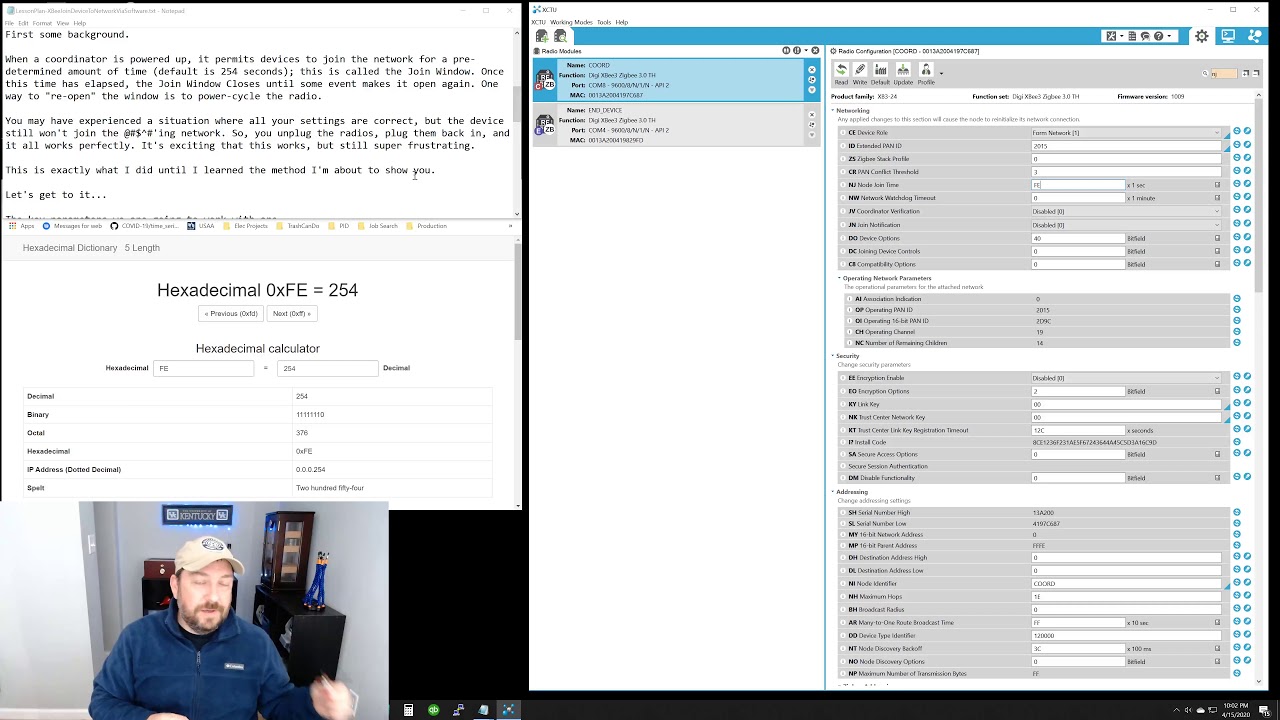
1) If the coordinator is hooked to a computer with XCTU, changing parameter NJ will open the join window for new devices. This is easy, effective, but not practical.
2) Power cycle the coordinator. This is easy, if the coordinator is readily accessible, but could adversely effect connections to existing devices on the network.
3) Add AT commands to your coordinator and end_device software.
*** I will not be showing the specific implementations for Arduino or Python. These are simple AT commands that can be run in API or Transparent mode. See my other videos where I demonstrate how to run AT commands on Arduino (using xbee.h) and Python.
I am going to assume that you have been able to get a device connected to the network, previously. Even so, this tutorial might help you understand why that was sometimes a bit challenging.
First some background.
When a coordinator is powered up, it permits devices to join the network for a pre-determined amount of time (default is 254 seconds); this is called the Join Window. Once this time has elapsed, the Join Window Closes until some event makes it open again. One way to "re-open" the window is to power-cycle the radio.
You may have experienced a situation where all your settings are correct, but the device still won't join the @#$^#'ing network. So, you unplug the radios, plug them back in, and it all works perfectly. It's exciting that this works, but still super frustrating.
This is exactly what I did until I learned the method I'm about to show you.
Let's get to it...
The key parameters we are going to work with are
ID - Extended PAN ID
OP - Operating PAN ID
AI - Association Indication (this is probably new to you)
Parameter AI (Association Indication)shows whether the device is on a network.
Common status codes:
0x00 - Success
0x21 - Scan found no PANs
0x22 - Scan found no valid PANs based on SC and ID settings
0x23 - Valid PAN found, but joining is currently disabled
0x24 - No joinable beacons were found
0x44 - Secure join - failed to receive new link key
0xAD - Secure Join - A network key was not received from the trust center
0xAF - Secure Join - A preconfigured key is required to join the network
0xFF - Initializing; no status has been determined yet
This is the sequence of AT commands you need to run.
I am going to be using API MODE, but it's exactly the same in Transparent Mode
1) Verify ID on End_Device is valid: send AT command AI
if response is 23, you can proceed with this method
if response is 22, check your Coordinator ID for the correct ID (ATOP)
and update the End_Device ID (AT ID correct_id_in_hex)
if response is FF, send ATAI again, as the radio is still initializing
2) Open the Join Window on the Coordinator
send AT command CB with parameter 02
this will allow devices to join the network based upon the coordinator
NJ setting (default is 254 seconds)
3) On the End_Device, send AT command ID with parameter coordinator_OP_parameter_value
this forces to End_Device to attempt to join the network
you will get a Modem Status 02 (Device Associated)
That's it. Now test by sending a message to the coordinator
Повторяем попытку...
Доступные форматы для скачивания:
Скачать видео
-
Информация по загрузке:















