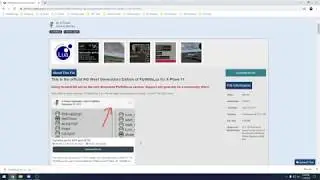
X-Plane 12+ Plugins Installation Tutorial & Walkthrough
Автор: Simleybob
Загружено: 2023-05-05
Просмотров: 13359
Описание:
In this video you will learn how to download and install 3rd party plugins (that you have to download separately) into X-Plane. For example, terrain radar (as we use in this video demo), AviTab, BetterPushback and FlyWithLua. This video applies to all plugins in X-Plane versions of 11 and above (we do it in 12).
This is essential as I guarantee at some point you all will want / need a plugin to enhance the standard default X-Plane experience.
This tutorial is for everyone but is mainly aimed at beginners.
Download and follow along with this terrain radar and VSD plugin here: https://forums.x-plane.org/index.php?...
Sign up to the forums (so you can download the plugin) here: https://forums.x-plane.org/index.php?...
Main forums: https://forums.x-plane.org/
Key thing: Make sure you extract the file after you download it, you may have to use 7zip to do so if it says .7zip at the end of the file and you can't normally extract it. You can download that here (it is safe don't worry): https://www.7-zip.org/
~~
This tutorial formulates part of a '3rd Party Basics' series as new people come into the X-Plane environment with X-Plane 12 especially. I hope this will be useful especially for beginners.
Here is the playlist: • X-Plane 3rd Party Installation Basics
And the previous video for installing 3rd party aircrafts: • X-Plane 12+ Aircraft Installation Tutorial...
~~
I hope you find this video and tutorial useful. Pop any questions in the comments below.
Do Like and Subscribe!
Thanks for watching
#tutorial #xplane12 #plugins #installation #installationguide #xplane
Description tags: How to install plugins into X-Plane? X-Plane Plugin Installation Tutorial. How to get started with X-Plane. X-Plane beginner tutorials. FlyWithLua / BetterPushback / AviTab / Terrain Radar / Live Traffic X-Plane 12 Installation Tutorial. How to install AviTab X-Plane 12. How to install better pushback X-Plane 12.
~~~~~~~
Don't forget to hit that like and subscribe if you liked the video and my content, subscribe to stay tuned for more! Thanks.
Do tell me what you thought of the video and any requests for future content in the comments below, and overall thoughts. Any feedback would be greatly appreciated. Am I going to fast or too slow in these tutorials? Should I have explained something more? Do you need any more help? What would improve these tutorial videos? That would be a great help, thanks.
~~~~~~~~~~~
Our discord server: / discord
Do hit that like and subscribe buttons to see more of this type of content! I really appreciate it, thanks.
~~~~~~~~~~
This video took a while to make, so if you want to support me, thanks so much!: https://www.tipeeestream.com/simleybo...
~~~~~~~
Don't forget to tune in for my streams on the channel, they are a lot of fun - hope you enjoy!
~~~~~~~
X-Plane 12
PC Specs:
Nvidia GeForce RTX 3070 (Founders Edition)
AMD Ryzen 5 5600x
Noctua NH-U12S redux cooler
32gb Corsair Vengeance RAM @3200Mhz
B550 AORUS ELITE ATX Motherboard
NVMe 500gb SSD (OS and X-Plane on this)
Seagate 2 TB HD (scenery on this)
ADX 750W Modular PSU
~~~~~~~~~~~
Thanks for watching!
Повторяем попытку...

Доступные форматы для скачивания:
Скачать видео
-
Информация по загрузке:




![X-Plane 11 X-LIFE-TUTORIAL [ENGLISH]: How to install X-Life for X-Plane 11](https://image.4k-video.ru/id-video/zR54QtYMP3o)