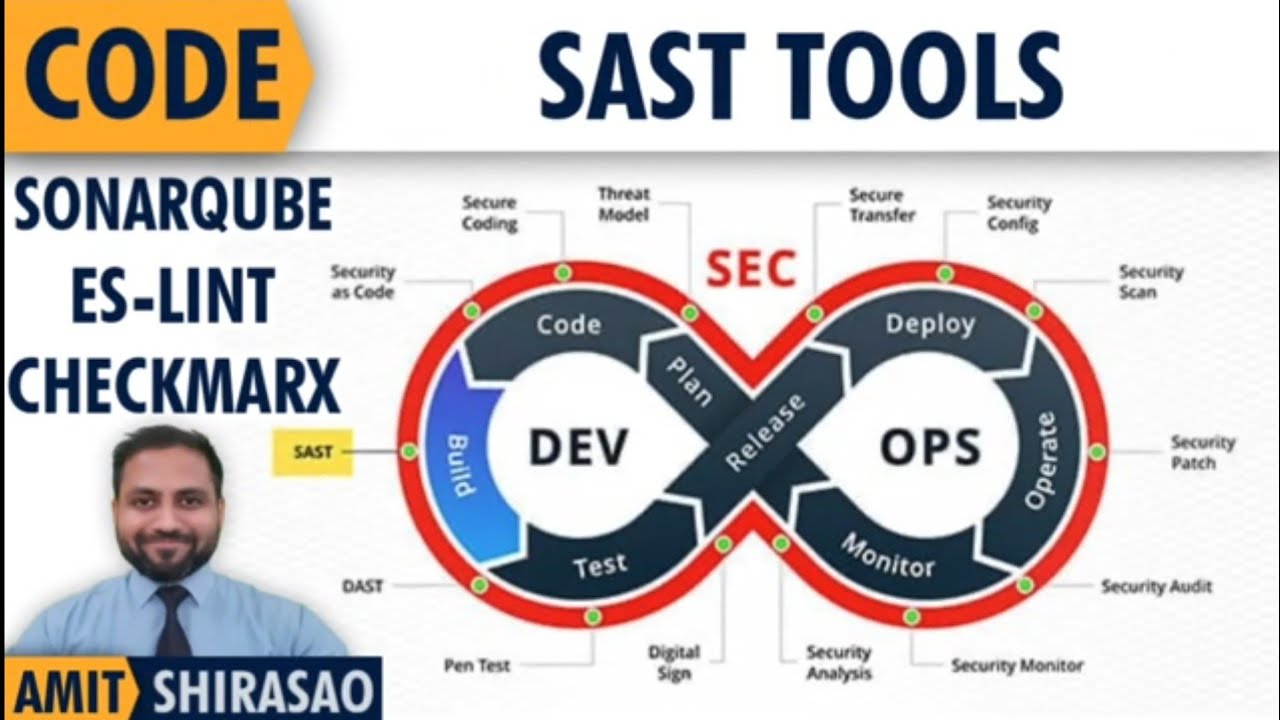
SAST Tools (SonarQube, ESLint, Checkmarx)
Автор: Amit Shirasao - Main Channel
Загружено: 2026-02-18
Просмотров: 23
Описание:
Watch my videos ad-free on https://tube.shirasao.com/.
====== STUDY MATERIAL ======
https://1drv.ms/b/c/08a58ae7efa8ce8e/...
====== INDEX ======
1. SAST vs. DAST (0:11-0:53): SAST is white-box code testing before execution; DAST is black-box testing of a running application.
2. SAST Vulnerabilities (1:46-7:32): SAST tools detect injection flaws (SQL, XSS), buffer overflows, insecure coding, broken access control, and improper input validation.
3. SAST Limitations (7:34-8:12): Tools primarily focus on security, not memory mismanagement like stack overflows.
4. Popular SAST Tools (8:17-11:29): ESLint, SonarQube, and Checkmarx are common.
5. Tool Evolution (8:34-10:29): Tools moved from local installations to cloud-based operations, integrated with CI/CD.
6. ESLint Specifics (10:32-11:47): Best for JavaScript/TypeScript projects (Angular, React).
7. SonarQube Recommendation (10:45-11:09): Recommended for all project types due to affordability and versatility.
8. Checkmarx Cost (11:11-11:27): Very expensive, only for wealthy clients.
9. ESLint Implementation - Configuration (11:54-13:57): Use `ng add` to set up `eslint.config.js` and run `ng lint` or `ng lint --fix`.
10. ESLint Rules Customization (14:10-14:48): Turn rules off or set them as errors/warnings in the config file.
11. ESLint Jenkins Integration (14:50-16:44): Add an `npm run lint` stage to your Jenkins pipeline.
12. Checkmarx Jenkins Setup (17:08-18:38): Requires a Jenkins plugin, credentials, and specific Jenkinsfile configuration.
13. SonarQube Authentication (19:19-22:16): Log in to SonarCloud.io, create projects, and generate an API token.
14. SonarQube Jenkins Integration - Setup (22:18-28:02): Add the SonarQube token to Jenkins credentials, install the scanner plugin, and configure the server and scanner tools.
15. SonarQube Jenkinsfile Configuration (28:09-30:13): Define tools and stages (analysis, quality gate) in the Jenkinsfile, customizing project keys and exclusions.
====== LEGAL DISCLAIMER ======
This video is the intellectual property of Mr. Amit Shirasao.
The views expressed in this video are his personal opinions (or, in the case of podcasts, those of the featured speaker). Any of his previous, current, or future employers or affiliated organizations do not, in any way, take responsibility for the same.
This content is provided for informational and educational purposes only. It does not constitute professional medical, health, financial, or technical advice. The creator is not responsible for any losses related to health, education, data, software, hardware, or wealth. Use this information at your own risk.
Повторяем попытку...
Доступные форматы для скачивания:
Скачать видео
-
Информация по загрузке:




![ARMIA PUTINA DRUGĄ ARMIĄ ŚWIATA? PRAWDZIWA SIŁA ROSJI [WOLSKI I BOJKE]](https://imager.clipsaver.ru/-0hLR4R3gvk/max.jpg)