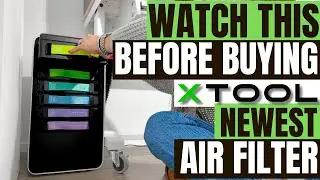
XTool Safety Pro AP2 Setup & First Look
Автор: Fox & Kit WoodWorks
Загружено: 2025-12-28
Просмотров: 174
Описание:
xTool affiliate Link - https://xtool.pxf.io/OeNDRG
Instagram - / foxandkitwoodworks
Facebook - https://www.facebook.com/profile.php?...
In this video, I walk through the setup and real-world review of the xTool Safety Pro AP2 Air Purifier. This unit came to me through an xTool giveaway—this video is not sponsored, and everything here is based on how I actually use it in my own shop.
I cover the full process from unboxing and filter installation to connecting the AP2 to my xTool F2 via Bluetooth, dialing in airflow settings, and running it during real engraving jobs on wood, slate, aluminum, and steel.
If you’re engraving indoors, in a home shop, office, or craft room, air filtration is a big deal. The Safety Pro AP2 is designed to handle smoke, fumes, odors, and fine particles created during laser engraving without needing to vent outside.
In this video, I go over:
Installing and aligning the multi-stage filter system
Hose adapters for the xTool F2, S1, P2, and other machines
Noise levels while engraving
Auto vs manual airflow control
How well it actually reduces odor from metal and slate engraving
I normally vent outside in my garage, but after running the AP2, I can see why this is a solid option for indoor engraving, especially if outdoor venting isn’t possible or practical.
If you’re a woodworker, laser engraver, DIYer, or small business owner, this review should help you decide whether the xTool Safety Pro AP2 is worth adding to your setup.
👉 If this video helps you out, like it, subscribe, and turn on notifications for more woodworking, laser engraving, tool reviews, and small-shop content.
⏱️ Chapters
00:00 – Intro & What I’m Testing
01:10 – Unboxing, Hose Adapters & Setup
03:45 – Filter Installation & Alignment
07:00 – Bluetooth Pairing & Settings
09:15 – Live Engraving Test & Final Thoughts
Повторяем попытку...

Доступные форматы для скачивания:
Скачать видео
-
Информация по загрузке: