QCY T20 Bluetooth Earbuds - Unbox, Setup & Review
Автор: QuickTipsTo
Загружено: 2023-06-29
Просмотров: 2894
Описание:
Today i'm going to unbox, setup and review the QCY T20 Wireless Earbuds.
Hopefully my video will give you the information you need about this product.
Inside the box you have:
1- The T20 earbuds
2- Charging case
3- USB-C charging cable
4- And the user manual
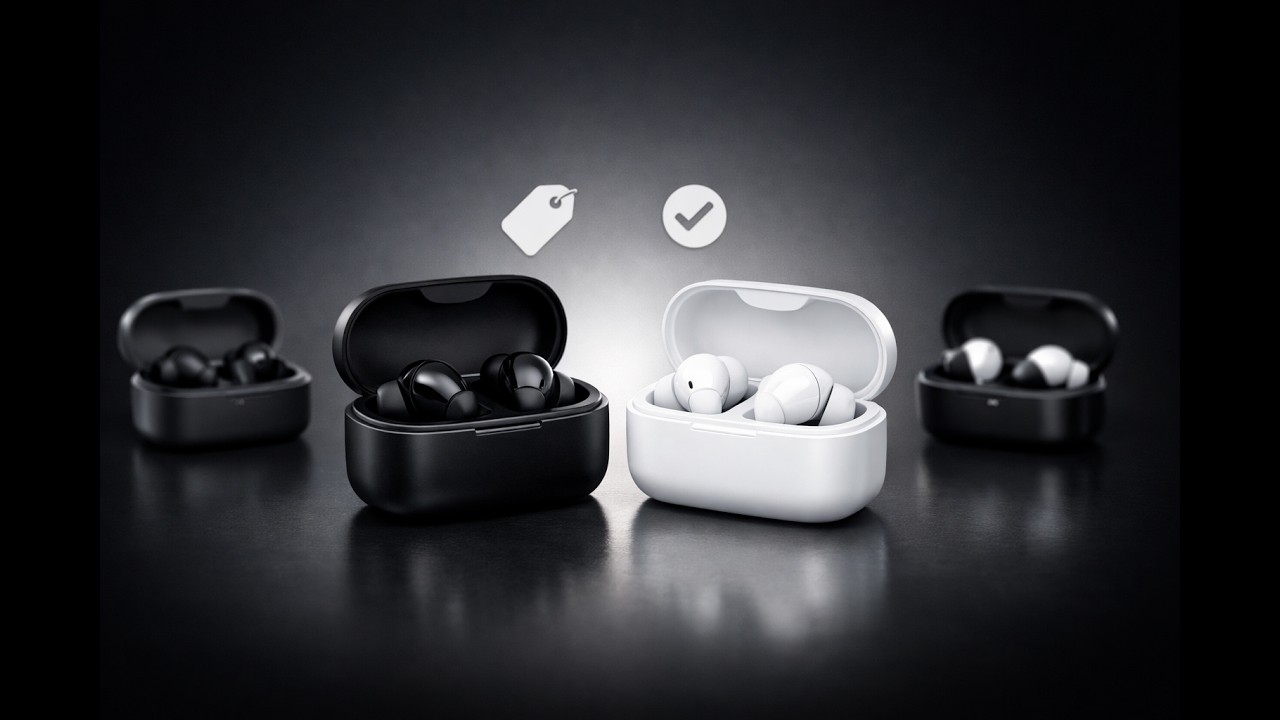
Now let's have a look at the charging case.
It's small making it portable.
At the bottom you have the charging slot to charge the case and in the front you have an LED that blinks when charging the case.
Now let's explore the earbuds.
As you can see they look smart.
These earbuds don't use any headphone tips.
On the front you have the speakers.
On the back of the earbuds you have LED.
below it is your touch panel used to control the earbuds.
They can last 5.5 hours based on normal usage on a single charge.
They also support fast charging technology which allows 1.5 hours of listening with just 10 minutes of charging.
Also, the charging case can provide an additional 14.5 hours of battery life.
This means you can use the earbuds for daily use specially on long days.
They are IPX5 waterproof making them sweat resistant and splash proof.
They have an advanced Bluetooth 5.3 chip with low battery consumption and reduced latency.
The earbuds are designed to fit the curve of the inner contour of your ears.
Each earbud weighs 4g making it comfortable to wear for a long time.
They are also stable in the ear making them convenient for sport activities such as walking and running.
Now i will show you how to connect the earbuds to your Android phone.
So on your phone go to settings.
Then tap on connected devices.
Tap on Pair New device.
Now take out the earbuds from the case.
QCY AilyPods will appear in the list.
Tap on it to start pairing.
Then tap Pair.
All done the earbuds are now connected to my phone.
Now let's test them.
Double touch the left or right earbuds to play or pause songs
You can use the same double touch to answer and end calls.
touch and hold the right earbud for 1.5 secs to move to the next song.
touch and hold the left earbud for 1.5 secs to move to the previous song.
You can also touch and hold either earbuds for 1.5 secs to reject calls.
Triple touch the left earbud to launch the voice assistance.
You can also use the QCY app on your phone to customise the touch controls on the earbuds.
For example using the app i can change the settings for my left earbud.
So instead of single touch doing nothing i can change it to reduce the volume.
Similarly i can change the single touch for my right earbud to increase the volume instead of doing nothing.
watch the video that will appear on the card above to learn how to connect your QCY Earbuds to the QCY App on Android phone.
Overall these are excellent quality Bluetooth earbuds.
They are very easy to use, once setup all you need to do is take them out of the case and they will connect to your phone
automatically.
The sound is excellent when listening to songs or watching movies.
I've also tested them on phone calls and my sound was very clear.
They also support ENC noise reduction technology to ensure pure sound quality and clearer calls.
Finally, being able to customise your touch controls using the QCY app is a key feature for this product.
#quicktipsto
Повторяем попытку...

Доступные форматы для скачивания:
Скачать видео
-
Информация по загрузке: