Heckler Framework Assembly Guide
Автор: Heckler
Загружено: 2025-11-13
Просмотров: 244
Описание:
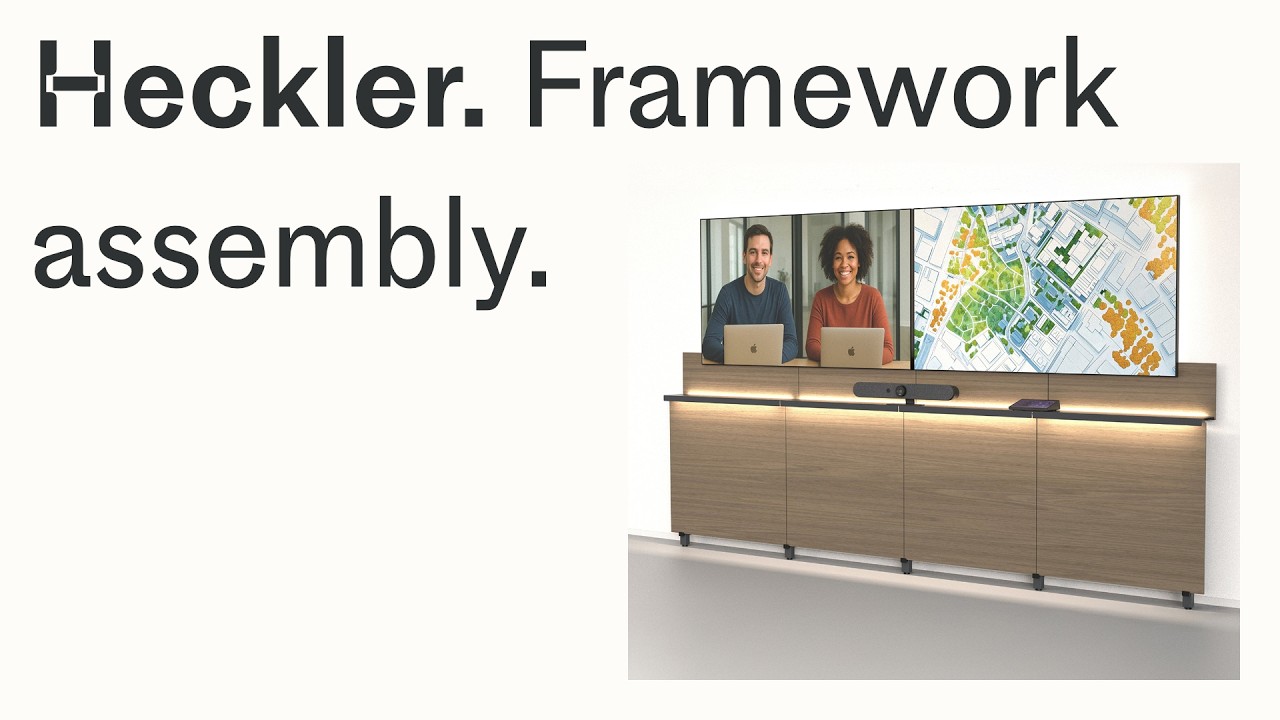
Heckler Framework is the forward-of-wall, floor-supported, and wall-tethered way to build video meeting walls that actually keep up with your organization.
In this video, Derek from Heckler walks you step-by-step through assembling a 3-bay Heckler Framework—from unboxing and floor-stage assembly, to leveling, display mounting, accessories, and final panels—so your first build feels as easy and repeatable as your fiftieth.
Whether you’re standardizing a single meeting room or rolling out dozens of spaces across a campus, this assembly walkthrough shows you how to build a straight, level, serviceable Framework that’s ready for today’s collaboration gear and tomorrow’s upgrades.
In this video, you’ll learn how to:
• Prepare your workspace, tools, and parts for a clean “floor-stage” build
• Assemble legs and beams face-down and use the structure as a template for wall anchors
• Lay out studs, mark anchor locations, and drill for toggle anchors in steel stud walls
• Install leveling feet and wall spacers to create a perfectly level, straight, and plumb structure
• Route and pre-tension lashing straps to safely tether Framework to the wall
• Install shelf supports, crossbars, and adjust spacers for consistent leg spacing
• Lay out single and tandem display configurations using the Heckler Display Mounting System
• Mount displays at a precise AFF (above finished floor) height for codecs, video bars, and camera systems
• Use crossbars, device panels, and rack accessories to manage components and cabling
• Install backsplash panels, end caps, and front panels for a clean, finished appearance
Use this video as your primary assembly reference—or as a “train-the-trainer” tool for teams standardizing Heckler Framework across many rooms and sites.
---
00:00 – Intro: What is Heckler Framework & What We’re Building
00:30 – Tools, Workspace, & Floor Protection
01:08 – Floor Assembly: Legs, Beams & Basic Structure
02:46 – Marking Studs & Anchor Locations (Tall vs. Short Legs)
03:38 – Drilling & Installing Toggle Anchors (Steel Stud Walls)
04:47 – Leveling Feet, Wall Spacers & Uprighting the Structure
05:45 – Routing Lashing Straps & Installing Shelf Supports
06:59 – Crossbars & Consistent Leg Spacing
07:28 – Level, Straight & Plumb Checks (Laser Line & Wall Adjustments)
08:43 – Installing Display Columns Along the Beam
09:07 – Mounting a Single Centered Display (VESA Layout & Height)
10:44 – Prepping the Display: Anchors, Cables & AFF Math
12:55 – Tandem Displays: Column Layout & Socket Selection
13:47 – Installing Shelves & Fine-Tuning Shelf Alignment
15:04 – Components, Device Panels, Rack Accessories & Cable Routing
15:40 – Installing Backsplash Panels & Panel Dividers
16:41 – Installing End Cap Panels
17:04 – Installing Front Panels & Finishing the Face of Framework
18:04 – Final Overview, Modularity, & Where to Learn More
---
#Heckler #HecklerFramework #AVFurniture #VideoConferencing #MicrosoftTeams #ZoomRooms #HybridWork #MeetingRooms #AVInstaller #HecklerDesign
🔗 Learn More About Heckler Framework: https://hecklerdesign.com/collections...
🔗 Explore Heckler’s Complete Catalog: https://hecklerdesign.com
🔗 Eyelet Lag Bolts for Wood/Timber Studs & Framing : https://www.mcmaster.com/9496T11/
Повторяем попытку...
Доступные форматы для скачивания:
Скачать видео
-
Информация по загрузке: