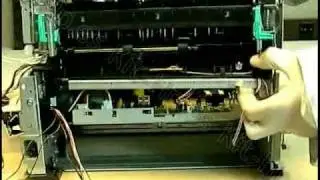
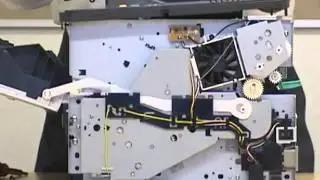
HP LaserJet 1320 Caution Light Blink & One Side Printing Black | Two in One Repair
Автор: Printer Surgeon
Загружено: 2025-01-24
Просмотров: 7739
Описание:
The caution light blinking on an HP printer is a common issue that can indicate various underlying problems. Resolving this issue involves identifying the cause and taking the appropriate steps to address it. Below is a detailed description of potential solutions to fix this problem.
The blinking caution light on an HP printer often signals a problem with the printer's hardware, connectivity, or configuration. Start by checking for simple issues. Ensure that the printer is properly connected to a power source and is turned on. Inspect the printer’s display screen or control panel for error messages or codes, which can provide clues about the cause of the blinking light. Refer to the printer’s manual to understand the error code if displayed.
Paper-related problems are one of the most frequent causes. Check the paper tray to confirm it is correctly loaded with paper of the appropriate size and type. Make sure the paper is aligned properly and not overfilled. Remove any jammed paper from the input or output tray, being careful not to tear it, as small fragments can obstruct the printer mechanism. If you suspect a paper jam, open the printer’s access doors, and inspect for any stuck sheets. Clean the rollers gently with a lint-free cloth if needed.
Ink or toner issues can also trigger the caution light. Open the printer’s cartridge access door and check for improperly installed, empty, or low ink cartridges. Replace any empty cartridges and ensure all cartridges are firmly seated in their respective slots. Clean the ink cartridges or printheads if you notice clogs or dried ink by using the printer's maintenance utility. Additionally, verify that you are using compatible cartridges as specified by the manufacturer.
Connectivity problems may also result in the caution light blinking. Confirm that the printer is properly connected to your computer or network via USB, Ethernet, or Wi-Fi, depending on your setup. Restart both your printer and computer to refresh the connection. For wireless printers, ensure that the printer is connected to the correct Wi-Fi network, and consider reconfiguring the connection through the printer’s settings if necessary.
Firmware or driver issues could also be a factor. Check for any available updates for the printer’s firmware and drivers. Visit HP’s official website and download the latest software updates compatible with your printer model and operating system. Install these updates following the on-screen instructions and restart your printer after completing the process.
In some cases, the caution light may blink due to overheating or mechanical faults. Allow the printer to cool down if it has been in use for an extended period. If mechanical issues are suspected, such as malfunctioning internal components, you may need to contact HP customer support or take the printer to a certified technician for professional repair.
By systematically checking and addressing these potential issues, the caution light on your HP printer can often be resolved without the need for extensive repairs. Regular maintenance, proper usage, and timely software updates can help prevent similar issues in the future.
HP LaserJet 1000
HP LaserJet 1150
HP LaserJet 1200
HP LaserJet 1160
HP LaserJet 1300
HP LaserJet 1300n
HP LaserJet 1320
HP LaserJet 1320n
HP LaserJet 1320w
HP LaserJet P1005
HP LaserJet P1006
HP LaserJet P1102
HP LaserJet P1102w
HP LaserJet P1505
HP LaserJet P1505n
HP LaserJet 1320
HP LaserJet 1320n
HP LaserJet 1320w
HP LaserJet P2015
HP LaserJet P2015n
HP LaserJet P2015d
HP LaserJet P2015dn
HP LaserJet P2055
HP LaserJet P2055n
HP LaserJet P2055d
HP LaserJet P2055dn
HP LaserJet P2050 Series
HP LaserJet P2035
HP LaserJet P2035n
HP LaserJet P2035dn
HP LaserJet P2030 Series
HP LaserJet M400
HP LaserJet M401
HP LaserJet M402
HP LaserJet M402d
HP LaserJet M402w
HP LaserJet M402dn
HP LaserJet M402dw
HP LaserJet M404
HP LaserJet M404d
HP LaserJet M404dn
HP LaserJet M404dw
HP LaserJet M4003dn
HP LaserJet 3390 MFP
HP LaserJet 3392 MFP
HP LaserJet M2727nf
.
.
.
.
.
.
#hp
#hplaserjet
#hplaserjetpro
#hpprinter
#hpprinterservice
#hpprinters
#hprepair
#hplaserjetrepair
#howto
#howtofix
#howtofixprinter
#howtorepair
#howtorepairprinter
#diyrepair
#diy
#diyprinterrepair
#PrinterSurgeon
#trendingreelsvideo
#trendingvideo
#trendingpost
#Technology
#fypシ
#foryoupageシforyou
#foryouシ
#foryoupageシ
#tiktok
#tiktokviral
#Youtube
#youtubechannel
#youtubevideo
@PrinterSurgeon
#printersurgeon
Повторяем попытку...

Доступные форматы для скачивания:
Скачать видео
-
Информация по загрузке: