ADF - Setting Up Azure Data Factory Roles
Автор: ramit girdhar
Загружено: 2019-08-01
Просмотров: 6341
Описание:
Azure roles
To create Data Factory instances, the user account that you use to sign in to Azure must be a member of the contributor or owner role, or an administrator of the Azure subscription. To view the permissions that you have in the subscription, go to the Azure portal, select your username in the upper-right corner, select More options (...), and then select My permissions. If you have access to multiple subscriptions, select the appropriate subscription.
To create and manage child resources for Data Factory - including datasets, linked services, pipelines, triggers, and integration runtimes - the following requirements are applicable:
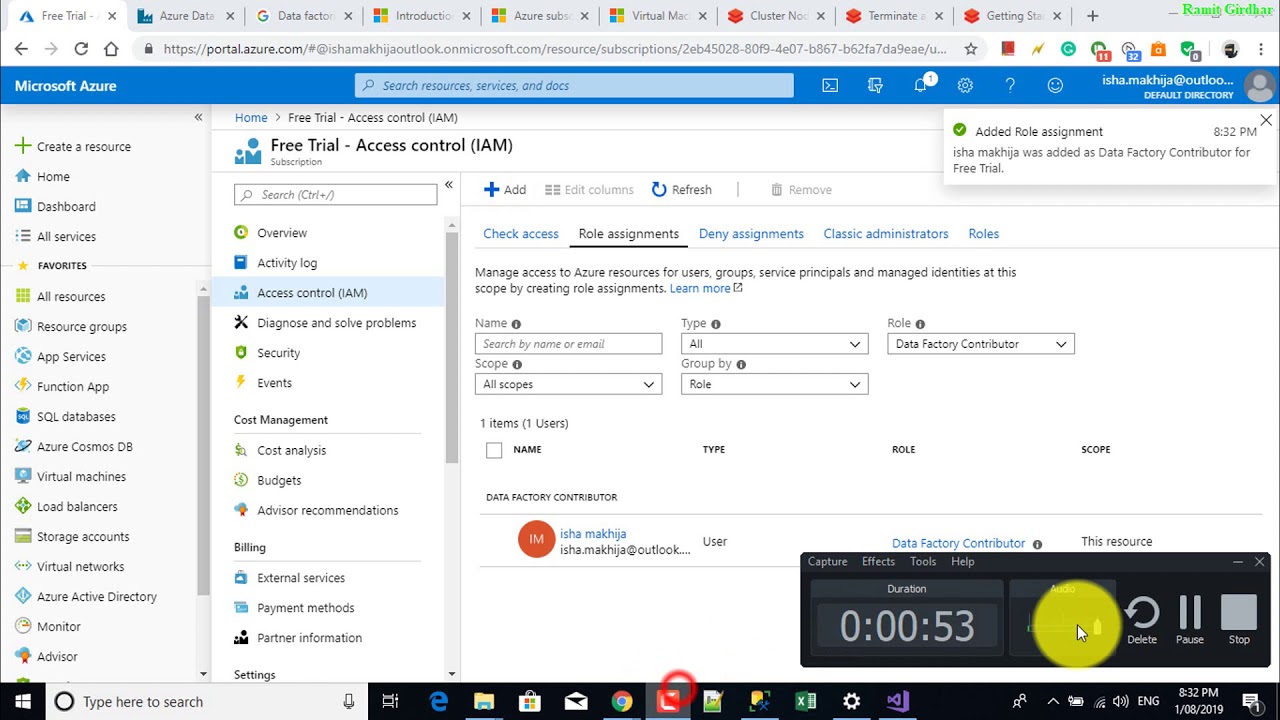
To create and manage child resources in the Azure portal, you must belong to the Data Factory Contributor role at the resource group level or above.
To create and manage child resources with PowerShell or the SDK, the contributor role at the resource level or above is sufficient.
For sample instructions about how to add a user to a role, see the Add roles article.
For more info, see the following articles:
Data Factory Contributor role
Roles and permissions for Azure Data Factory
Повторяем попытку...
Доступные форматы для скачивания:
Скачать видео
-
Информация по загрузке: