Logitech Z-680 5.1 Repair Dead or Silent Channel
Автор: striker1211
Загружено: 2015-05-05
Просмотров: 21532
Описание:
Requires 2A / 250V slow blow 20x5mm fuse.
Forum post: https://web.archive.org/web/201602200...
Original forum post by n00bler on logitech forums:
"n00bler
Logi Browser
n00bler
Posts: 8
Registered: 05-18-2007
Blown / no channels on your speakers? look here! [ Edited ]
Options
05-18-2007 10:06 PM - edited 05-18-2007 10:06 PM
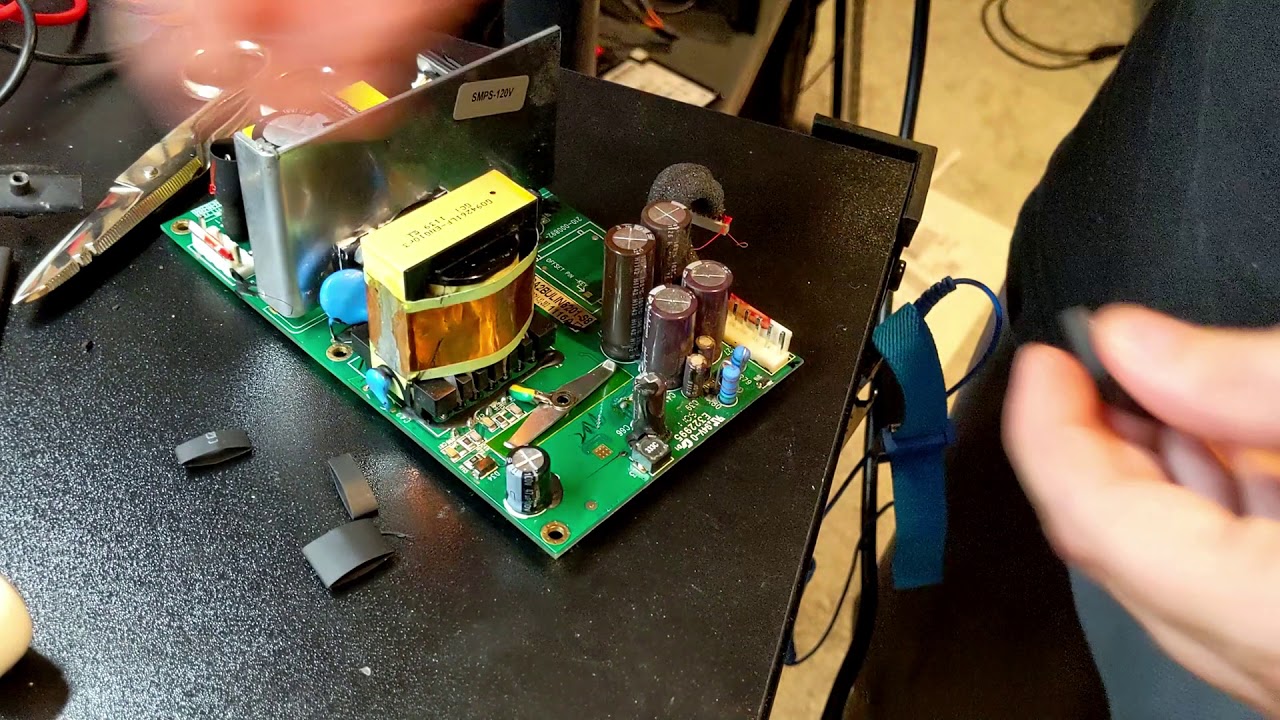
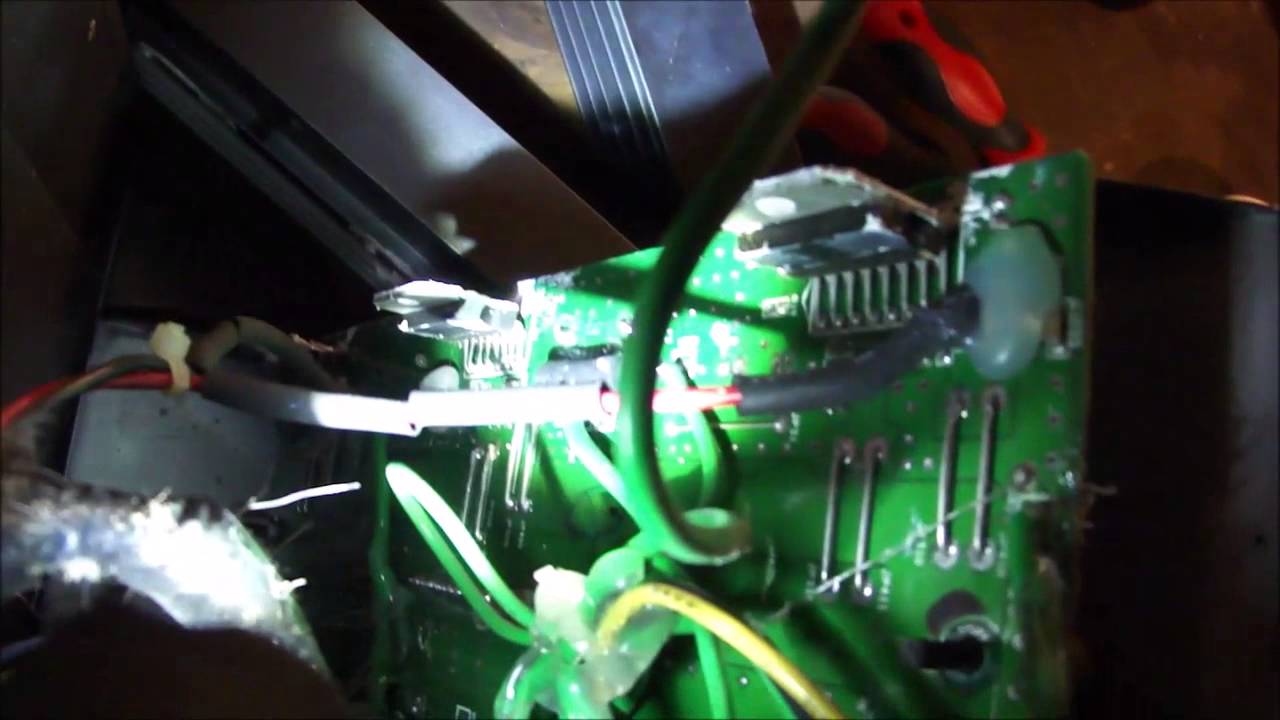
I've noticed a lot of people have had issues with channels no longer working on their speakers, worse yet on speakers out of warranty. This also happened to me with my Logitech z-560 4.1 speakers (similar to the z-680, same sub and satellite drivers), every channel stopped working except for the front left and subwoofer. The fuses had blown for the other channels. If your system is out of warranty, and you don't want to take your system to someone else to service, the good news is it's probably fixable, bad news is it takes some work. First, turn off the system and unplug it! you can easily kill yourself if you leave it plugged in while touching stuff inside. Anyway, the subwoofer fuse is either located on the back of the sub where you can replace it without pulling out the amp, otherwise it's inside the sub box, glue-gunned to a side (if you only need to replace the subs fuse, then just remove the screws along the perimeter of the heatsink, you can leave the screws within the fins of the heatsink, and around the connectors alone). To get to the fuses for the satellite and center speakers, you need to remove all the screws on the back of the sub, then gently pull out the amp (you may need to squeeze a flathead screwdriver between the metal plate and the sub box to pry it out, force is fine, just be careful you don't jerk the amp out a distance, the wires inside aren't that long). now 2 wires run to the subwoofer, you want to disconnect them at the subwoofer end, they should slide off pretty easily, this will make the next steps alot easier. see the 2 plastic rods between the back panel and the pcb, with nuts attached to them on the outerside of the pcb? (if you're lucky, youll have bare long black screws without the loose plastic sheeths). theres a long black screw inside each of the plastic rods. you need to clamp the rod tight enough that the plastic bends in and grips the screw (clamp is alot easier than using a wrench), and then unscrew the nut on the pcb. Now you should be able to remove the pcb from the back panel, orient the pcb so the 2 chunky metal heatsinks on it are facing up. Now you need to remove the heatsinks (messy, logitech was quite generous with the thermal compound), just loosen all the nuts on the heatsinks well, you don't need to remove them. pull off the heatsinks, and wah lah, you finally have access to the fuses for the satellite and center channels. there are a couple wires attached to one of the heatsinks, unscrewing it may make the next steps easier for you. in my case, the fuses did not have a mount they would pop out of, instead they had caps that were directly soldered to the pcb, and the fuses themselves were wrapped in heatshrink tubing. Now's a good time to test to see if they are bad (if theyre not heatshrinked you could eyeball it, any with the wire broken inside, or burn circles on the glass, are obviously bad) get out a voltmeter and see if current passes through the fuse. The ones that don't are bad. Now to get the fuses out, if theyre mounted theyll just pop out, if theyre soldered in it's actually quite easy getting them loose, just take a soldering iron, and place the tip of your soldering iron on the leg of the fuse cap on the other side of the pcb to heat it up, and from the otherside pry up that one leg with a flathead screwdriver or what have you. repeat for the other leg, and your other bad fuses. Once you have all the fuses off, you have a choice to either re-use the caps with wire leads on the fuses, or buy some pcb fuse mounts. to remove the caps, first remove the heatshrink (you might want to just cut/shove enough away to expose the caps) then get some standard pliers, and wiggle the caps off. theyre on there pretty good, but you want to be careful as its pretty easy to break the glass on the fuse.
Get some new fuses, (radioshack and fry's electronics should carry them, can always find them at online stores too) they of course need to have the same specs and the same size, and i'm pretty sure all logitech speakers use slow blow fuses. t4al =4amp t2al = 2amp. put the new ones in, put everything back together, but don't screw in the backplate yet. test the system, if the fuses blow again pretty much immediatly, check that you got slow blow and not fast blow fuses. if you do have the right fuses, then theres something else wrong in your amp thats causing your fuses to blow.
whew, hope that helps!"
Повторяем попытку...
Доступные форматы для скачивания:
Скачать видео
-
Информация по загрузке: