This ipconfig Output Confuses Everyone 😮 | ipconfig EXPLAINED Line by Line 😱
Автор: TechingEasy
Загружено: 2025-12-29
Просмотров: 7
Описание:
Have you ever run ipconfig in Windows and felt completely lost looking at all those adapters, IPv4, IPv6, gateways, and strange addresses? 🤯
This video decodes your ipconfig output line-by-line and explains exactly what each section means in simple language.
🔍 In this video, you’ll understand:
✔ What ipconfig actually shows
✔ Why Windows lists multiple network adapters
✔ Difference between real Wi-Fi vs virtual adapters
✔ What Local Area Connection* 1 / *2 really are
✔ Meaning of Private IPv4 (192.168.x.x)
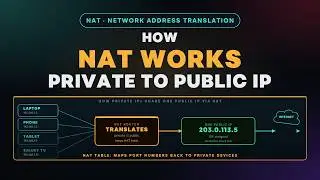
✔ Why your IPv4 is hidden behind NAT / CGNAT
✔ What Global IPv6 address represents
✔ Why Windows creates a Temporary IPv6 address
✔ What Link-Local IPv6 (fe80::) is used for
✔ Why routers advertise IPv6 gateways using link-local only
✔ Why you see two default gateways (IPv4 + IPv6)
✔ What happens when Ethernet or Bluetooth is disconnected
By the end of this video, you’ll be able to read any ipconfig output confidently and understand how your laptop talks to the router, ISP, and the internet.
0:00 Understanding connectivity; `ipconfig` decodes adapter status and configurations.
2:00 Determining external paths; Adapters facilitate Wi-Fi, LAN, or Bluetooth connections.
4:00 IP limit misconception; Multiple adapters provide unique identities for simultaneous networks.
7:00 Privacy risks; Temporary IPv6 addresses change periodically for secure outgoing traffic.
8:00 Bootstrapping; Link-local IPs enable communication with routers to get global addresses.
9:00 Network identification; Subnet masks define the specific network portion of an IP.
11:00 Mass local messaging; Reserved broadcast IPs allow routers to reach all devices at once.
12:00 External access; The Default Gateway routes traffic to addresses outside the local network.
🎯 Perfect for:
Networking beginners
CCNA learners
Cloud & DevOps engineers
Cybersecurity students
Anyone confused by Windows networking
👉 Like the video if ipconfig finally makes sense
👉 Subscribe for deep networking explained simply
👉 Comment “ROUTING” if you want a packet-level walkthrough 👇
ipconfig, ip config, ipconfig explained, ipconfig windows, windows ipconfig, ipconfig output, ipconfig command, ipconfig all, ipv4 explained, ipv6 explained, link local ipv6, fe80 address, temporary ipv6, global ipv6 address, default gateway explained, subnet mask explained, private ip address, 192.168 explained, dhcp explained, nat explained, cgnat explained, windows network adapters, virtual network adapter, wifi adapter windows, bluetooth network connection, ethernet adapter disconnected, networking basics, ccna basics, os networking
#ipconfig #Networking #WindowsNetworking #IPv4 #IPv6
#CCNA #NetworkAdapters #ComputerNetworks
#DevOps #CloudNetworking #TechEducation
#NAT #DHCP #Gateway #Subnetting
Повторяем попытку...

Доступные форматы для скачивания:
Скачать видео
-
Информация по загрузке:






![Почему работает теория шести рукопожатий? [Veritasium]](https://image.4k-video.ru/id-video/ggI1xKzoANs)

