Golf Simulator Control Box Review for TGC 2019, OptiShot, E6 & More (DISCOUNT CODE)
Автор: Golf Simulator Videos
Загружено: 2020-12-19
Просмотров: 12015
Описание:
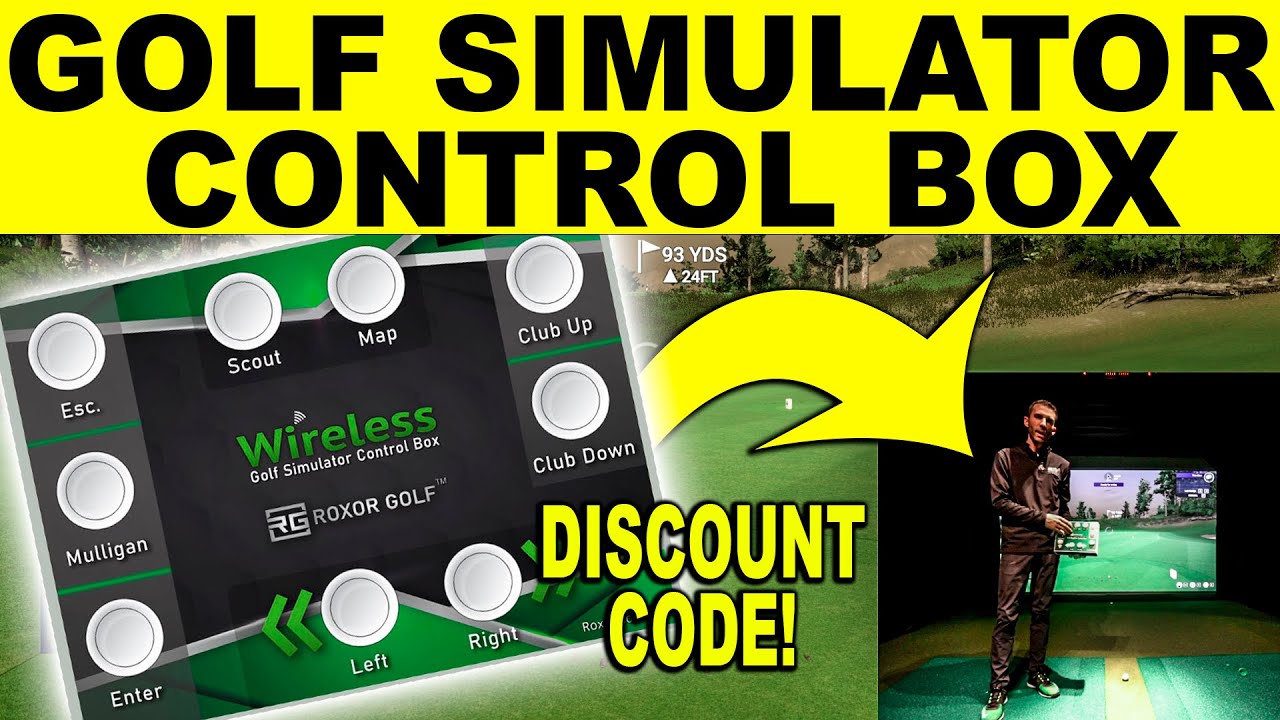
Golf Simulator Control Box Review - In this video I review the Roxor Golf, Golf Simulator Remote Control for TGC 2019, OptiShot, E6 Connect, Creative golf and other golf simulator software. Visit https://www.roxorgolf.com/ and use Discount Code: GSV15
It does not matter if you are using Uneekor, SkyTrak, Optishot 2, Foresight, Flightscope, or other golf launch monitors because this golf simulator controller hooks up to the software and the golf launch monitor is separate. You can create custom controls and advanced click paths which really makes the features endless.
#golf #simulator #tgc2019 #golfsimualatorcontrolbox #golfsimulator #tgc #golfsimulator #roxor #roxorgolf #golfsimcontrobox #discountcode #gsv
The Golf Simulator Control Box is very easy to use. The first thing you will want to do is download the Golf Sim Controller Software from RoxorGolf.com. This will make it very easy to preprogram profiles for each of the Golf Simulator Software that you use. I started off programming The Golf Club 2019 or TGC 2019. It was very easy. I just simple started recording and hit the button I wanted to program then set it to the hotkey of my liking. They have presets for Optishot, TGC, TGC 2019, E6 Connect, and more as you can really program it to do anything.
It is important to understand when using this golf simulator control box for TGC 2019 you will want to launch the The Golf Club software first then connect you box and start the Roxor software. From there it is super easy to control the Golf Simulator Software with the box and honestly I found that you don't even need to walk to the computer for the entire round. Talk about convenience and the ability to speed up the play in your golf simulator!
More About the Roxor Golf Simulator Control Box
Starts at: $160 for wired version. Comes with 15ft of USB cable. Optional upgrade to 25 feet.
Shipping is available worldwide.
Wireless Version is available: Includes Rechargeable Batteries. Tested up to 30 feet away from PC.
Roxor Golf is Single Employee Veteran owned and operated business. Derrik personally builds every single box. His direct cell phone number is printed on the back of every box for any problems, questions, or assistance if needed. (Derrik is also the admin for TGC2019 Skytrak Users FB Group).
Custom designs and button colors are available for both wired and wireless versions.
Each box includes proprietary software designed for the boxes and golf simulator programs.
Software comes with Presets for TGC, TGC2019, and Optishot. (E6 will be available soon, but customers still have the ability to set up their box for E6 now by calling him and he help them with the setup.) More presets will be added as he has the ability to access those.
The Roxor website has videos that walk the customers through the software download, setup process, and customization functions. 99% of customers have no problem with the setup, but he is always available to help if anyone has issues.
The box can be set up with different profiles for different programs and the customer is able to add, update, or change them at any time. For example: 3 profiles on a setup. One for TGC, One for TGC2019, and one for the Skytrak Range. Just click the profile that you want to use and then minimize the program. That will set up the box to function with that chosen profile / sim software.
The software must be running in the background for the box to function properly.
All boxes have to be either: OFF, Unplugged, or Disabled before opening TGC2019. (There is a feature built into TGC2019 that will block the buttons from properly working if it finds the box during startup.) Once the user is at the MAIN MENU of TGC2019 they can turn the box on, plug it in, or enable it.
Each box comes with a 6 month replacement warranty. 1 year parts replacement.
About The Golf Club 2019 (TGC 2019)
The #1 Golf Simulation Software with loads of pre-designed courses and online play.
The most advanced and affordable 3D golf simulator software available on the market today. The software has been uniquely designed to experience the ultimate 3D golf simulation for home, professional and commercial use.
CHOOSE FROM OVER 150,000 AVAILABLE GOLF COURSES
Choose from over 150,000+ available – ready to play – Golf Courses or create your own in just a few clicks with the included easy to use golf course designer software.
NEXT GENERATION GRAPHICS SYSTEM
The graphics system is a high resolution and high performance one that allows you to move in real-time around the course in screen resolutions up to 4K Ultra HD. All that’s missing is the wind blowing in your face.
Chapters
00:00 Intro
01:05 Golf Simulator Control Box Layout
03:10 Roxor Golf Software
4:50 TGC 2019 Demonstration
9:10 Wrap Up
Повторяем попытку...
Доступные форматы для скачивания:
Скачать видео
-
Информация по загрузке: