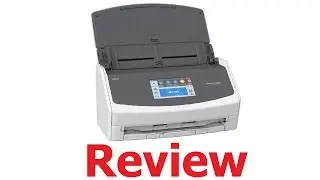
📊 ScanSnap Home (Install Walkthrough)
Автор: Sean Dillman
Загружено: 2022-04-27
Просмотров: 57724
Описание:
I show you how to install the Fujitsu ScanSnap Home software step-by-step. This software supports the ScanSnap iX1600, iX1400, iX1500, iX1300, iX100, S1300i, S1100i, and SV600.
ScanSnap iX1300
❤️ ScanSnap iX1300 Review & Setup Video ➜ • 📊 ScanSnap iX1300 Desktop Scanner (Review ...
👉 BUY iX1300 ON AMAZON (BLACK MODEL) ➜ https://amzn.to/3dNajqM
👉 BUY iX1300 ON AMAZON (WHITE MODEL) ➜ https://amzn.to/3QHcDy2
ScanSnap iX1600
❤️ ScanSnap iX1600 Review & Setup Video ➜ • 📊 ScanSnap iX1600 Desktop Scanner (Review ...
👉 BUY iX1600 ON AMAZON ➜ https://amzn.to/3Ge7UhM
WEBPAGES
🔗 FUJITSU GLOBAL SUPPORT ➜ https://www.fujitsu.com/global/support/
🔗 FUJITSU USA SUPPORT ➜ https://www.fujitsu.com/us/support/
🔗 FUJITSU SCANSNAP DOWNLOADS ➜ https://scansnap.fujitsu.com/global/dl/
In this video, I show you how to download and install Fujitsu ScanSnap Home. To get started, you need to visit the main global support Fujitsu website (link appears above). Once you are at this website, scroll down and you will see a map of the world. Pick the region that you are in. The next screen will ask which specific country you are in. You will then be directed to a new website which is specific to your country (US link appears above). Once you reach the new website, scroll down and you will see many different options for different hardware and different products. Select your scanner and it will take you to the next screen. Again, scroll down and you will see a button that says download. Click on this. This next screen is drivers and downloads. Click download software under where it says “ScanSnap”. This will take you to the ScanSnap section of the Fujitsu website (link above). Scroll down and pick the product that you will be using the software with. Next it asks what operating system you are using. Select the appropriate one. You will reach the final screen which says "ScanSnap Home download installer". Click on the righthand side where it says download. One more time, it will ask you to confirm your location. Click the blue button below (which is the process to use if you're using a computer that has internet access). Scroll the end user license agreement and then click that you accept its terms, if you do. Look at the bottom left-hand corner of your browser. You will see that the download has begun. It will download the file into your default downloads folder. Once it is in the folder, double click it to start the process. You will get a screen which says, "Welcome to ScanSnap Home Setup". Click on next and now it will ask if you want to do a typical or a custom install. I would recommend doing a typical install. It will install the files into the standard C drive location where programs are usually installed. As for the data location, I recommend using a cloud folder like OneDrive because it means that whenever I scan any of my documents, they will already be backed up to the cloud. After this step, the installation will occur. It goes quickly. You will be asked to pick which specific scanner you are using. Select your scanner and follow the on-screen instructions for attaching the power and USB cable. Once you have done so, you will be asked to connect your scanner to your computer. Once the USB cable is connected, the software will detect it and check the connection and when it's done you will get a screen which says that the connection is complete.
If your scanner support wi-fi, the software may ask if you want to set the unit up with wi-fi. If you have wi-fi support, I recommend using it as it makes the scanner much more useful because you don't have to connect it to your computer by a cable once it is set up and you don't even need it to be sitting anywhere near your computer. You can put your scanner wherever you want if it has a strong wi-fi signal. You can use it in another room, and it'll still work on your computer through your wi-fi network. The first screen will search for the wi-fi connections in your area and show you a list of the networks that it has detected. Choose your network and enter your access password. Once the connection is successful, the software will connect through the computer and the wi-fi, back to your scanner. You will be told that you can unplug the USB cable, which means that the wi-fi connection has been successful so you do not need to connect by USB anymore because you can connect wirelessly. Unplug the USB cable. You may wish to look at the icons or lights on the front of your scanner for information on the USB and wi-fi connection (depending on your model).
CHAPTERS
0:00 Introduction
0:27 Main Website
0:59 Country Website
1:40 ScanSnap Website
2:43 Setup Start
3:45 Connect Scanner
5:12 Wi-Fi Connect
6:16 Unplug USB Cable
7:15 Connection Complete
7:33 Main Screen
7:44 Conclusion
Повторяем попытку...

Доступные форматы для скачивания:
Скачать видео
-
Информация по загрузке: