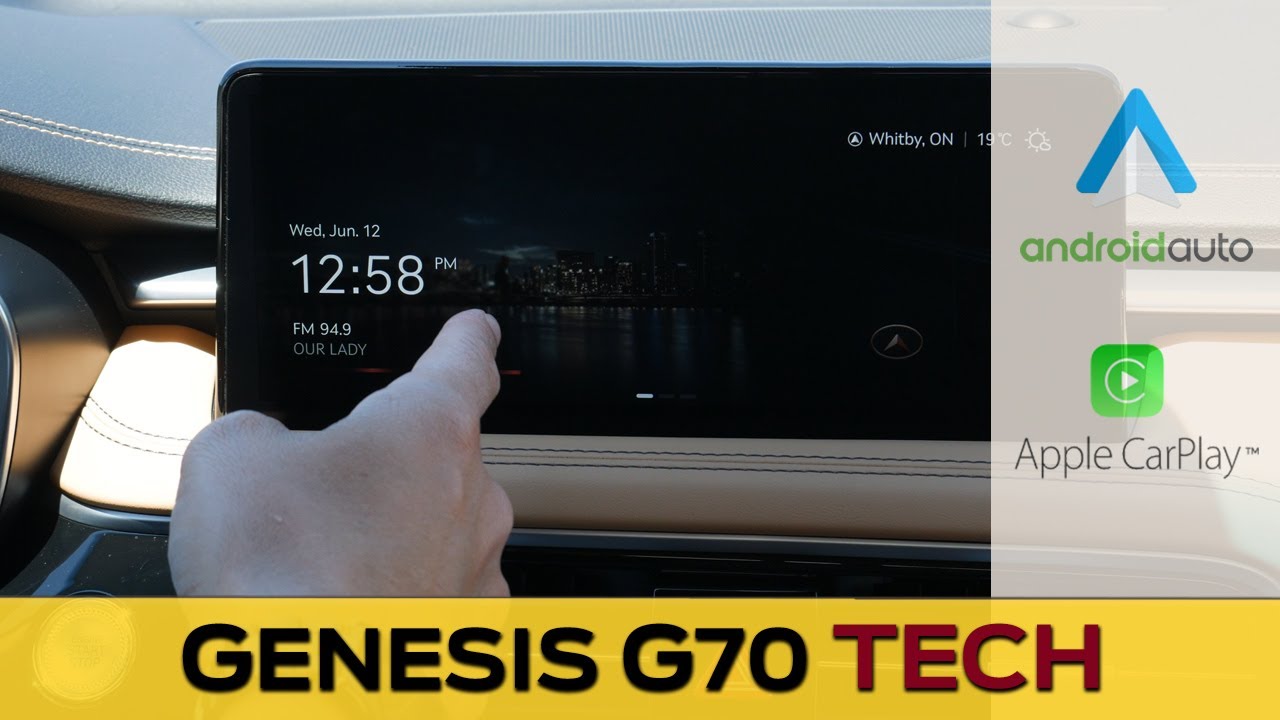
Media Screen in the Genesis G70 | Apple CarPlay, Android Auto, Navigation and more! (2024 model)
Автор: Cars With Steve
Загружено: 2024-07-08
Просмотров: 12724
Описание:
Want to know how to use the infotainment system in your Genesis G70? In this video I take you through the screen, showing off how to connect a phone, setup Apple CarPlay and Android Auto, use navigation and more!
Check out more cars 👉 https://www.youtube.com/carswithsteve...
Looking for more?
Genesis Keyfob Tricks - • Genesis G70 Keyfob Tricks (and how to set ...
Genesis Smart Cruise Control: • Smart Cruise, Boost Mode and Highway Drive...
G70 Review - • The Genesis G70 is an Underrated Luxury Se...
G70 Media Screen: • Media Screen in the Genesis G70 | Apple Ca...
G70 Steering Wheel: • Steering Wheel and Cluster in the Genesis G70
Genesis Park Assist - • How to use Park Assist in Genesis Vehicles
How to add Waze to Android Auto: • How to Add and Use Waze in Android Auto (W...
How to Fix Apple CarPlay if it's not working - • How to Fix Apple CarPlay if it's Not Worki...
How to use Paddle Shifters - • How to Use Paddle Shifters
Genesis GV70 Electric Review: • The Genesis GV70 Electric is a blast!
Genesis GV70 Media Screen: • Genesis GV70 Media Screen | Apple CarPlay,...
Connect with me online:
Instagram / realcarswithsteve
Facebook: / carswithsteve
The car that was used in this video had the following specs:
2024 Genesis G70
Prestige trim level
Capri Blue Exterior / Obsidian Black+Dune Beige Interior
MSRP:
Canada - $60,136
USA - $46,000
Link to builds:
Canada - https://carswithsteve.com/2024-Genesi...
USA - https://carswithsteve.com/2024-Genesi...
*Camera/Video Gear Used As Of July 2024*
iPhone 14 Pro
360 Camera - Insta360 One X2 - https://carswithsteve.com/insta360
Lav Mic -https://amzn.to/39hgGjR
Main GoPro - https://amzn.to/3McCrjt
GoPro Suction Mount - https://amzn.to/3MjaF4P
Tripod - https://amzn.to/3lck2rb
DJI Osmo Mobile - https://amzn.to/3FMLFAI
Samsung S9+ - https://amzn.to/3NeIQuE
Timestamps:
00:00 - Genesis G70 Infotainment Home Screen, User Profiles and Using Factory Navigation
05:25 - Connecting an iPhone and Setting up Apple CarPlay
10:15 - Connecting an Android and Setting up Android Auto
15:30 - Deleting Phones, Changing the Vehicle Name, Voice Memos, Climate, Media: AM, FM, SiriusXM and Presets
21:00 - Driver Assistance: Cruise Control, Safety and Convenience, Drive/Terrain Modes and Cluster
26:55 - Driver Seat, Lights, Locks, Smart Trunk and Keyfob Trick
30:00 - Convenience Settings, Navigation Setup and GPS Info, Sound Position and Tone
34:30 - Custom Buttons, Date and Time, Language, Measurement Units and Factory Reset
*Some of the links above are affiliate links, meaning at no additional cost to you, I'll earn a commission if you click through and make a purchase. You don't need to click but it does help me out!*
The content of this channel is for entertainment purposes only. You should confirm vehicle features, availability, payload and towing capacity, pricing and options with your local dealer. Steve, nor any of his employees, officers or representatives accept responsibility for any loss or damage, costs or liabilities whatsoever that may result from accessing or relying on information found in the video contents or comment section of this channel.
Music by Steve Grey
#genesisG70 #genesis2024
Повторяем попытку...
Доступные форматы для скачивания:
Скачать видео
-
Информация по загрузке: