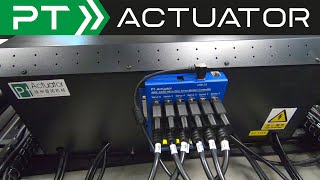
Prosimu T1000 5M 4DOF Motion Cockpit Review Part 1 "The Build"
Автор: Sim Racing Garage
Загружено: 2020-02-07
Просмотров: 37335
Описание:
More complex build than usual and video length reflects this. Use the links below to navigate at your convenience.
Intro: 0:00
Base 1 Main Frame Build: 0:47
Base 1 Foot Installation: 4:03
Base 1 Connecting Beams: 8:29
Base 1 Load Bearing Plates: 12:48
Base 1 Yaw Pivot Bolt: 16:46
Base 1 Cover Plates: 18:43
Base 1 Completed: 20:40
Base 1 Yaw SCN6 Actuator: 21:13
Base 2 Yaw Frame Build: 26:27
Base 2 Transfer Bearings: 28:01
Base 2 Completed: 34:03
SCN6 Yaw Actuator Connection: 36:24
PRS200 Actuator Foot Cups: 45:04
Base 3 Frame Build: 50:38
Base 3 Frame Assembled: 54:26
PRS200 Actuators Closer Look: 55:59
PRS200 Actuators Installation: 1:03:08
Base 3 Cover Plates: 1:07:00
Base 3 Frame Completed: 1:09:08
Prosimu T1000 Cockpit Wheelbase: 1:09:53
Prosimu T1000 Cockpit Pedal Tray: 1:22:01
Prosimu T1000 Cockpit Assembly: 1:25:05
Prosimu T1000 Cockpit Seat Brackets: 1:34:25
Prosimu T1000 Cockpit Seat: 1:36:05
Prosimu T1000 Cockpit Completed: 1:40:31
Final Thoughts: 1:42:37
https://www.prosimu.com/t1000-5m.html
Help support the Sim Racing Garage!
PayPal Donations:
https://www.paypal.com/cgi-bin/webscr...
/ simracinggarage
http://simracinggarage.com
Donate, or purchase an official
Sim Racing Garage T-Shirt.
SRG T-Shirts are available at the
Sim Racing Garage Store:
http://simracinggarage.com/store/
My current Computer and Monitor setup:
MOBO: Asus Z97-a
CPU: i7490k overclocked to 4.6GHz air cooled.
GPU: 1080ti stock clock
RAM: 16gig
Monitors: 3 27" Asus ROG PG279Q IPS panels at 144hz. 4th
monitor is 1920x1080 TN panel.
Side monitors are at 60°
Повторяем попытку...

Доступные форматы для скачивания:
Скачать видео
-
Информация по загрузке: