IMPULSE® •Series 5 AC Variable Frequency Drives: Access Modified Parameters & Diagnostic Logs | CMCO
Автор: Columbus McKinnon
Загружено: 2023-12-22
Просмотров: 710
Описание:
This guide provides a step-by-step process to access the Modified Parameters and Diagnostic Log in the Magnetek Impulse Series 5 Drives. Access more CMCO training from our Magnetek team here - https://motion.cmco.com/l/963023/2023...
Full Series 5 Troubleshooting Video Playlist - https://motion.cmco.com/l/963023/2024...
Accessing Modified Parameters
1. Go to the modified parameter group.
2. This group is very useful for troubleshooting, containing all the parameters changed from factory defaults.
Accessing Diagnostic Tools
1. Scroll down to diagnostic tools.
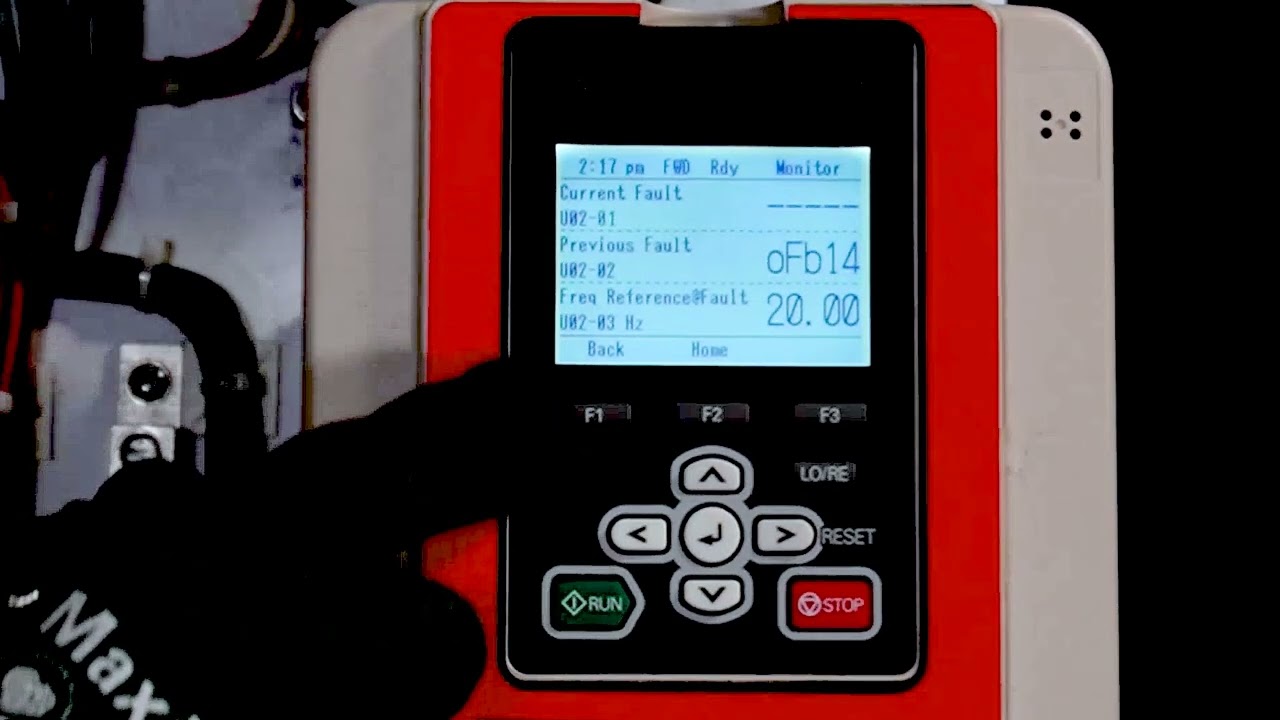
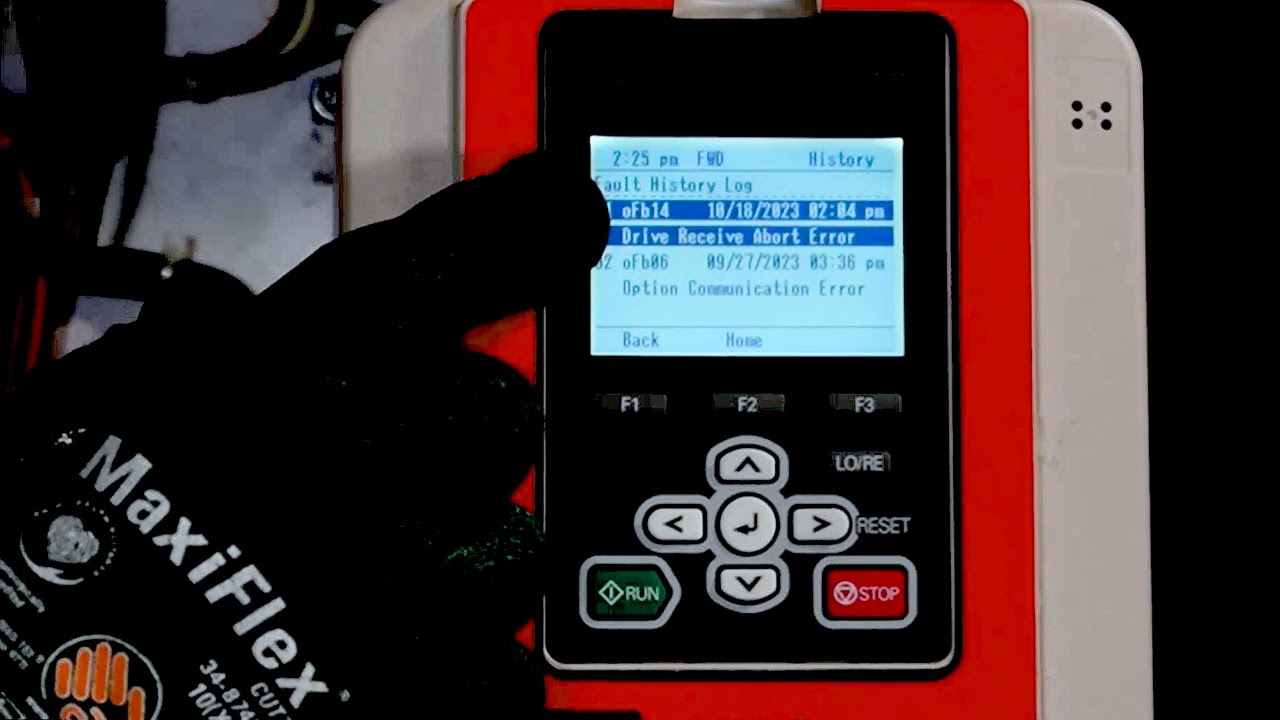
2. Open it up to take a look at the fault log.
Understanding Fault Log
1. The fault log in the diagnostic tool area gives you the time and date of when a particular fault occurred.
2. This information is very useful for aligning a profile of what might be happening with respect to the drive’s functionality.
Navigating Back
1. To go back, hit the ‘back’ key.
2. To go to the home screen, hit the ‘home’ key.
This guide provides a detailed walkthrough of accessing Modified Parameters and Diagnostic Log in Magnetek Impulse Series 5 Drives. Always hit ‘back’ or ‘home’ to exit a setting or return to a previous menu.
#vfd #vfdmotorcontrol #variablefrequencydrive #vfdbasics #vfdprogramming
Access more CMCO training from our Magnetek team here - https://motion.cmco.com/l/963023/2023...
Full Series 5 Troubleshooting Video Playlist - https://motion.cmco.com/l/963023/2024...
Повторяем попытку...
Доступные форматы для скачивания:
Скачать видео
-
Информация по загрузке: