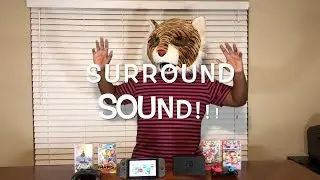
Nilly896 Does Another Test Recording - Surround Sound & Gameplay Test on Wii U, Switch, and Switch 2
Автор: Nilly896
Загружено: 2025-11-16
Просмотров: 1099
Описание:
This is just another one of those random test recordings I keep trying doing so that I can make better quality gameplay videos. There was also no proper footage of stuff like enabling Surround Sound on Wii U and how it is supposed to sound like when it is enabled with the proper equipment so that's why I'm interested in this.
Timestamps
0:49 - Enabling Surround Sound (Wii U)
2:24 - Mario Kart 8 Gameplay and Surround Sound Test
7:10 - Enabling Surround Sound (Switch OLED)
8:08 - Mario Kart 8 Deluxe Gameplay and Surround Sound Test
13:37 - Enabling Surround Sound (Switch 2)
14:37 - Mario Kart World Gameplay and Surround Sound Test
The capture card for this use is from AverMedia Live Gamer DUO (GC570D)
It is a PCIe internal capture card that records up to 4K with 60fps. What I don't hear about this product a lot is that it can also do Linear PCM 5.1 passthrough for Nintendo consoles, or possibly up to Linear PCM 7.1 for those who own a PS4, PS5, or XBox Series. That means you can use this capture card to record and listen to each speaker being played to your headphones or speakers.
I enable Surround Sound on my Wii U, Switch OLED, and Switch 2 to showcase that surround sound is enabled and all 6 sounds can be heard on headphones or speakers. This also includes the subwoofer as well. I place the audio mixer on the bottom of the video to show the audio playing and what audio channels are playing and are not playing.
Listed from top to bottom of the audio mixer, the order is...
1. Front Left
2. Front Right
3. Center
4. Subwoofer LFE
5. Rear Left
6. Rear Right
I use Mario Kart as an example since I think it is the easiest to show what the audio mixer is playing. According to the eShop, Mario Kart 8 Deluxe does not list Surround Sound as a supported feature, but the rear speakers play something when playing in a race. Some other games on the eShop also aren't listed as Surround Sound compatible, but may play something on the other speakers. It's more interesting finding out from this if the other speakers are playing something.
I had to lower the mixer by 10 decibels or else the audio wouldn't sound great when it gets loud. I'm still working on fixing that issue as I'm doing more recording tests.
I might do another recording test on another capture card that also has Linear PCM Surround Sound passthrough and probably play some other games to test this out some more.
Повторяем попытку...

Доступные форматы для скачивания:
Скачать видео
-
Информация по загрузке: