RQT Frame editor and Pitasc - August 2025
Автор: ROS-I Consortium
Загружено: 2025-09-30
Просмотров: 154
Описание:
Speaker:
Daniel Bargmann, Fraunhofer IPA
Topics Covered:
• The Frame Editor (RQT Plugin) – A software tool for managing TF-frames in ROS/RQT
https://github.com/ipa320/rqt_frame_e...
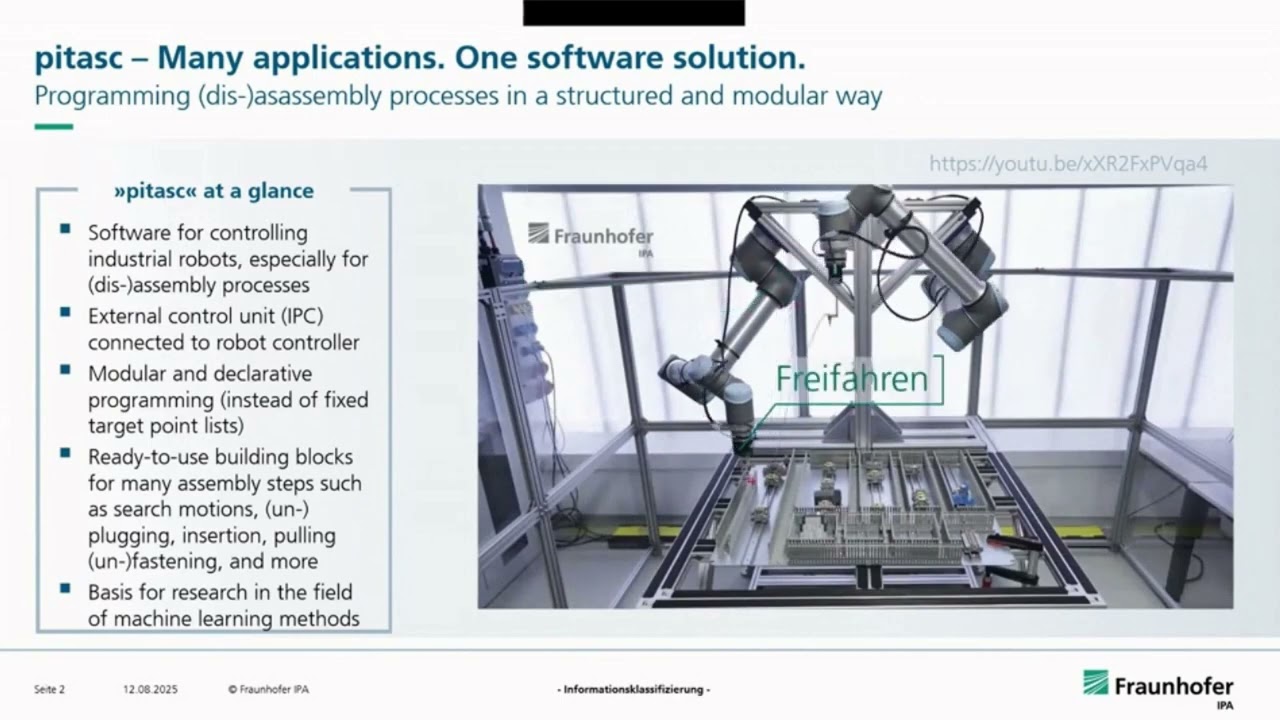
• pitasc Framework – A vendor-neutral software framework for force-control in robotic assembly and disassembly
https://pitasc.github.io/
About the Speaker:
Daniel Bargmann joined the Fraunhofer Institute for Manufacturing Engineering and Automation (IPA) in 2018. His research focuses on robotics, automation, and AI-driven assembly. He develops force-controlled robotic solutions for industrial assembly and disassembly tasks and works on teaching robots to learn human processes using trajectory and force data. Daniel holds a B.Sc. and M.Sc. in Electrical Engineering and Information Technology from the Technical University of Munich.
What You’ll Learn in This Talk:
• How to use the RQT Frame Editor to visualize, manage, and manipulate TF-frames in ROS
• Live demos showing alignment, mesh attachment, STL loading, and parent frame handling
• Introduction to pitasc, a flexible framework for robot force-control, with practical use cases in assembly & disassembly automation
• Insights into pitasc’s architecture, skill library, XML configuration, and demos
Timestamps:
00:00 – Introduction
00:07 – RQT Frame Editor overview
01:14 – Documentation on GitHub
01:45 – Demo: Overview of RQT Frame Editor
03:18 – Demo: Align frames
04:20 – Demo: Attach mesh
04:40 – Demo: Add marker to Rviz
05:05 – Demo: Load STL files & change size/color
06:45 – Demo: Parent frame handling (“Parent Keep Absolute” button)
07:38 – Demo: Parent frame handling (“Keep Relative” button)
07:55 – Demo: Convenience tools (compare frames, distances, convert degrees ↔ radians)
08:45 – Demo: Undo/redo button
09:02 – Demo: Launch Frame Editor (RQT & launch file)
09:45 – pitasc Introduction
12:08 – Hardware use case
13:26 – Assembly & disassembly tasks
14:00 – System architecture
16:02 – Skill library
18:40 – Example: Flexible assembly of terminal clamps
20:10 – XML example: Skill composition
22:00 – List of skills in the library
22:42 – Demo XML: Elements, configuration, environment, and applications
23:55 – Demo: skill_cartesian_tracking
25:55 – Demo: skill_lin
26:35 – Demo: skill_guarded_approach
29:00 – Demo: skill_concurrency & skill_apply_force
31:20 – Demo: skill_cartesian_velocity
32:40 – Demo: Dynamically changing control frames
Повторяем попытку...
Доступные форматы для скачивания:
Скачать видео
-
Информация по загрузке:





![Детектирование виртуальных машин: как оно работает и как его обходят [RU]](https://image.4k-video.ru/id-video/W-KGmGH_IZ4)