Most CNC Users Don’t Know This Fence Trick
Загружено: 2026-03-06
Просмотров: 2301
Описание:
If you’ve ever struggled to accurately position odd-shaped parts in your CNC, this trick will save you hours.
In this video, we walk through how to design custom fences directly inside your CAD/CAM software so your parts locate perfectly every time inside your CNC vertical workstation.
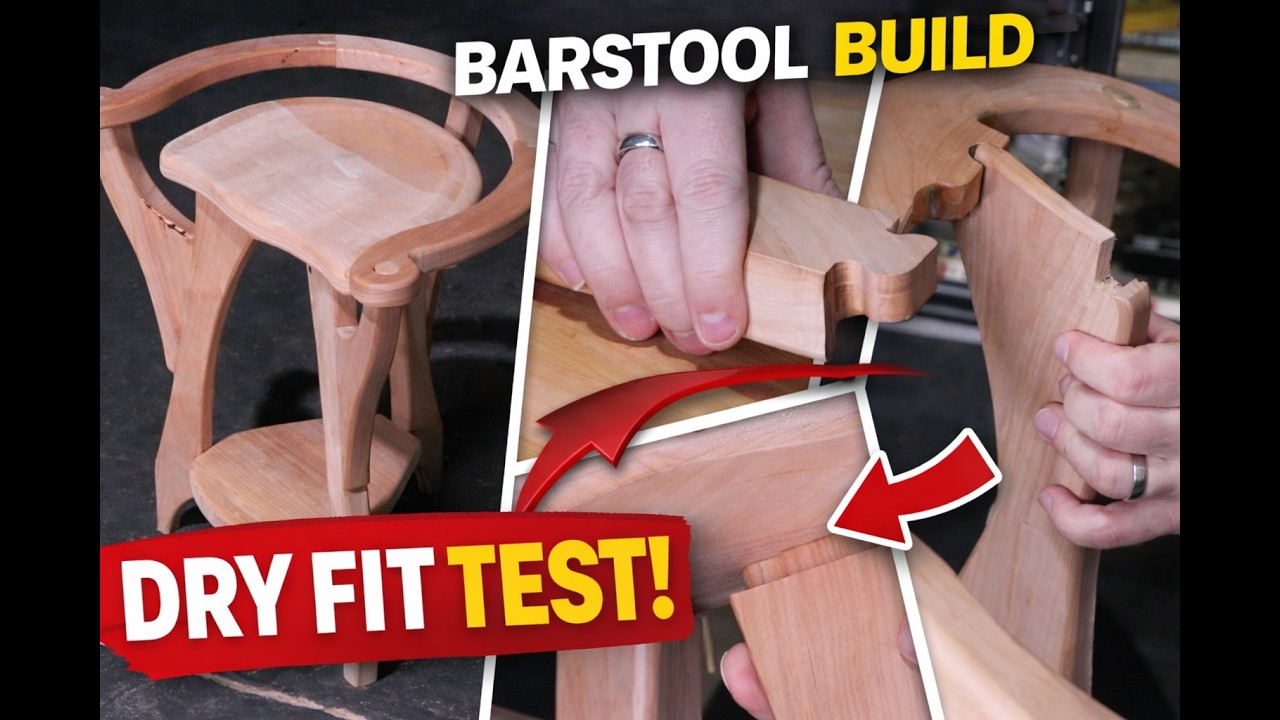
This technique was used in our Bar Stool Project where we needed to machine precise joinery on curved components that were originally cut flat.
By creating a custom MDF fence based on the exact shape of the part, we can guarantee:
✔ Perfect alignment
✔ Repeatable setups
✔ Accurate joinery
✔ Faster machining workflows
You'll also learn how to:
Rotate parts accurately in CAD
Use your original part geometry to design fixtures
Add cutter clearance for internal corners
Match hole patterns to CNC vertical plates
Create clamp clearance pockets
This simple workflow dramatically expands what you can do with your CNC machine.
🔗 Resources
Download the vertical workstation DXF file:
https://www.legacywoodworking.com
Learn more about Legacy CNC systems:
https://www.legacywoodworking.com
Explore Vectric Aspire:
https://www.vectric.com
🛠 Software Used
Vectric Aspire
Legacy CNC Systems
👍 If this helped you
Like the video and subscribe for more CNC woodworking tips, fixtures, and advanced setups.
0:00 Intro
0:19 What This CNC Fence Trick Solves
0:45 Example From the Bar Stool Project
1:20 Duplicating the Original Part Sheet
2:05 Rotating the Part for Vertical Machining
3:20 Importing the Vertical Workstation DXF
4:10 Grouping Hole Patterns
5:00 Positioning the Part on the Fence Plate
6:10 Duplicating the Part to Build the Fence
7:10 Creating the Custom Fence Shape
8:20 Adding Cutter Clearance to Internal Corners
9:40 Adding Mounting and Clamp Holes
10:50 Final Fence Layout for CNC Cutting
11:30 Why This Method Is So Accurate
12:10 Final Thoughts
Повторяем попытку...

Доступные форматы для скачивания:
Скачать видео
-
Информация по загрузке: