How to Enable HTTPS on Hostinger
Автор: Champ Picks
Загружено: 2025-08-31
Просмотров: 271
Описание:
How to Enable HTTPS on Hostinger
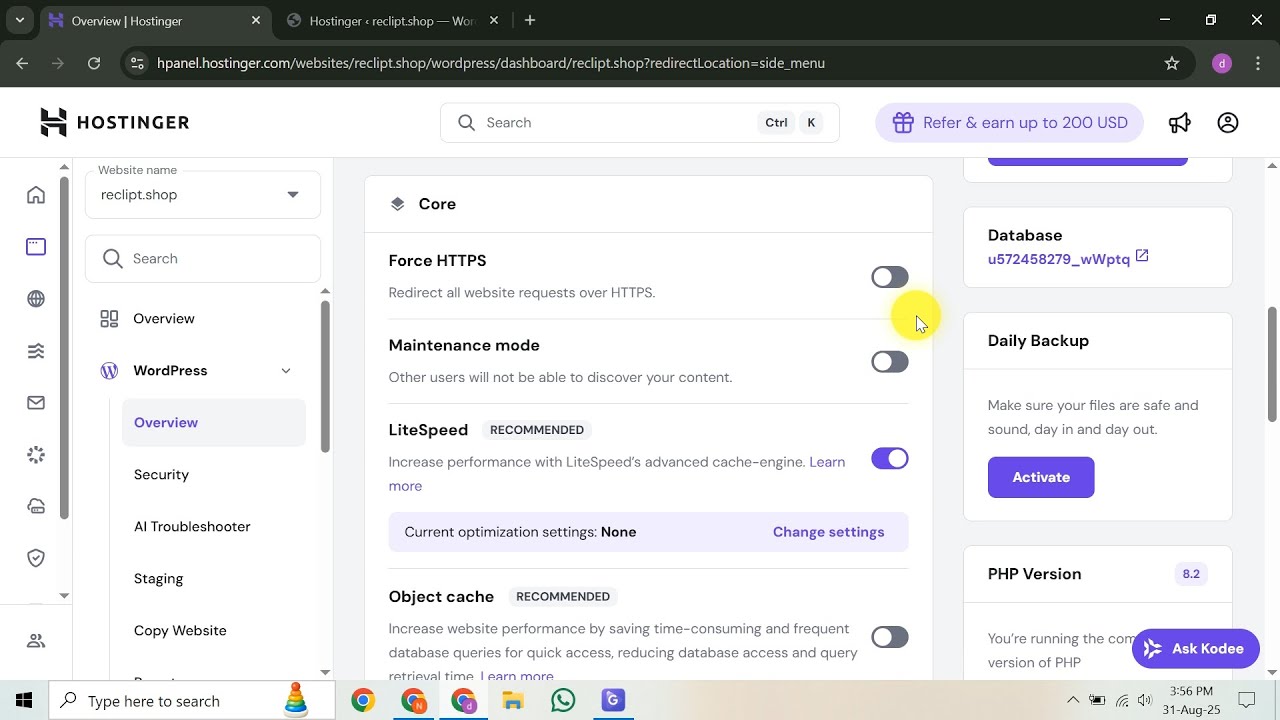
Looking for How to Enable HTTPS on Hostinger? In this video, we'll guide you through the essential process of securing your website, boosting user trust, and enhancing your search engine optimization with a free SSL certificate. We’ll show you a simple, six-step method to enable HTTPS on Hostinger and ensure your site runs securely and professionally. This comprehensive tutorial covers everything from adding your domain or subdomain to your Hostinger Web, Cloud, or Website Builder hosting plan, a crucial first step even if your domain is from another provider. You'll then learn how to successfully install a free SSL certificate on Hostinger. We explain how Hostinger typically automates SSL installation for Web and Cloud hosting, and provide clear instructions on how to manually install it via hPanel's 'Websites' section under the 'Security' tab if needed, particularly for Website Builder users. We'll also demonstrate how to force HTTPS on Hostinger to automatically redirect all old HTTP traffic to the new, secure HTTPS, a vital step for maintaining security and SEO best practices, preventing mixed content warnings, and ensuring a seamless user experience. For WordPress users, we provide a dedicated, crucial guide on updating your site URL within the WordPress admin dashboard – changing both the WordPress Address and Site Address to 'https://' for full compatibility. Finally, we'll cover how to quickly verify your SSL activation using the familiar padlock icon in your browser or through trusted online SSL checker tools, and offer practical troubleshooting tips for common issues like clearing browser cache, understanding DNS propagation delays, and when to contact Hostinger’s expert Customer Success team for advanced support. By following these steps, you’ll master how to set up SSL on Hostinger and secure your online presence effectively, building credibility and protecting your visitors.
#HostingerSSL #EnableHTTPS #HostingerTutorial #WebsiteSecurity #FreeSSL
Повторяем попытку...
Доступные форматы для скачивания:
Скачать видео
-
Информация по загрузке: