How to Use Color Key in Premiere Pro | Easy Green Screen Tutorial for YouTube
Автор: GRAPHICWITHBHARTI
Загружено: 2025-11-01
Просмотров: 47
Описание:
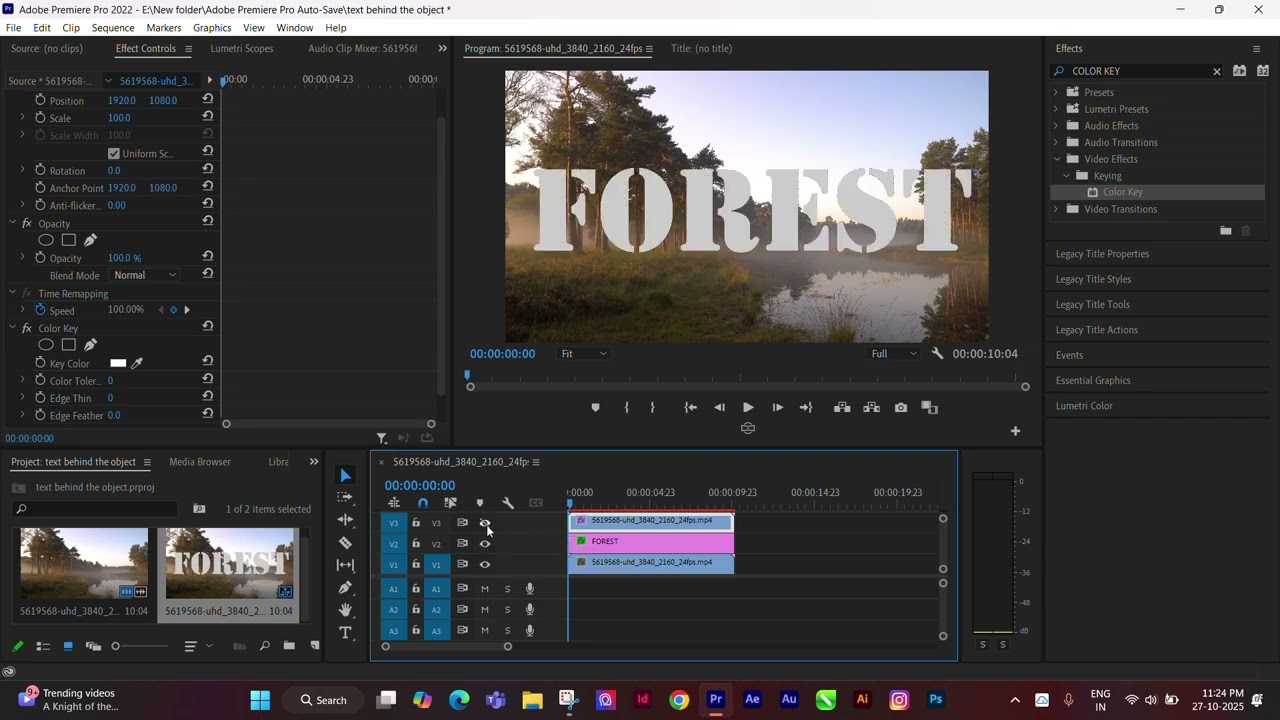
Learn how to use the Color Key (Chroma Key / Green Screen) effect in Adobe Premiere Pro to remove and replace your background for professional YouTube videos!
In this quick tutorial, I’ll show you step-by-step how to:
✅ Import your clips and background
✅ Apply the Color Key / Ultra Key effect
✅ Remove the green background cleanly
✅ Fix edge spill and lighting issues
✅ Export your final video in HD for YouTube
Whether you’re making vlogs, gaming videos, or tutorials, this effect will make your videos look amazing!
💻 Software: Adobe Premiere Pro
📹 Skill Level: Beginner-Friendly
💬 Drop a comment if you want a tutorial on Ultra Key advanced settings next!
🔔 Don’t forget to Like, Subscribe, and Turn On Notifications for more Premiere Pro editing tips every week!
#PremierePro #ColorKey #GreenScreen #ChromaKey #VideoEditing #PremiereProTutorial #YouTubeEditing #UltraKey #Filmmaking #ContentCreator #EditingTips #AdobePremierePro #VideoEffects
Повторяем попытку...
Доступные форматы для скачивания:
Скачать видео
-
Информация по загрузке: