How to Scan Film, Slides, and Photos with the Magnasonic FS60 Film Scanner
Автор: Magnasonic
Загружено: 2019-05-30
Просмотров: 3770
Описание:
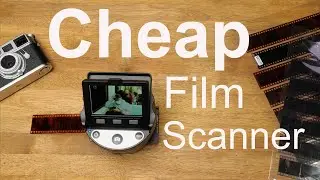
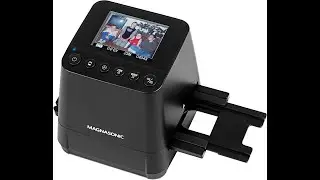
The Magnasonic FS60 is a 35mm film and slide scanner that lets you scan both film and photo prints. In this video, we will show you how to scan film and slides, photo prints, and how to move them from the SD card in the FS60, to a computer.
-------------------
TIME STAMPS
-------------------
0:36 Scanning film and slides
2:30 Scanning photo prints
3:06 Viewing photos
3:19 Transferring photos to a computer
4:15 Formatting the SD card
-------------------
INSTRUCTIONS
-------------------
To start the FS60
Insert the included SD Card into the back of the scanner.
Connect the small end of the USB cable to the back of the film scanner, and connect the larger side to the power adapter.
Plug the power adapter into the wall
Hold the power button.
You will be asked to select the PC-to-SD Link option. If you would like to scan photos, select “No” by pressing the okay button. If you want to transfer photos to a computer, skip to the section of this video about transferring photos to a computer.
To scan a film negative or slide:
switch the sliders on the top and side of the scanner, to FILM
By default, the scanner is set to 35mm Negative. To scan other types of film, press the TYPE button. You can see what type of film is selected by looking at this icon.
Load your film or slides into the appropriate film tray, and place that tray into the film scanner. To get the best quality scan, ensure that your film is free of dust or scratches, and is loaded into the correct adapter.
To adjust the brightness, press the EV button. Use the up and down arrows to make the image brighter, or darker.
Press OK to scan the picture. It will be saved to the SD card.
To scan prints:
Slide the top and side switches to PHOTO.
Remove the photo holder from the bottom of the scanner.
Place the photo on the tray, matching the guidelines for different sizes.
Once you have the photo in place, put the scanner back on the tray.
Select the photo by pressing the SIZE button. Size options are 3.5x5”, 4x6”, 4x4”, 4.2x3.2”, 3.4x2.1”
Press the OK button to scan the photo.
To view saved images
Press the Play button.
The arrow buttons can be used to scroll through saved images.
To view images, or save them on a computer, follow one of two methods.
1. The first method is simply removing the SD card from the scanner, and inserting it into the SD card slot on your computer, or an external SD card reader attached to your computer.
2. If you do not have an SD card reader:
Disconnect the USB cable from the power adapter and connect it to your computer.
Turn the scanner on. When you see the PC-to-SD Link option again, this time select YES.
The screen of the scanner will turn off while connected to the computer.
Your scanner will show up on your computer as if it were a hard drive.
Open the folder and you will have access to all of the saved photos. These can now be viewed or copied to a folder of your choice.
If you would like to format (delete everything from your SD card):
With your SD card in the FS60, press the EV button 3 times
Press the Type button to select YES
Press OK
This will erase all data from the card.
If your SD card is not being read by your FS60, formatting the card is a helpful troubleshooting step.
-------------------
IN THIS VIDEO
-------------------
FS60 All-In-One 14MP Film & Photo Scanner https://www.magnasonic.com/all-in-one...
-------------------
FOLLOW US
-------------------
Facebook: https://www.facebook.com/Magnasonic?u...
Twitter: https://twitter.com/magnasonic?utm_so...
Повторяем попытку...
Доступные форматы для скачивания:
Скачать видео
-
Информация по загрузке:




![🔥 Топ-5 лучших СКАНЕРОВ ПЛЕНКИ на Amazon [2025] ✅ [Дешёвый] 35 мм / Средний формат / Высокое разр...](https://image.4k-video.ru/id-video/AOvlgwK_2bU)