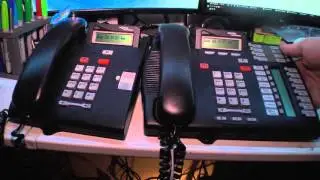
Transferring calls on Nortel Networks Norstar phones.
Автор: The Nortel Guy
Загружено: 2016-12-28
Просмотров: 44125
Описание:
quick and simple tutorial on how to move calls from one phone to another on the Nortel Networks Norstar phone system. There is more than one way to accomplish the task. This video shows the three most common methods.
1. Hold and Retrieve
2. Call Park
3. Transfer (Blind and Warm)
Call handling can be intimidating for those who have been been properly shown how to use the business phone on their desk (don't fret - unfortunately, this is common). Reading the instructions is a waste of time too. However, seeing it in action is much easier.
So, sit tight and watch the simple video. The NortelGuy will get you on that road quickly and painlessly.
So, the three methods:
Method 1 is by using the HOLD key and simply informing the target recipient there is "a call holding on Line xx for them". However, this method only works in small environments where all of the organization's phone line appear on all the phones. This is also called "Universal Line Appearance". Phone techs will refer to this as a "Square template" or a Key system.
2. Method 2 - Call Park.. This very common in larger environments where the call recipients tend to be mobile. Call parking works by using the FEATURE 74 command while you're on the active call. Then, the LCD screen of the phone will display the Call Park number. Take that information and relay it to the person who needs to retrieve the call. That target person can go to any phone and dial Intercom follow by the park number (i.e. 101, 102, or whatever).
3. Method three is TRANSFER in the real sense of the word. To transfer an active call, you will see the word "TRANSFER" appear in the LCD screen above the far-right soft key. (Smaller phones with out softkeys will either have to dial Feature 70 or have a button that has already been programmed as a TRANSFER button). Then enter the extension number of the phone you're tranferring-to. Press the JOIN key to connect your caller to the target recipient.
For more Nortel resources consider The Nortel Guy's website at www.nortelguy.com.
Or Subscribe for alerts to new videos.
Повторяем попытку...

Доступные форматы для скачивания:
Скачать видео
-
Информация по загрузке: