How to close your ICICI Bank FASTag Account online: Step-by-Step Guide
Автор: ICICI Bank
Загружено: 2025-07-29
Просмотров: 11213
Описание:
Take control of your FASTag journey with ICICI Bank! In this video, discover the simple, convenient way to close your ICICI Bank FASTag account online.
What you’ll learn in this video:
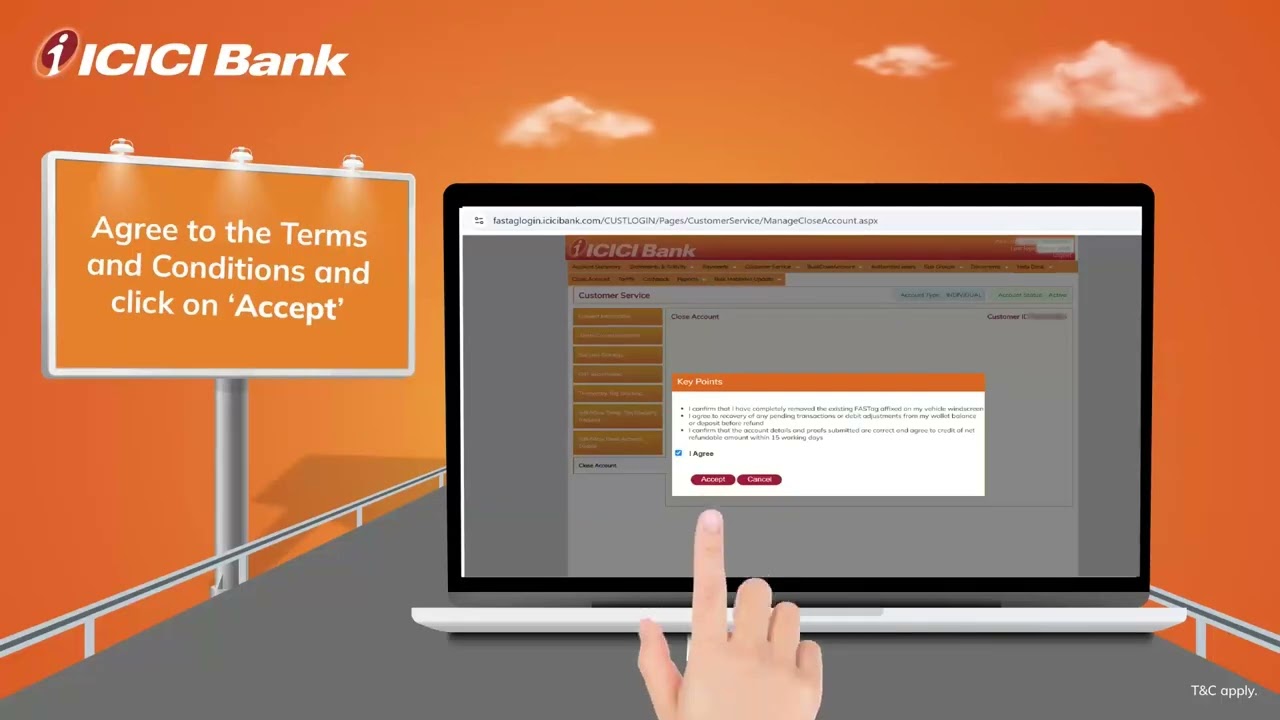
Step-by-step process for FASTag account closure through the ICICI Bank FASTag Portal
Required documents for FASTag closure and refund
Where will you receive your balance refund after closure
Process Overview:
1. Log in to the ICICI Bank FASTag portal using your credentials.
2. Navigate to ‘Close Account’ in the portal menu.
3. Provide necessary details and upload required documents (ID proof, cancelled cheque, etc.).
4. Submit your request.
Who should watch?
Vehicle owners who have sold their car
Customers switching to another FASTag provider
Anyone seeking to deactivate their ICICI Bank FASTag for any reason
Повторяем попытку...
Доступные форматы для скачивания:
Скачать видео
-
Информация по загрузке:


