Blender Masterclass Work Like a Pro
Автор: VirtualFX Studios
Загружено: 2026-01-31
Просмотров: 59
Описание:
🔥 Blender Masterclass Course | Blender 4 & Blender 5.0 | Pro Workflow, CGI & VFX
There are thousands of Blender tutorials on YouTube.
But true professional, real-world workflows explained step by step are still very rare.
This Blender Masterclass is designed to take you from a basic user mindset to a fast, optimized, industry-style workflow — exactly how professionals work in real production.
The course is created using Blender 4 and Blender 5.0, covering the latest tools, workflows, and performance improvements.
🚀 What You Will Learn in This Masterclass
✅ 1. Professional Asset Libraries (In Full Detail)
How to create proper asset libraries inside Blender
Reusable, organized, production-ready assets
Faster workflows for real projects
Saving time on every scene
✅ 2. Blender 5.0 – Vulkan & OpenGL Backend Explained
Blender 5.0 Vulkan backend overview
Vulkan vs OpenGL performance comparison
Which backend works best for your system
Stability and speed optimization tips
✅ 3. Professional Workflow (Not Beginner Style)
How professionals work fast and efficiently
Avoiding common beginner mistakes
Clean, optimized, production-ready workflow
Speed + stability combined
✅ 4. Fully Optimized Ready-to-Use Blender Interface
No more wasting time switching tabs ❌
All important panels open in one place
Focus only on your main creative work
🎯 Optimized interface for:
Modeling Artists
VFX Artists
Portfolio / Showreel Artists
Environment & CGI Artists
✅ 5. Automation – No More Repetitive Tasks
Automatic Eevee ↔ Cycles setup
Automatic CPU ↔ GPU switching
Blender opens fully configured and ready
Repetitive and boring tasks automated
👉 Just open Blender and start working.
✅ 6. Safe & Fast Render Settings
Avoid GPU out-of-memory issues
Reduce crashes and instability
Faster, more reliable rendering
Production-tested render settings
✅ 7. Realistic Environment & Viewport Setup
Real-world environment creation rules
Proper scene scale, lighting, and realism
Optimized viewport settings for smooth work
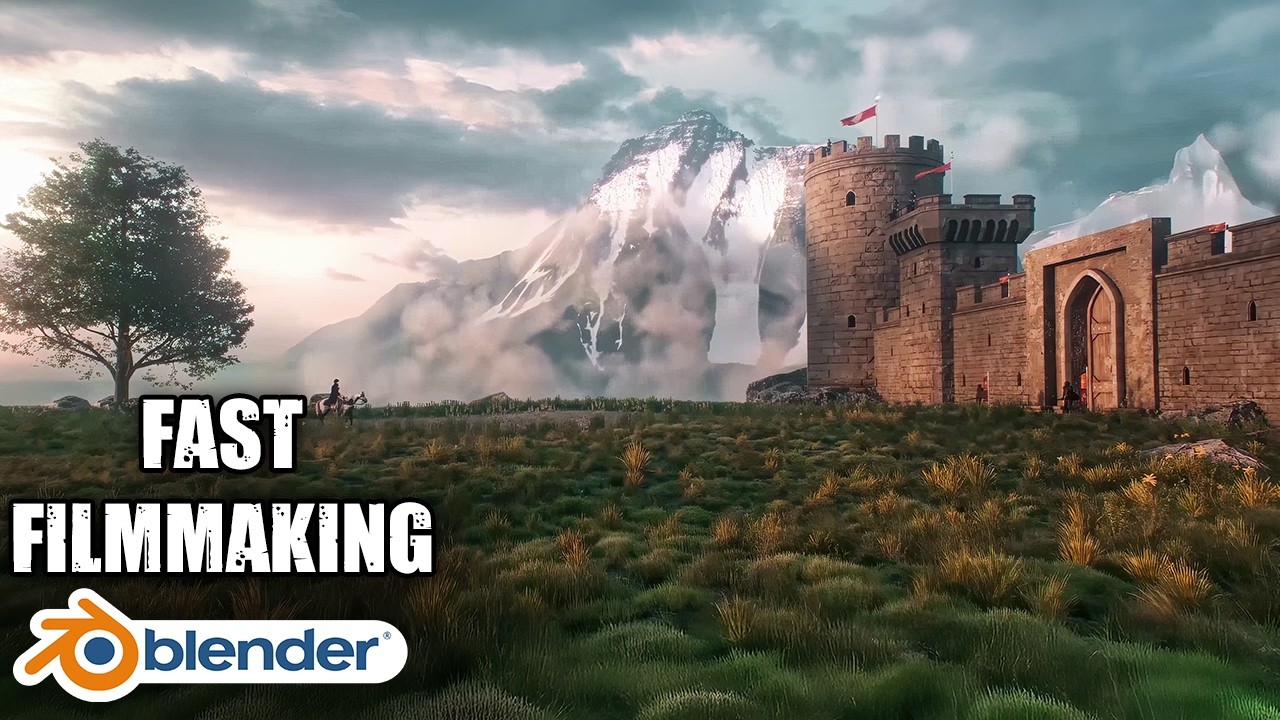
✅ 8. Massive CGI Environment + VFX
Create a large-scale CGI environment
Full breakdown from start to finish
Adding green-screen footage
Practical real-world VFX workflow
🎓 Who Is This Course For?
✔️ Blender users who want to work professionally
✔️ Artists looking for fast & optimized workflows
✔️ CGI, VFX, and environment artists
✔️ Creators building a portfolio or showreel
🔥 Why This Blender Masterclass?
Uses Blender 4 & Blender 5.0
Industry-style workflow
Practical, real-world setup (not theory only)
Time-saving and crash-free pipeline
Focus on results, speed, and stability
📌 If you want to take Blender seriously
📌 If you want to work like a professional
📌 If you want results without wasting time
👉 This Blender Masterclass is for you.
How To Render Fast In Blender Video Link :
• How To Render Faster in Blender | Premium ...
Instagram :
https://www.instagram.com/virtualfxst...
⏱ Timestamps
00:00 – Intro
01:21 – Fast Workflow
02:06 – Asset Libraries
08:38 – Work Like a Pro
09:18 – Blender 5.0
10:06 – Vulkan
10:36 – Optimize Interface
15:19 – Modeling Artist
16:36 – VFX & CGI Artist
17:20 – Reel Artist
20:08 – Render Settings
23:20 – Simplify
28:41 – Film & Performance
30:52 – Output Settings
31:15 – Viewport Settings
32:33 – Camera Settings
33:30 – Human Reference
34:20 – Auto Set Everything
36:20 – Environment Breakdown
Tags :
#blender3d #blendertutorial #b3d #vfx #vfxtutorials #cgi #blendervfx #masterclass #course #courses #3dcourse #virtualfxstudios
Повторяем попытку...
Доступные форматы для скачивания:
Скачать видео
-
Информация по загрузке: