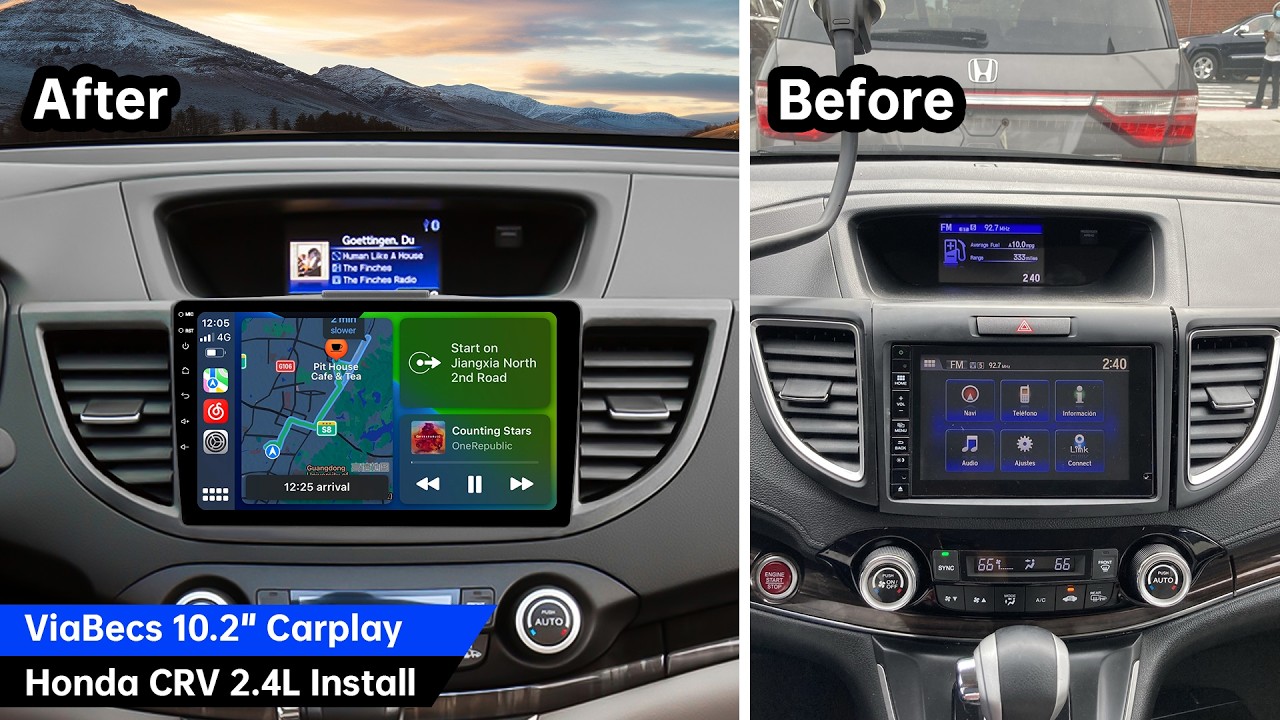
ViaBecs 2015-2016 Honda CR-V CarPlay Stereo Install | Keep Your OEM Lane Watch Camera Working
Автор: ViaBecs Expert
Загружено: 2026-03-06
Просмотров: 9
Описание:
Upgrade your Honda CR-V stereo with Apple CarPlay! 🚗📱
This video shows a real customer installation for the 2015–2016 Honda CR-V Touring, including navigation, factory amplifier, subwoofer, backup camera, and the passenger LaneWatch camera. Perfect for owners looking for a clean plug-and-play DIY install guide.
🔗 PRODUCT LINKS / BUY ON AMAZON:
Android Car Radio for 2015–2016 Honda CR-V 2.4L (CAN021-R Harness – LaneWatch Compatible)
👉 https://amzn.to/3JEM8uH
Android Car Radio for 2012–2016 Honda CR-V (CAN019-R & CAN020-R Harness)
👉 https://amzn.to/46doVbA
ViaBecs Car Subwoofer Adapter for Honda Civic CR-V 2012-2016
👉 https://amzn.to/46NrpgZ
ViaBecs Store:
👉 https://amzn.to/3XikLby
🔥 What you’ll see in this video:
0:00 — Wiring harness overview
0:40 — Wire AMP CONT Line to get sound
0:50 — Backup camera & LaneWatch camera connections
1:32 — Connect subwoofer Adapter
3:20 — Removing factory head unit
4:26 — Removing dash vents & trim pieces
5:19 — Reboot Head Unit Overview
5:54— Test Original Backup Camera
7:43 — Final review after installation
Related Video:
CAN021-R Wiring Harness Connection
• Wiring Harness Connection of ViaBecs CarPl...
💡 Install Tips:
Disconnect the battery before removing the factory radio
Use plastic trim tools to protect the dashboard
Confirm harness compatibility with Touring models
Factory subwoofer and HDMI may require an additional adapter harness
👍 LIKE if this install helped you
💬 COMMENT your CR-V year/model
🔔 SUBSCRIBE for more CarPlay install guides and troubleshooting videos
#HondaCRV #reversecamera #CRVUpgrade #DIY #CarRadio
Повторяем попытку...
Доступные форматы для скачивания:
Скачать видео
-
Информация по загрузке: