Smart Cruise Control (SCC) with Stop & Go
Автор: Kia Features & Functions Videos
Загружено: 2021-05-20
Просмотров: 36421
Описание:
When cruise control was first invented, people were happy to just maintain a steady speed.
Now, Smart Cruise Control with Stop and Go, available on select Kia models, does so much more, making driving even more enjoyable.
Let’s check it out:
Smart Cruise Control, or SCC, with Stop and Go, allows you to maintain a predetermined speed and distance from the vehicle ahead, automatically adjusting the speed, as needed, to maintain the flow of traffic.
So, when traffic slows down, SCC automatically slows down your Kia.
It can even bring your Kia to a complete stop without depressing the brake pedal.
Then, when the vehicle ahead starts to move, Smart Cruise Control re-engages and your Kia starts to move, too.
Hence, the Stop and Go part of the name.
But if the lead vehicle is stopped for more than three seconds, then you have to re-engage Smart Cruise Control by pressing the “SCC Restore” button on the steering wheel or pressing the accelerator.
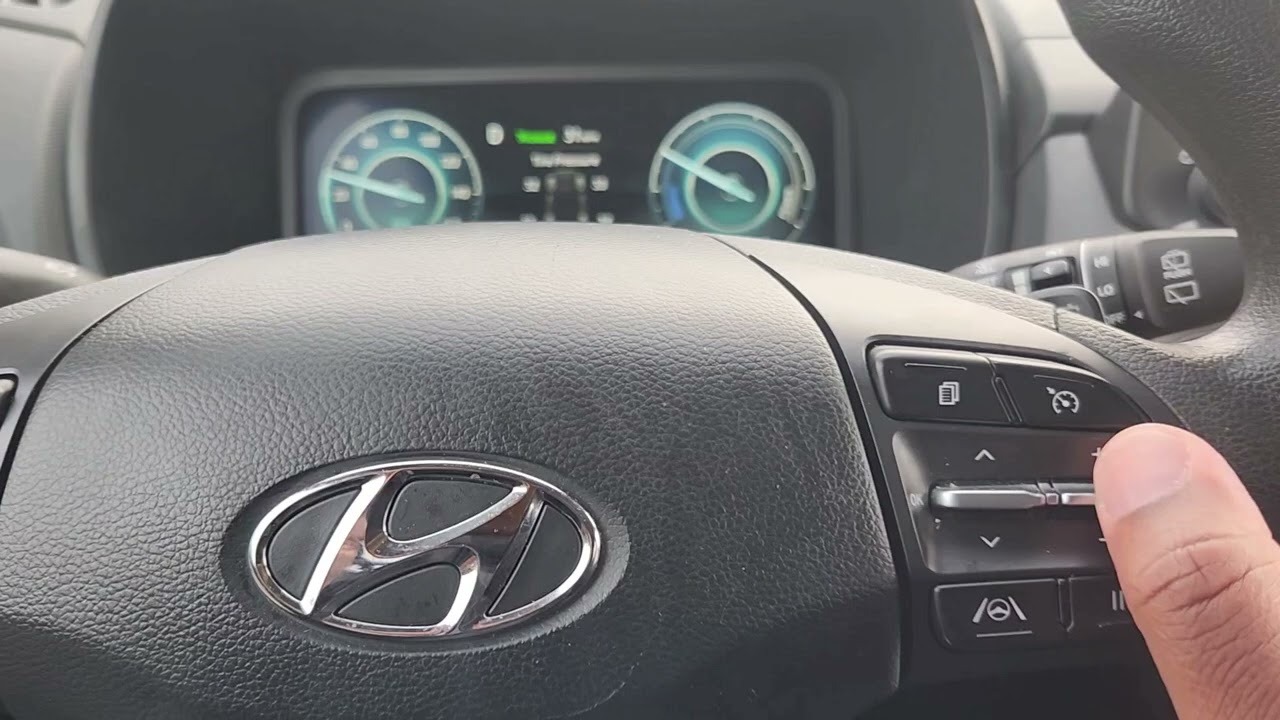
To use Smart Cruise Control, accelerate to your desired speed and press the CRUISE button on the steering wheel. The Cruise indicator will illuminate on the instrument cluster.
Press up on this button to increase the set speed…
Press down to reduce the set speed.
Some Kia models vary slightly in these particular controls. You can check your Owner’s Manual for specific operational information.
When SCC is active, you can adjust the distance by pressing the Vehicle Distance button
Each time you press that button, it will scroll through the
different vehicle distance selections on the instrument cluster
– fewer bars indicates less distance between vehicles.
Stop when you find the setting you prefer.
You can also adjust the sensitivity of Smart Cruise Control in
the User Settings by pressing the Mode button… select Driver
Assistance… then SCC Reaction or SCC Response… and finally,
select Fast, Normal or Slow.
To cancel SCC operation, you can press the Cancel button or
press the brake pedal.
And to turn off SCC, press the Cruise button again and the
cruise indicator light on the instrument cluster will turn off.
You can also change from Smart Cruise Control to standard cruise control by pressing and holding the Vehicle Distance button or the CRUISE button. Kia models vary.
SCC must not be activated to change modes.
Then press and hold the CRUISE button again to return to Smart Cruise Control.
Calling this system “smart” is a bit of an understatement, and it is a real asset while driving.
Remember, Smart Cruise Control with Stop and Go is a supplemental system and is not a substitute for safe and proper driving. Always drive safe and use caution.
For additional information on Smart Cruise Control with Stop and Go, please refer to your Owner’s Manual, the Features & Function Guide for your vehicle or the Kia Features & Functions Videos YouTube channel.
Thanks for watching.
Повторяем попытку...

Доступные форматы для скачивания:
Скачать видео
-
Информация по загрузке: