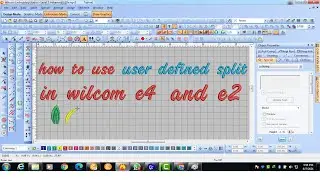
How to use User Defined Split in Wilcom E4 2 I NC Training by Needle Crafts Pakistan
Автор: NC Trainings
Загружено: 2025-01-29
Просмотров: 579
Описание:
User-Defined Split in Wilcom e4.2
*User-Defined Split* in *Wilcom e4.2* is an advanced tool that allows you to manually control how complex objects are divided into sections. This is particularly useful for multi-layered designs, creating unique stitch effects, or ensuring smooth stitch flow in challenging fabric types.
*How to Use User-Defined Split?*
1. *Select the Object:*
Open your design in Wilcom e4.2 and choose the object you want to split.
2. *Access the User-Defined Split Tool:*
Go to *Object Properties* (`Ctrl + 1`).
Look for the *Split Method* section and select **User-Defined Split**.
3. *Define the Splitting Points:*
Click on the object where you want to introduce a split.
Adjust the split lines manually to control stitch direction and flow.
4. *Modify and Fine-Tune:*
You can add multiple split points for more complex divisions.
Adjust the spacing and angles to create unique effects.
5. *Apply and Preview:*
Click *Apply* to confirm changes.
Use the *TrueView* mode (`T` shortcut) to preview how stitches will appear.
*Advantages of User-Defined Split:*
✅ Provides greater control over stitch patterns and texture.
✅ Helps in reducing thread breaks and improving design stability.
✅ Useful for complex objects like satin stitches, shaded areas, and multi-layer designs.
✅ Enhances the aesthetic appeal by creating more natural stitch flows.
Here’s a summary of the video "How to use User Defined Split in Wilcom E4 2 | NC Training by Needle Crafts Pakistan":
1. The video introduces the concept of "splitting" in embroidery design to enhance object beauty by dividing stitches into different angles or sections.
2. Key splitting features discussed include Auto Split, Program Split, Flagship Split, and User Defined Split.
3. Previous lessons covered Auto Split, Program Split, and Flagship Split, and today’s focus is on the User Defined Split feature.
4. User Defined Split allows custom division of stitches in specific ways that the user desires.
5. The instructor demonstrates applying User Defined Split to a complex design, such as a leg model, to enhance its effect.
6. The video explains how to activate the User Defined Split feature from the toolbar in Wilcom E4.2, ensuring it is visible in the interface.
7. The process includes drawing specific points and applying splits at desired angles to create detailed effects like muscles or cuts on the design.
8. The tutorial also covers reshaping and adjusting splits post-application, showing flexibility in design manipulation.
9. Instructions are provided for using various input tools for applying the User Defined Split and how to modify the design accordingly.
10. Viewers are encouraged to practice using the User Defined Split tool, and additional resources, such as downloadable images and exercises, are offered for further learning.
Would you like a step-by-step video guide or images for better understanding? 😊
--------------------------------------------------------------------------------------------------------------------------------------------------------
*Contact Us for Professional Training – Physical and Online Classes*
*Rao Muhammad Yousuf*
Fashion Designer & Trainer
Affiliated with Skill Development Council,
National Training Bureau, Government of Pakistan
📍 *Address:*
11-A, Wahdat Road, Lahore, Pakistan
📞 *Phone:*
+92 323-842-7523
📧 *Email: [email protected]*
🌐 *Website: www.needlecraftpk.com*
Повторяем попытку...

Доступные форматы для скачивания:
Скачать видео
-
Информация по загрузке:






![How to Create & Digitize a Picture in Satin Stitch with Parameters [# 0201 Wilcom e4.2 ]](https://image.4k-video.ru/id-video/GrblkME0CwE)
