Translation RSS Blogs Language & Google Scripts
Автор: sehtail sami
Загружено: 2014-01-11
Просмотров: 777
Описание:
http://bit.ly/1iwcN5q
Now that you have a good idea of what we are trying to achieve,
let's see the script in action.
Open the Google Script and choose File Make a copy to create a personal copy of that feed translation script into your Google Drive.
Replace the source language the target language and the RSS feed URLwith your own values.
Go to File Manage Versions and choose Save a new version. You may leave the description field blank.
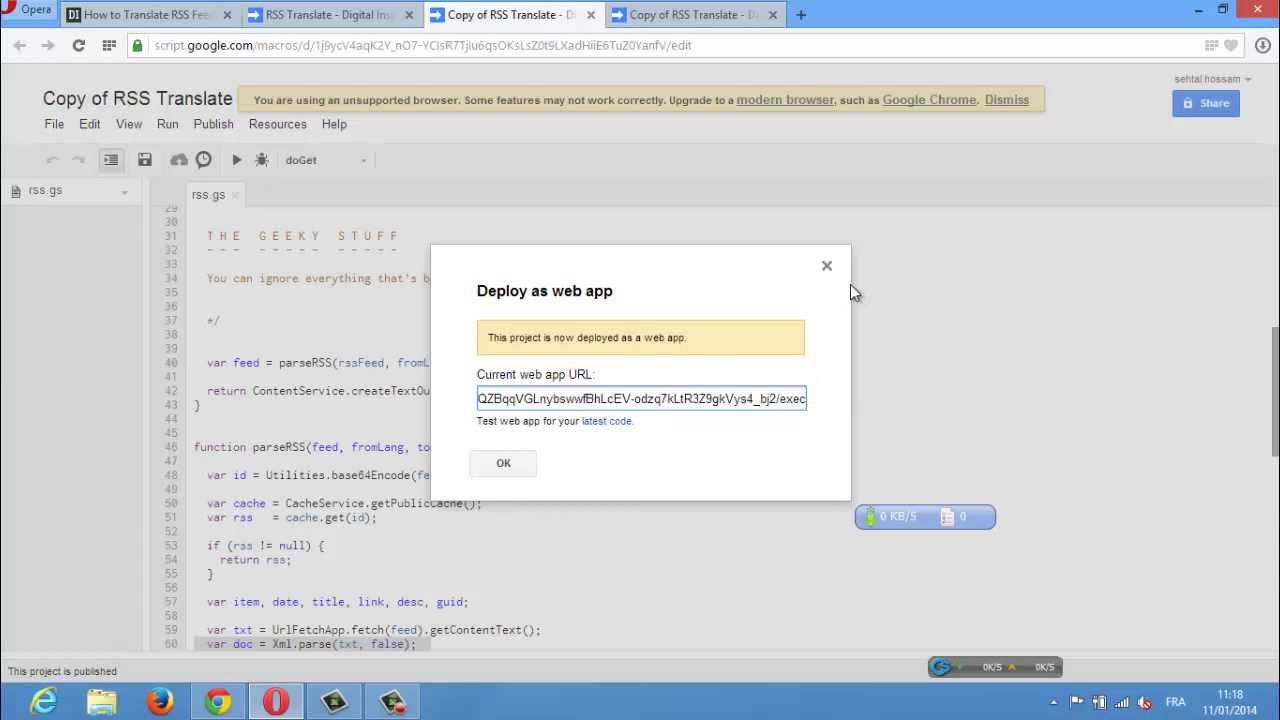
Go to Publish Deploy as Web App, choose "Anyone, even Anonymous" under "Who can access the app" and click the Deploy button.
Google Script will now offer you a link to the web app. That's actually the new URL of the translated RSS feed which you can directly subscribe in Google Reader or any other news reader app like Reeder, Flipboard, etc.
If you wish to translate another RSS feed, or offer the same feed but in another language, just go back to step #1.
Google Translate API is now a paid service but if you access the same through Google Scripts, which we have done in this case, there isn't any fee involved.
Повторяем попытку...
Доступные форматы для скачивания:
Скачать видео
-
Информация по загрузке: