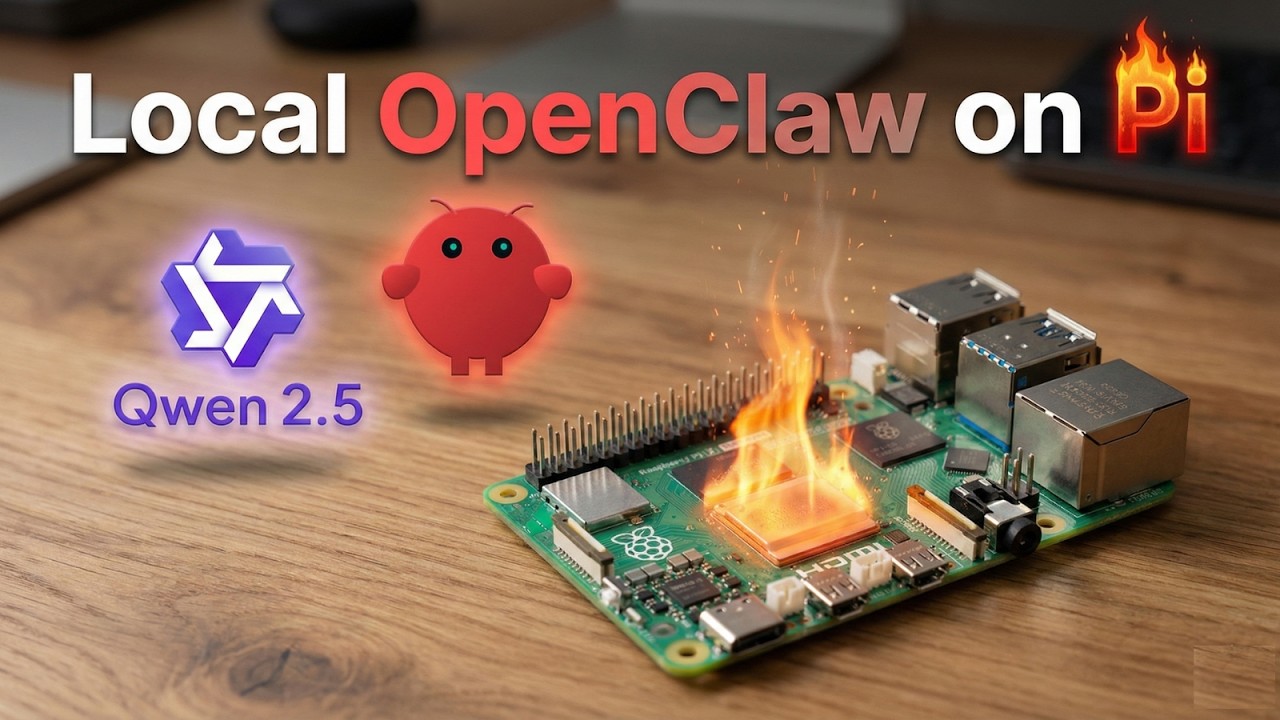
I tried running Openclaw locally on Raspberry Pi... it caught fire 🔥
Автор: Mayukh Builds
Загружено: 2026-02-03
Просмотров: 2482
Описание:
In this video, I demonstrate how to set up a local llm setup Qwen2.5 on a Raspberry Pi 5 using OpenClaw. We'll explore how to run ai on raspberry pi, addressing common roadblocks and showcasing the performance. This guide is perfect for anyone interested in raspberry pi projects and getting llm on raspberry pi. Discover the power of local ai and explore the potential of AI agents with ollama.
WATCH THIS FIRST: • Your Own AI Butler for $75? OpenClaw+Kimi ...
Here are the chapter timestamps and a summary of the context for the video.
Chapter Timestamps
00:00 Intro: The goal to run a local LLM agent on Raspberry Pi 5.
01:01 Setting up Ollama and downloading the Qwen 2.5 (1.5B) model.
01:46 Initial Test: Running Qwen 2.5 directly on the Pi (4-5 tokens/sec).
02:30 Integrating the local model with OpenClaw (formerly Cloudbot).
03:18 The Failure: Why OpenClaw timed out (Context window overload).
04:26 The Pivot: Switching to "Nanobot" (a lightweight OpenClaw alternative).
04:48 Installing and configuring Nanobot.
06:14 Optimization: Stripping down system prompts to improve speed.
07:11 Final Verdict: Is it usable without a GPU?
07:50 Future Plans: Sticking to cloud models & adding sensors.
You'll need this tutorial to set up OpenClaw on your Raspberry Pi before following along with this video.
KEY RESOURCES:
OpenClaw (AI Agent Framework):
https://openclaw.ai/
nanobot GitHub (Ultra-Lightweight AI Assistant):
https://github.com/HKUDS/nanobot/tree...
Qwen 2.5 0.5B Model via Ollama:
https://ollama.com/library/qwen2.5:0.5b
FOLLOW ME ON X/TWITTER:
https://x.com/MayukhBagchi4
For real-time updates on my projects and experiments.
WHAT YOU'LL LEARN:
How to run local AI models on Raspberry Pi 5
OpenClaw setup and optimization techniques
Thermal management for edge AI deployment
When to use lightweight alternatives like nanobot vs full LLMs
Practical trade-offs between model size and performance on constrained hardware
Real-world AI agent deployment considerations
HARDWARE USED:
Raspberry Pi 5 (8GB RAM recommended)
Active cooling (essential for sustained AI workloads)
MicroSD card (32GB minimum)
Power supply (5V 5A recommended)
SOFTWARE STACK:
Raspberry Pi OS (64-bit)
OpenClaw AI agent framework
Ollama (local LLM runtime)
Qwen 2.5 0.5B model
nanobot (ultra-lightweight alternative)
PERFORMANCE METRICS:
Qwen 2.5: High CPU usage, 85°C+ temperatures, slow inference times
nanobot: Just approximately 4,000 lines of code, 99% smaller than Claude-scale agents
Thermal throttling challenges on Raspberry Pi hardware
RAM and CPU optimization required for stable operation
WHO THIS IS FOR:
Edge AI enthusiasts wanting local AI without cloud dependencies
Raspberry Pi developers pushing hardware limits
Privacy-focused users building offline AI assistants
Students and researchers exploring lightweight AI architectures
Anyone interested in practical AI deployment on budget hardware
Makers experimenting with self-hosted AI solutions
ABOUT NANOBOT:
nanobot is an ultra-lightweight personal AI assistant inspired by Claude, delivering core agent functionality in just approximately 4,000 lines of code. That's 99% smaller than full-scale implementations like the original Claude codebase. Perfect for research, development, and resource-constrained deployments like Raspberry Pi and other edge devices.
TIMESTAMPS:
0:00 - Introduction: The Challenge
[Add your actual timestamps here]
CHALLENGES ADDRESSED IN THIS VIDEO:
Thermal throttling at 85°C and above
Memory constraints with 8GB RAM configuration
Inference speed optimization strategies
OpenClaw configuration for low-resource environments
Finding the right balance between AI capability and hardware performance
Troubleshooting installation and dependency issues
Have you tried running LLMs on Raspberry Pi or other edge hardware?
What's your experience with thermal management on Pi 5?
Are lightweight AI assistants like nanobot the future for edge deployment?
What other AI projects would you like to see on Raspberry Pi?
What are your thoughts on local vs cloud AI solutions?
SUPPORT THE CHANNEL:
If this tutorial helped you:
Like the video
Comment your questions and experiences below
Share with fellow makers and AI enthusiasts
Subscribe for more technical tutorials and experiments
PREVIOUS RELATED VIDEO:
Your Own AI Butler for $75? OpenClaw+Kimi K-2.5 on Raspberry Pi [Full Tutorial]
• Your Own AI Butler for $75? OpenClaw+Kimi ...
Running AI models intensively on Raspberry Pi can generate significant heat. Always ensure adequate cooling and monitor temperatures to prevent thermal throttling or hardware damage. This tutorial is for educational purposes. Results may vary based on your specific hardware configuration, ambient conditions, and software versions.
#raspberrypi5 #openclaw #raspberrypi5 #makerprojects #offlineai
Повторяем попытку...
Доступные форматы для скачивания:
Скачать видео
-
Информация по загрузке:
![Your Own AI Butler for $75? OpenClaw+Kimi K-2.5 on Raspberry Pi [Full Tutorial]](https://imager.clipsaver.ru/KjxYpRkPT48/max.jpg)