Bitwarden Desktop App – How to Export Vault
Автор: HardReset_info Tests
Загружено: 2025-08-22
Просмотров: 52
Описание:
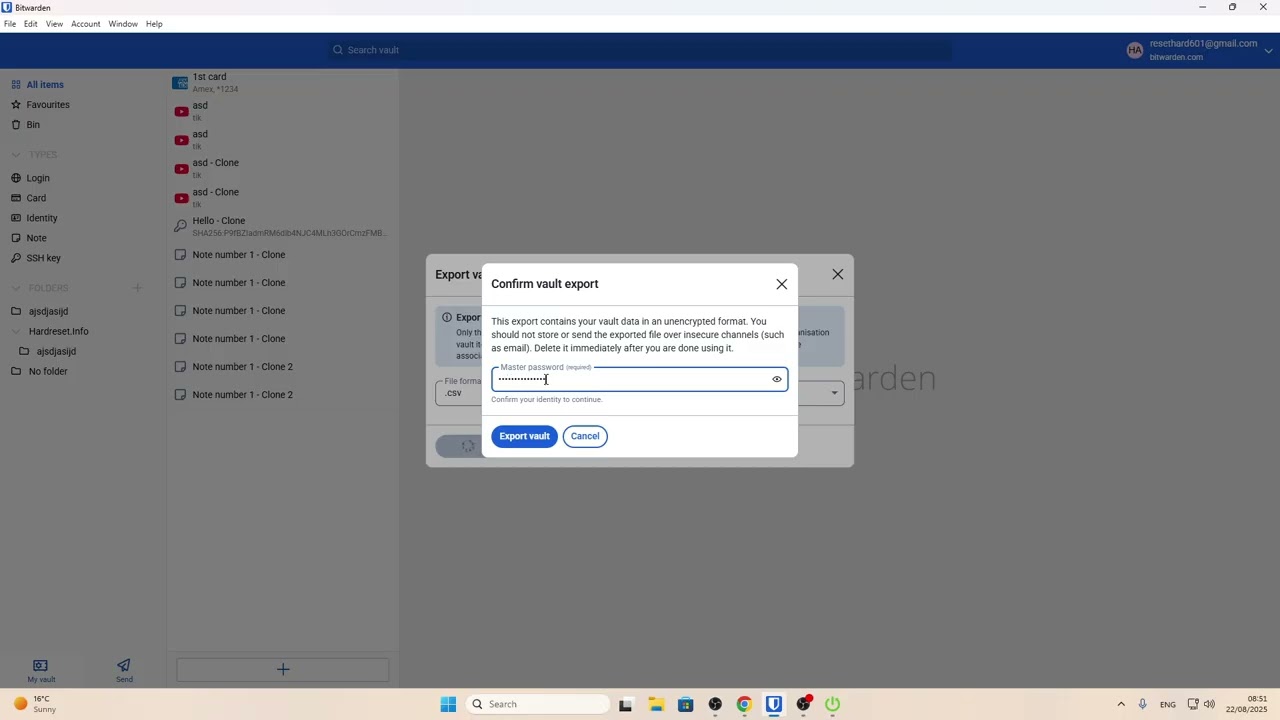
If you want to back up your passwords or move your data to another service, exporting your vault from the Bitwarden Desktop App is a simple process. In this video, we show you step-by-step how to export your entire Bitwarden vault using the desktop application. You’ll learn how to choose the right file format (CSV, JSON, or ZIP with attachments), enter your master password, and save your exported data to your computer. This guide is perfect for anyone looking to secure their Bitwarden data, create a backup, or transfer passwords to another password manager. Follow along to make sure your important files and passwords are safely exported from the Bitwarden Desktop App.
How to export vault in Bitwarden Desktop App?
How to save Bitwarden passwords to a file on desktop?
Where is the export option in Bitwarden Desktop App?
0:00 Introduction
0:05 Open Bitwarden Desktop App
0:12 Go to File and select Export Vault
0:22 Choose export file format (CSV, JSON, ZIP)
0:38 Enter Bitwarden master password
0:50 Save exported vault to your computer
1:18 Locate exported file in Documents or chosen folder
1:31 Outro and tips
#Bitwarden #BitwardenDesktop #ExportVault #PasswordManager
Find out more:
https://www.hardreset.info/devices/ot...
Follow us on Instagram ► / hardreset.info
Like us on Facebook ► / hardresetinfo
Tweet us on Twitter ► / hardreseti
Support us on TikTok ► / hardreset.info
Use Reset Guides for many popular Apps ► https://www.hardreset.info/apps/apps/
Повторяем попытку...
Доступные форматы для скачивания:
Скачать видео
-
Информация по загрузке: