TABLEAU PARETO CHART TUTORIAL
Автор: Art of Visualization
Загружено: 2017-07-01
Просмотров: 52886
Описание:
Become a cutting-edge TABLEAU expert in as little as 8 HOURS with our newest data science online course — now 95% off.
Dive into all that Tableau 2018 has to offer and take your data science career to whole new heights with “Tableau 2018: Hands-On Tableau Training For Data Science” — currently rated 4.6/5 on Udemy.
Learn by doing with step-by-step lectures, real-life data analytics exercises and quizzes.
=================================================
95% OFF — A limited time, YouTube ONLY offer!
Enroll today ==> https://www.udemy.com/tableau-2018/?c...
=================================================
Here’s what some of our bright students have to say about the course!
“I took almost every course from [instructor] Kirill and his team. This is one of the best ones so far. Examples and pace of the course are perfect in my opinion.” — Philipp S.
“Intuitive guidance about how to interpret data and present it in a way that is easily comprehensible.” — Khushwinder B.
Join over 523,000 data science lovers and professionals in taking your skills to the next level. Leverage opportunities for you or key decision makers to discover data patterns such as customer purchase behavior, sales trends, or production bottlenecks.
Master everything there is to know about Tableau in 2018
========================================
Getting started
Tableau basics
Time series, aggregation and filters
Maps, scatterplots and launching your first dashboard
Joining and blending data
Creating dual axis charts
Table calculations, advanced dashboards, storytelling
Advanced data preparation
Clusters, custom territories, design features
What’s new in Tableau 2018
Learn on-the-go and at your convenience — via mobile, desktop, and TV — in a 70-lecture course that breaks down topics into fun and engaging videos while covering all the Tableau 2018 functions you’ll ever need. And don’t hesitate to start from the beginning, or skip ahead with our independent modules.
Learn how to make Pareto Chart in Tableau through this amazing tutorial!
Get the dataset and completed Tableau workbook here:
https://www.superdatascience.com/yt-t...
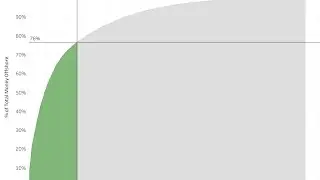
A Pareto chart, named after Vilfredo Pareto, is a type of chart that contains both bars and a line graph, where individual values are represented in descending order by bars, and the cumulative total is represented by the line.
The left vertical axis is the frequency of occurrence, but it can alternatively represent cost or another important unit of measure. The right vertical axis is the cumulative percentage of the total number of occurrences, total cost, or the total of the particular unit of measure. Because the reasons are in decreasing order, the cumulative function is a concave function. To take the example below, to lower some late arrivals by 78%, it is sufficient to solve the first three issues.
The purpose of the Pareto chart is to highlight the most important among a (typically large) set of factors. In quality control, it often represents the most common sources of defects, the highest occurring type of defect, or the most frequent reasons for customer complaints, and so on.
To stay up to date with our latest videos make sure to subscribe to this YouTube channel!
Повторяем попытку...

Доступные форматы для скачивания:
Скачать видео
-
Информация по загрузке: