MSI GE77HX Laptop - How to upgrade SSD and Ram
Автор: Living the Digital Life
Загружено: 2023-01-27
Просмотров: 16169
Описание:
Get the MSI Raider GE77Hx on Amazon: https://urlgeni.us/amzn/MSI-Raider-GE... (affiliate link)
Get the Crucial RAM 32GB Kit: https://urlgeni.us/amzn/Crucial-RAM-Kit (affiliate link)
Get the Crucial SSD: https://urlgeni.us/amzn/Crucial-SSD (affiliate link)
Follow me on Amazon for deals and giveaways: https://urlgeni.us/amzn/Jammin-Digital
Subscribe for more content like this:
/ @livingthedigitallife
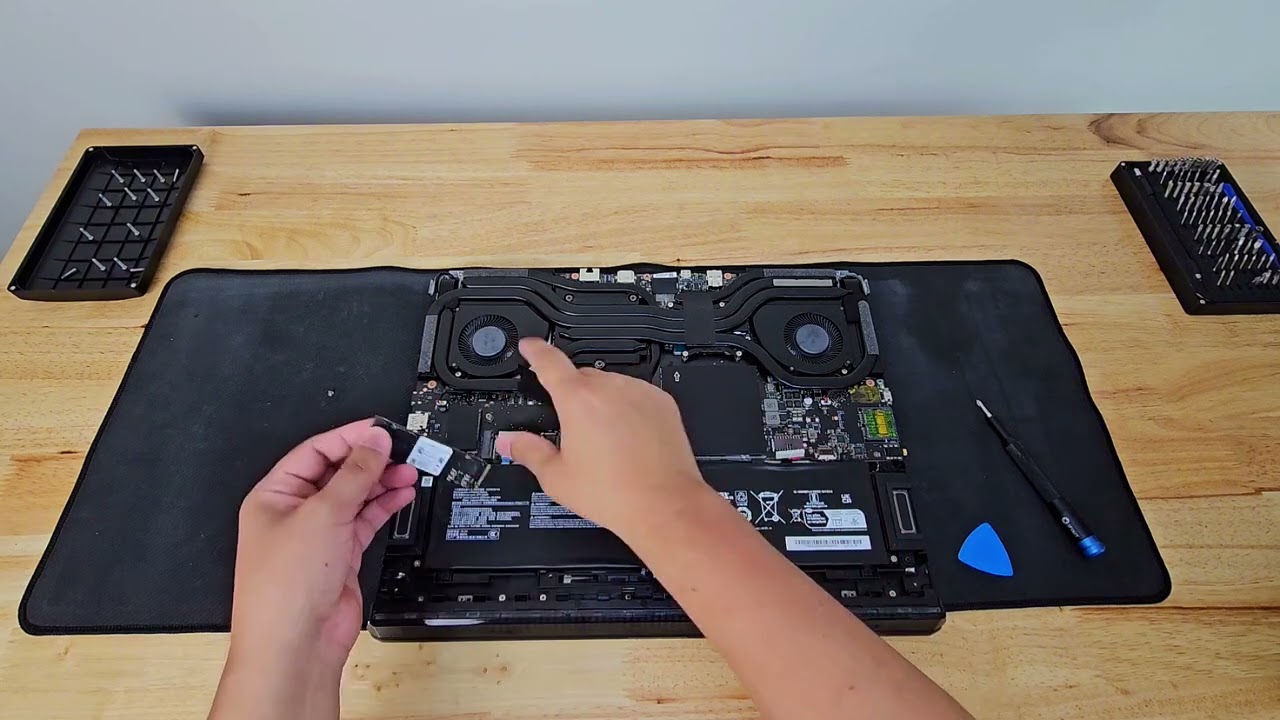
Hello everyone, here I talk about upgrading the ram and ssd on my MSI Raider GE77Hx 17.3" QHD 240Hz Gaming Laptop.
It currently has 16GB DDR5 ram and a 1TB NVMe SSD but I upgrade it to 32gb ddr5 plus adding an extra 2TB SSD to the available slot. This one comes with an Intel Core i7-12800HX CPU and RTX 3070 Ti graphics card.
SSD AND RAM INSTALLATION INSTRUCTIONS
Find compatible RAM and SSD for your machine.
Unscrew the back panel and keep screws in a safe place and don't mix them up
Wear Nitrile gloves or touch unpainted metal to discharge static electricity
Disconnect the Battery
Uncover the proper ssd slot and plug in the new ssd and screw down securely
Carefully unclip old ram but make sure to match the orientation with the new ram and place in the exact same way.
Carefully and gently snap into place.
Connect the Battery
Before closing the back panel, take this time to inspect and clean out the laptop interior.
Close back panel and screw back into place securely.
Thanks for watching, please like and subscribe to support this channel.
This page contains affiliate links. If you choose to purchase after clicking a link, I may receive a commission at no extra cost to you.
Повторяем попытку...

Доступные форматы для скачивания:
Скачать видео
-
Информация по загрузке: