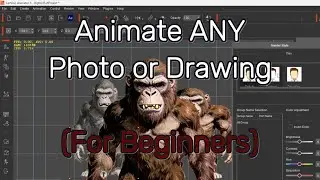
Cartoon Animator 4, 360 Head Tutorial - Basics of Head Composition
Автор: Reallusion
Загружено: 2019-07-11
Просмотров: 16403
Описание:
Cartoon Animator 4 (CTA 4): https://bit.ly/30SyZDu
Cartoon Animator 4 Demo Video: • Cartoon Animator 4 - Professional 2D Creat...
Facial mocap plug-in, Motion LIVE 2D: https://bit.ly/2KiLSk2 (Purchased separately)
Motion LIVE 2D Demo Video: • Cartoon Animator - Live Performance, Facia...
Free trial for 30 days: https://bit.ly/30UVibC (CTA 4 + Motion LIVE 2D)
Cartoon Animator 4 enables artists, illustrators, cartoonists and designers to easily create animatable 2D characters from static images, photos, paintings, and even layered Photoshop PSD. The 2D Bone Editor has all the tools to successfully structure sophisticated bone rigs. Users can use pins to constrain areas to selected bones and optimize subdivision topology for smoother bending effects. Save effort on custom bone-rigging and key frame animation by providing full facial and body rigged character templates allowing users to utilize shared bones structures while enjoying a huge library of cartoon motions.
This tutorial covers the basics of the components of a standard G3 character head. You'll learn all about bones vs. sprites on the face, as well as how to replace facial features in order to customize your character's head.
0:23 Component Overview
5:54 Feature Replacement
FOLLOW US!
Facebook: / reallusionsoftware
LinkedIn: / 94371
Twitter: / reallusion
Instagram: / reallusionofficial
Blog: http://blog.reallusion.com/
Forum: http://forum.reallusion.com/default.aspx
ONLINE HELP
Tutorials: https://www.reallusion.com/cartoon-an...
Manual: http://manual.reallusion.com/Cartoon_...
#2DAnimationSoftware #CartoonAnimator #360HeadTurn
Повторяем попытку...

Доступные форматы для скачивания:
Скачать видео
-
Информация по загрузке: