How to use Hero Photo Templates
Автор: Joshua Ayres Studios
Загружено: 2026-02-07
Просмотров: 36
Описание:
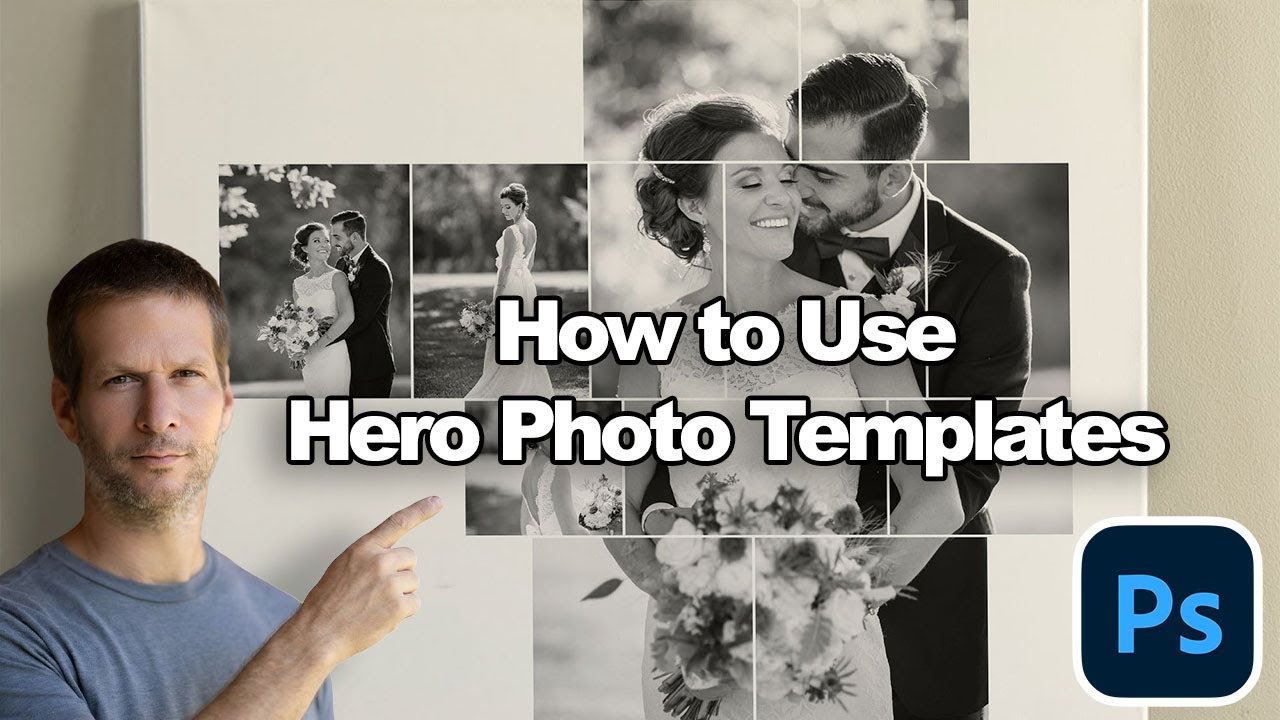
In this video, I walk through how to use Hero Photo Templates in Photoshop to create expressive, story-driven photo collages.
Hero templates are designed around one strong focal image—the “hero”—supported by smaller frames that help tell the rest of the story. Instead of rigid grids, these layouts feel organic, balanced, and artistic, while still being fast and easy to use.
You’ll see how the drag-and-drop workflow works, how to position images across multiple frames, and how to refine a collage until it feels intentional and complete. I’ll also demonstrate how optional artistic overlays can be used to subtly enhance mood, unify tones, or add visual interest—without overpowering your images.
This approach works especially well for storytelling photography, where a single image leads the viewer and supporting moments add context, emotion, and flow.
What this video covers:
• Drag-and-drop hero image workflow
• Building a strong focal point with supporting images
• Adjusting and refining frames for balance and composition
• Using optional artistic overlays for creative control
• Keeping layouts flexible, clean, and story-driven
Perfect for:
• Wedding photography
• Engagement and couples sessions
• Story-focused artwork
• Albums, wall art, and prints
• Photographers who want speed and creative freedom
These Hero Templates are designed for photographers who want structure without rigidity—fast to use, easy to customize, and flexible enough to match your own style.
You can find the Hero Templates and other Photoshop tools in my Etsy shop here:
👉 https://www.etsy.com/shop/JoshuaAyres...
Requirements:
• Adobe Photoshop (desktop version)
• Basic familiarity with Photoshop layers and templates
This is a Photoshop-only workflow and is not compatible with Lightroom, Canva, or mobile apps.
Повторяем попытку...
Доступные форматы для скачивания:
Скачать видео
-
Информация по загрузке: